13EN
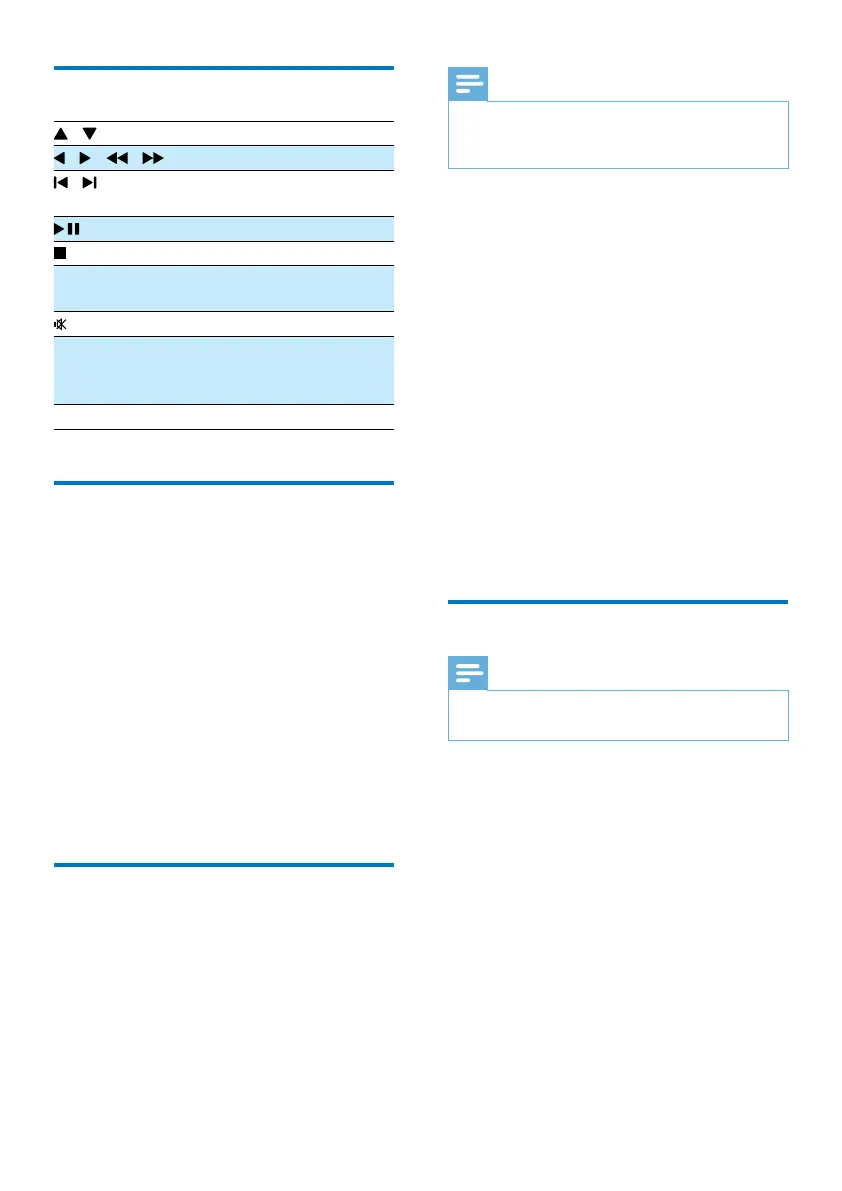
Control play
/ Select a folder.
/ ( / ) Fast backward/forward.
/ Skip to previous or next
title/chapter/track/le.
Pause or resume play.
Stop play.
+/- Increase or decrease the
volume.
Mute or restore sound.
SOUND Enrich sound effect with
DSC: balanced, clear,
powerful, warm, and bright.
DISPLAY View playback information.
Select tracks
1
Press one of any numeric buttons to
activate the track select.
» The total track numbers display on the
screen.
2 Pressthreenumericbuttonssequentiallyto
select a track( Total track numbers<999),
orpressfournumericbuttonssequentially
to select a track ( Total track numbers >
= 1000)
For example: Press 001 to select track 1, or
press 0002 to select track 2.
3 Press OK toconrm.
Play options
In DISC/USB play mode, press OPTION
(option) to select different play options.
• [PBC] (PBC): turn PlayBack Control on/off.
• [Aspect Ratio](Aspect ratio): select a
picturedisplayformattottheTVscreen.
• [Angle] (Angle): switch between camera
angles.
Note
•
Some DVDs contain alternate scenes, such as scenes
recorded from different camera angles. For such DVDs,
you can select from the available alternate scenes.
• [Microphone] (Microphone): turn on or
off the microphone sound output.
• [Karaoke Setup](karaoke Setup): set
different volumes of karaoke disc.
• [Vocal] (Vocal): select various Karaoke
audio modes, or turn off original vocal.
• [Zoom] (Zoom): during video play, zoom
in/out to pan through the image.
• [Repeat] (Repeat): choose a repeat play
option or turn off the repeat function.
• [GOTO] (Goto): during video play, specify
a position to start play by entering the
desired time or number.
• [Slow Backward] (Slow Backward) &
[Slow Forward] (Slow forward): during
video play, select a slow backward/forward
speed.
Change the audio channel
Note
•
This feature is only available for VCDs and DivX (Home
Theater 3.1) videos.
During play, press AUDIO repeatedly to select
an audio channel available on the disc:
• [Mono Left] (mono left)
• [Mono Right] (mono right)
• [Mix-Mono] (mix-mono)
• [Stereo] (stereo)


 To Next Page