14
English
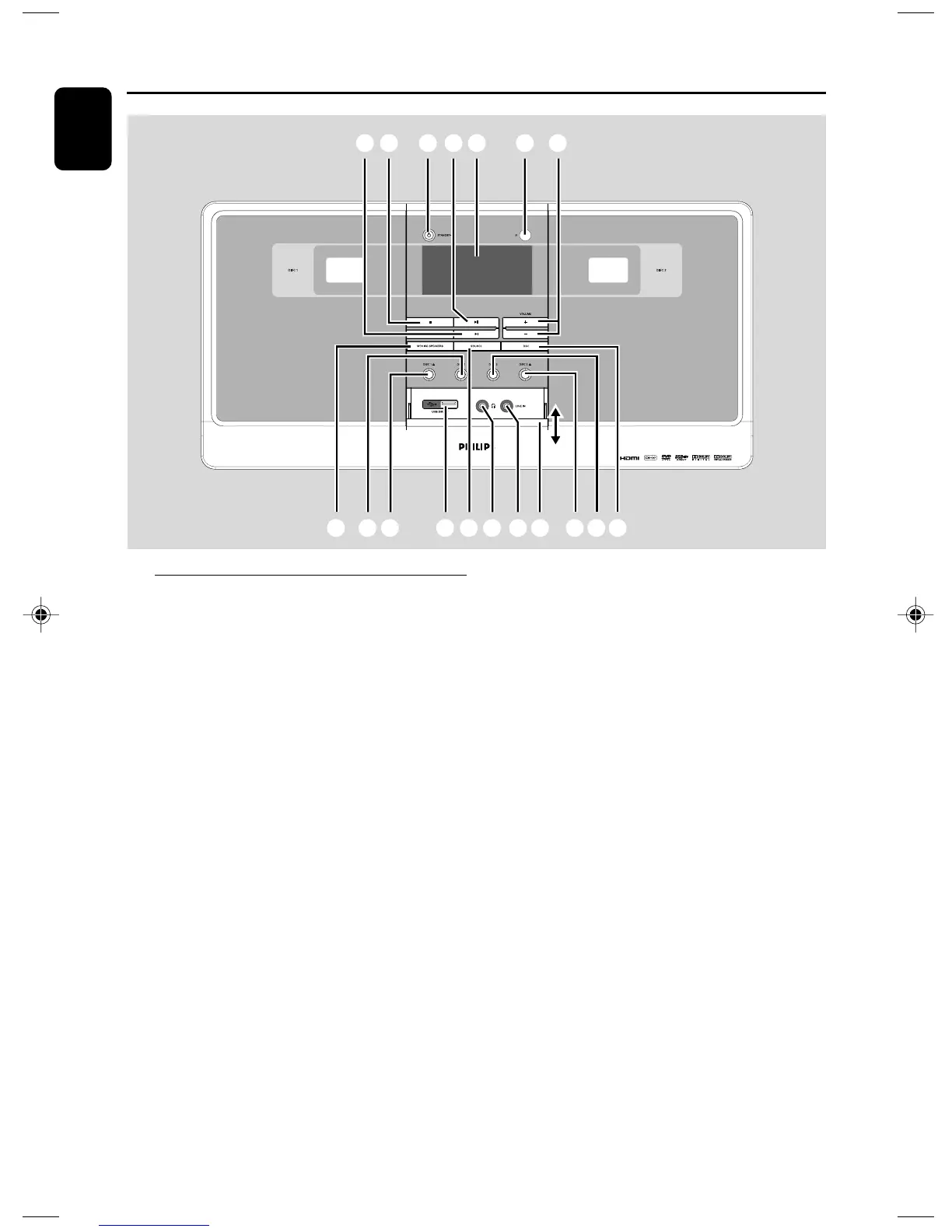
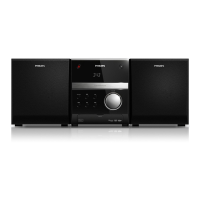
Functional Overview
DVD player and power amplifier
1 STANDBY-ON y
– switches the system on or to standby mode.
2 Display
– shows the current status of the DVD player.
3 IR SENSOR
– points the remote control towards this sensor.
4 ÉÅ
– starts or interrupts disc playback.
5 STOP 9
– stops disc playback or erases a program.
– in Demo mode (on the system only), activates/
deactivates the demonstration.
6 ¡ / ™
Disc:
– skips to the previous/next chapter/title/track.
Tuner:
– tunes to a higher/lower radio frequency.
– press and hold, then release the key to
start automatic search for a radio frequency
downward/upward.
7 MOVING SPEAKERS
– enables / disables the surround sound effect with
moving speakers
8 DISC 1 OPEN•CLOSE ç/ DISC 2
OPEN•CLOSEç
– opens or closes the disc tray.
9 SOURCE
– selects the respective sound source: DVD/AUX/
TUNER (FM)/USB.
– switches the system on.
0 DISC 1 / DISC 2
– selects and plays disc 1 or disc 2.
! VOLUME -/+
– adjusts the volume upward/downward.
– adjusts the hours and minutes in clock/timer
setting mode
– switches the set timer ON or OFF.
@ DSC
– selects different types of preset sound equalizer
settings
For CD: CLASSIC, POP, JAZZ, ROCK;
For DVD: CONCERT, SCI-FI, DRAMA, ACTION.
# SLIDE OPEN
– slides down to open the covering plate for USB,
LINE IN and headphone jacks.
$ USB DIRECT
– the jack for the external USB mass storage
device.
156 !324
9$ % ^ #80 80@7
pg 001-021_MCD988_Eng-98 2007.6.26, 15:2614



 To Next Page