18
English
CD
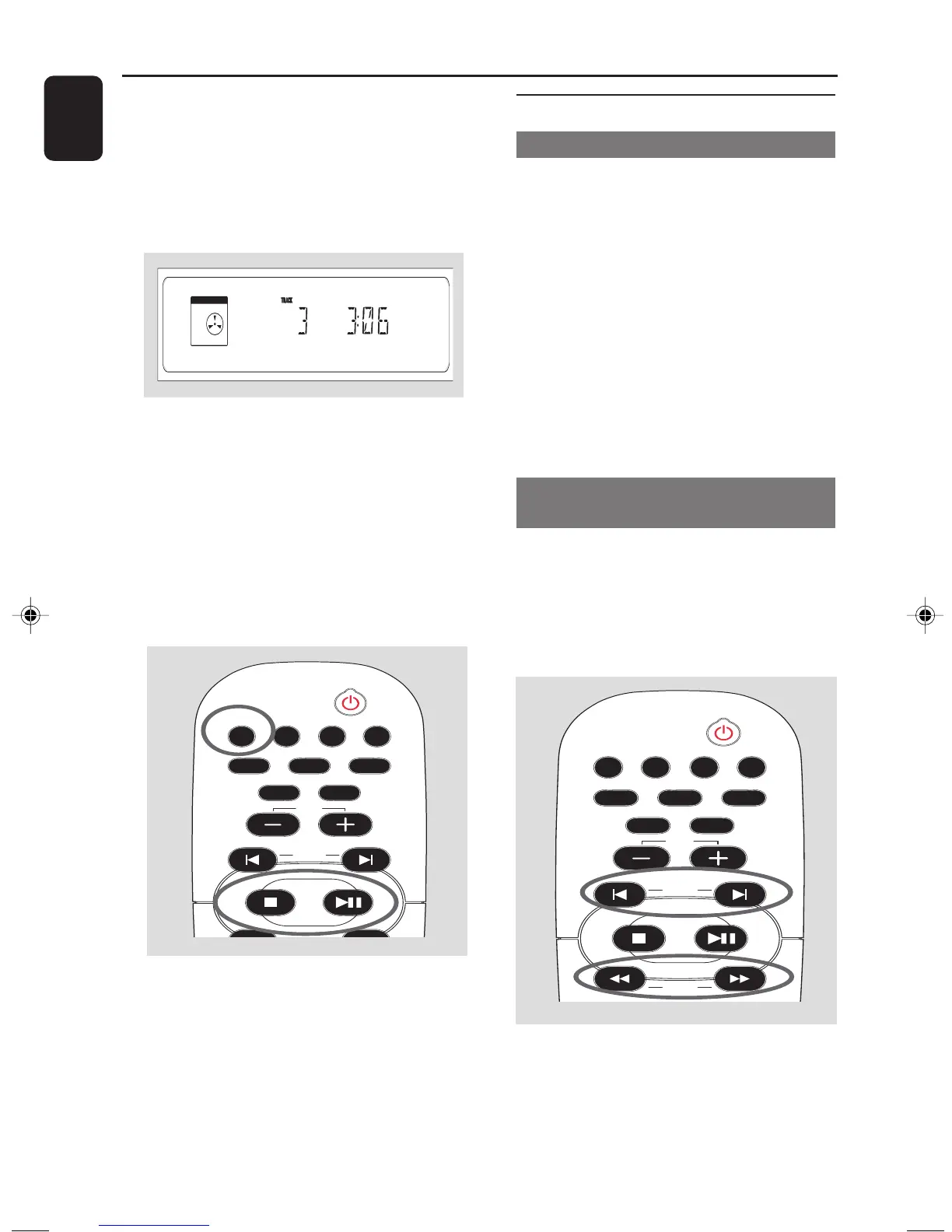
4 Press ÉÅ to start playback
➜ Display shows current track
number and elapsed playing time
5 To pause playback, pressÉÅ. To resume
playback, press the button again
6 To stop playback, press STOPÇ
Helpful hints:
CD playwill also stop when
– the CD door is opened
– the disc has reached the end
– you select another source: TUNER, USB or
TAPE/AUX
Selecting and searching
Selecting a different track
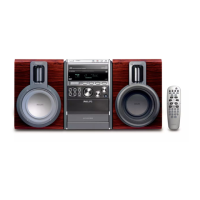
● Pressí or ëonce or repeatedly until the
desired track number appears in the display
MP3/WMA: ➜ Tr ack information scrolls briefly
MP3/WMA:
● Press ALBUM à / á once or more to select
the next or previous album
➜ Tr ack information scrolls briefly
or
● In the stop position, press à / á and í or
ë to select the desired album and track
➜ MP3/WMA: Display shows current album/
track number
Finding a passage within a track
during playback
1 During playback, press and hold à or á
➜ The CD plays at a high speed
2 When you recognize the passage you want,
release à or á
➜ Normal playback resumes
Helpful hints:
– If you have not organized MP3/WMA files into
any albums on your disc, an album “01” will be
automatically assigned for all those files.
CD TUNER
REPEAT PROGRAM
TAPE A /B DISPLAY/CLOCK
SHUFFLE
TAPE AUX
STANDBY
PRESET
VOL
CD TUNER
REPEAT PROGRAM
TAPE A /B DISPLAY/CLOCK
SHUFFLE
TAPE AUX
STANDBY
TAPE REC USB REC USB DEL SNOOZE
PRESET
ALBUM
VOL
DISC
MP3
CD
001-033_MCM760_12_Eng 3/29/06, 12:48 PM18


 To Next Page