Hardware Tests
MCP9350i 11. EN 31
11.23. Graphics Card and Video Output Connectors
11.23.1. Required Equipment
•
TV and/or Monitor with the following inputs:
• SCART
• DVI
• VGA
• S-Video
•
Cables for each of these inputs
11.23.2. Test Procedure
1.
Connect the TV and/or monitor to the four video outputs of the Media Center.
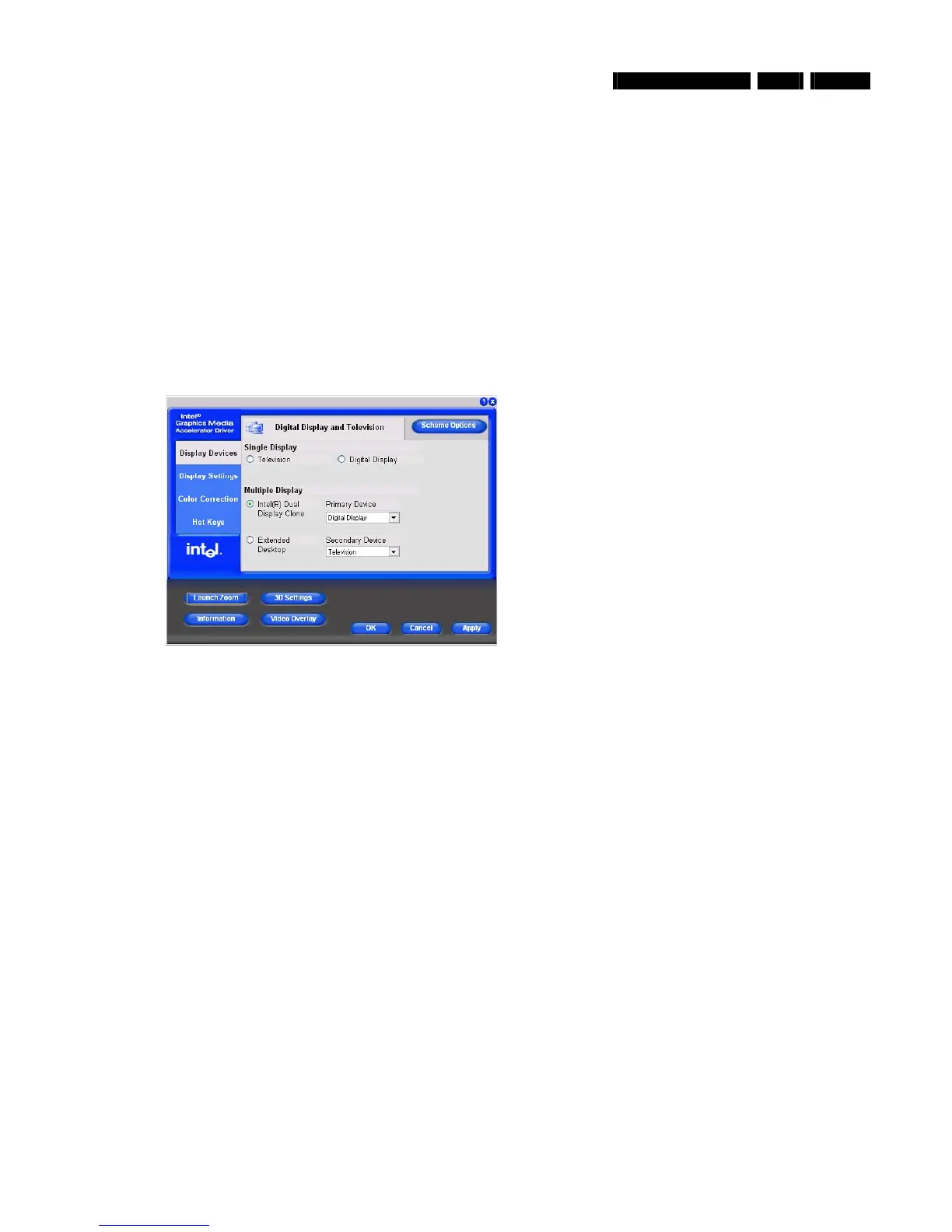
2. On the MediaCenter: select the ‘Intel® Graphics Media Accelerator Driver’ icon in the icon bar on the bottom right.
3. Select the graphics properties option.
4. Select the ‘Intel® Dual Display Clone’ option and make sure that the primary device is ‘digital display’ and the secondary device
is ‘
television
’.
5. Switch you monitor and/or TV between the different inputs to check if the desktop can be seen on all four (Scart, DVI, VGA and S-
Video) output modes.
6. Return the set to the original settings.
11.23.3. Fail Procedure
For the SCART output:
- Replace the ADD2_SCART cable.
- Replace SCART connector board. See paragraph 12.16.3.
- Replace PCI-express riser board. See paragraph 12.6.
- Replace graphics card. See paragraph 12.6.
- Replace the motherboard. See paragraph 12.16.9.
For the DVI, VGA or S-Video outputs:
- Replace PCI-express riser board. See paragraph 12.6.
- Replace graphics card. See paragraph 12.6.
- Replace the motherboard. See paragraph 12.16.9.





 To Next Page