H
~ EXPLANATION CARD ~
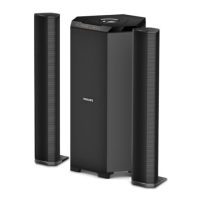
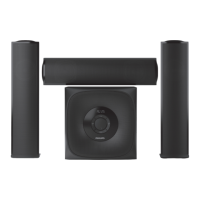
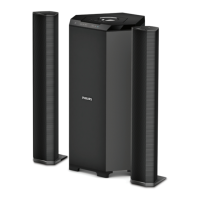
MMS130 – MMS230
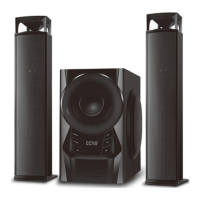
MMS140 – MMS240
MMS230/
MMS240
MMS130/
MMS140
123 1243
5678
MMS130 / MMS230/
MMS140 / MMS240 rear view
Installation of MMS 130/230/140/240
English
MMS130/230/140/240
1 Connect the left and right speaker
(for MMS130/230/140/240)
2 Connect soundcard to Audio In
(MMS130/230/140/240).
3 Connect the MMS130/230/140/
240 (if available) to a subwoofer (if
available).
4 Connect the power supply for
MMS130/230/140/240.
5 Tune the system using sound card/
sound source and speaker
controls.
4
4
2
3
3
1
Français
MMS130/230/140/240
1 Branchez les enceintes gauche et
droite (pour MMS130/230/140/240).
2 Connectez la carte sonore à
l’entrée Audio In (MMS130/230/
140/240).
3 Connectez le MMS130/230/140/
240 (si disponible) au subwoofer
(si disponible).
4 Branchez l’alimentation pour le
MMS130/230/140/240.
5 Accordez le système à l’aide de la
carte sonore/source sonore et des
commandes des enceintes.
Deutsch
MMS130/230/140/240
1 Schließen Sie den linken und rechten
Lautsprecher an (für MMS130/230/
140/240).
2 Schließen Sie die Soundkarte an den
Eingang Audio In an (MMS130/230/
140/240).
3 Schließen Sie den MMS130/230/140/240
(falls vorhanden) an den Subwoofer (falls
vorhanden) an.
4 Schließen Sie das Netzteil für die
Modelle MMS130/230/140/240 an.
5 Stellen Sie das System mit Hilfe der
Soundkarte oder einer anderen
Klangquelle und den
Bedienungselementen der
Lautsprecher ein.
Español
MMS130/230/140/240
1 Conecte los altavoces derecho e
izquierdo (MMS130/230/140/240)
2 Conecte la tarjeta de sonido a la
entrada de audio (Audio In)
(MMS130/230/140/240)
3 Conecte la unidad MMS130/230/
140/240 (opcional) al subwoofer
(opcional)
4 Conecte el suministro de
alimentación (MMS130/230/140/
240)
5 Ajuste el sistema con los controles
del altavoz y de la tarjeta/fuente de
sonido
Nederlands
MMS130/230/140/240
1 Sluit de linker- en
rechterluidspreker aan (MMS130/
230/140/240).
2 Sluit de geluidskaart aan op Audio
In (MMS130/230/140/240).
3 Sluit de MMS130/230/140/240
(indien aanwezig) aan op een
subwoofer (indien aanwezig).
4 Sluit de voeding op de MMS130/
230/140/240 aan.
5 Stel het systeem in met de
regelaars voor de geluidskaart/
geluidsbron en de luidsprekers.
Italiano
MMS130/230/140/240
1 Collegare le casse sinistra e destra
(MMS130/230/140/240)
2 Collegare la scheda audio a Audio
In (MMS130/230/140/240)
3 Collegare l’MMS130/230/140/240
(se disponibile) al subwoofer (se
disponibile)
4 Collegare l’alimentazione
(MMS130/230/140/240)
5 Sintonizzare il sistema utilizzando
la scheda audio/sorgente e i
comandi delle casse acustiche
MMS130/MMS230/
MMS140/MMS240
1 Power On/Off
To switch on or off power
2 Dynamic Bass Boost (DBB / ULTRA BASS
(UB) - MMS240 only / BASS - MMS140
only)
To switch on or off DBB/UB/BASS
3 Rotary Volume Control
To adjust the volume higher or lower
4 Incredible Surround (MMS230 / MMS240)
To switch on or off the Incredible Surround
effect
5 DC Jack
To connect an AC/DC adapter
6 Audio Out
To connect the left speaker
7 Audio In
To connect to the soundcard/sound source
8 Subwoofer Out
To connect to a subwoofer

 Need help?
 General

 To Next Page