EasyManua.ls Logo

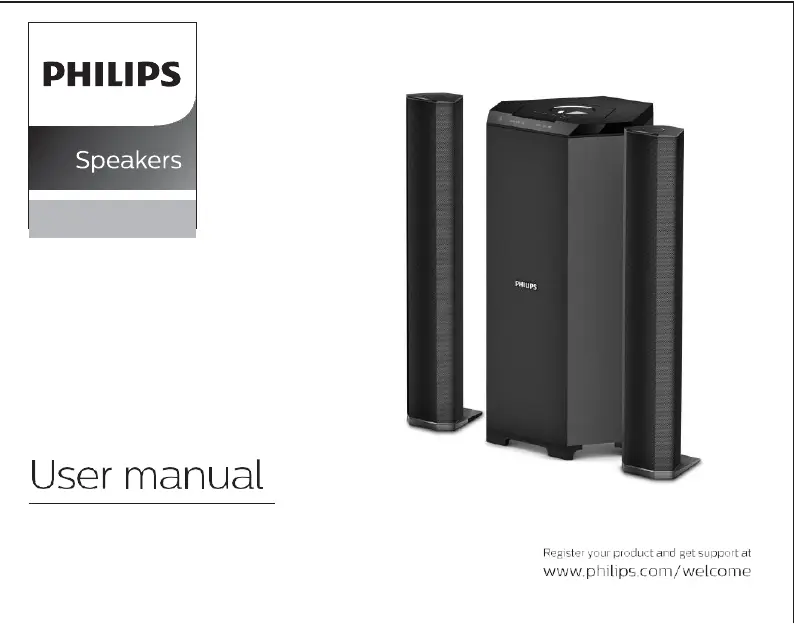
Philips MMS8085B - User Manual

Philips MMS8085B
11 pages
Print Icon
To Next Page IconTo Next Page
Loading...
2.1
MMS8085B

Questions and Answers

  • C
    Cassidy TurnerJul 28, 2025
    What to do if Philips Speakers remote control not working?
    • H
      harrismichaelJul 28, 2025
      If your Philips Speakers remote control isn't functioning correctly, try these steps: first, get closer to the system. Then, replace the batteries with new ones. Ensure you're pointing the remote directly at the IR sensor, which is on the front panel of the subwoofer. Also, double-check that the batteries are correctly installed.
  • A
    Alejandro LiuAug 3, 2025
    How to fix no sound on Philips MMS8085B?
    • M
      Maria CunninghamAug 3, 2025
      If you're experiencing no sound or distorted sound on your Philips Speakers, adjust the volume and select the correct source. This ensures you're using the equipment you intend to hear through the system.
  • B
    brewerbrittanyAug 9, 2025
    How to troubleshoot Philips MMS8085B no power?
    • A
      Anna Thompson PhDAug 9, 2025
      If your Philips Speakers have no power, check if the AC power cord is properly inserted into the AC mains socket.
  • A
    Abigail GarciaAug 15, 2025
    Why do my Philips MMS8085B have a buzzing sound?
    • R
      richardsjeffreyAug 15, 2025
      If you hear a low hum or buzz from your Philips Speakers, it might be due to electrical interference. Try moving the speakers further away from other electrical devices. Also, check the power supply voltage and consult an electrician if needed.
  • B
    Bobby KleinAug 21, 2025
    Why is my Philips Speakers USB/SD operation slow?
    • D
      David JonesAug 21, 2025
      If the USB or SD operation on your Philips Speakers is slow, it might be because you're using a large memory size USB or SD flash drive, which takes longer to read and play. Try removing the USB or SD drive and inserting it again properly.

Summary

General Information and Safety

Safety Instructions

Read safety marks and warnings for safe operation and product care.

Care and Safety Information

Avoid heat, moisture, dust, and blockages. Maintain ventilation for optimal performance.

Connections

Subwoofer Back Panel Layout

Details the ports and connections available on the subwoofer's rear panel.

Top and Back Panel Operation

Remote Control Operations

Remote Control Button Functions

Explains the purpose of each button on the remote, including playback and mode selection.

System Positioning for Optimal Sound

Bluetooth Connectivity and Operation

Bluetooth Pairing Process

Details how to search for and pair devices with the speaker system using Bluetooth.

Troubleshooting Common Issues

Power, Sound, and Remote Issues

Addresses problems related to power, audio output, and remote control functionality.

Key Features and Benefits

Philips MMS8085B Specifications

Loudspeakers IconLoudspeakers
subwoofer driver6.5"
speaker driver3"
Connectivity IconConnectivity
Bluetooth range10M or 30FT
USBYes
Audio Systems IconAudio Systems
output power in total80W
speaker output power2 x 18 W
subwoofer output power45 W
Dimensions IconDimensions
satellite dimensionsW90 H165 D78
subwoofer dimensionsW170 H312 D335
packaging dimensions415 * 280 *558

Related product manuals