EasyManua.ls Logo

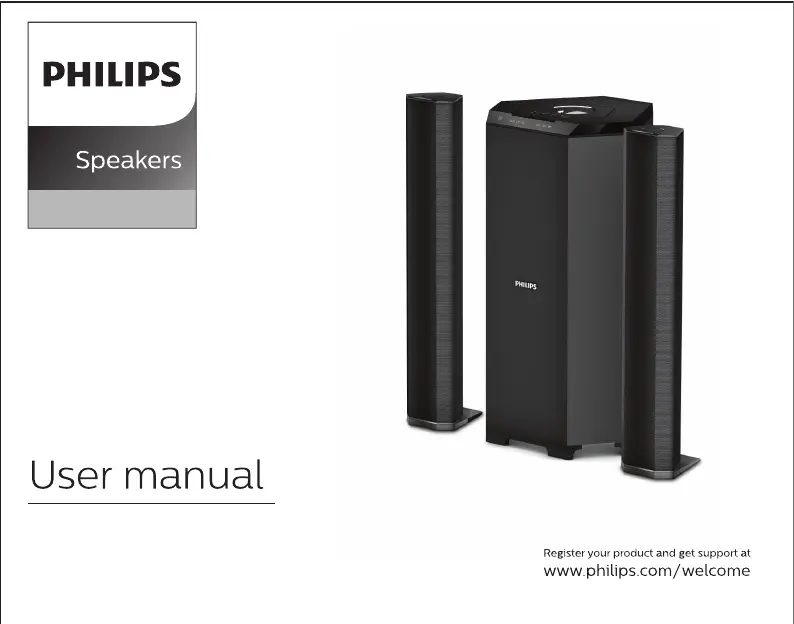
Philips MMS8085B/94 - User Manual

Philips MMS8085B/94
10 pages
Print Icon
To Next Page IconTo Next Page
Loading...
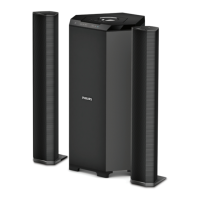
MMS8085B
2.1

Questions and Answers

  • M
    Mike RobbinsJul 29, 2025
    Why is there no sound from my Philips MMS8085B/94 or the sound is distorted?
    • S
      sowensJul 29, 2025
      If you're not getting any sound or the sound from your Philips Speakers is distorted, try this: Adjust the volume. Also, make sure you've selected the correct source so you can hear the equipment you want through the system.
  • W
    willismitchellAug 5, 2025
    How to troubleshoot Philips MMS8085B/94 Speakers with no power?
    • M
      Marcus RogersAug 5, 2025
      If your Philips Speakers aren't getting any power, make sure the AC power cord is fully plugged into the AC mains socket.
  • K
    kennedybrandyAug 13, 2025
    What to do if Philips Speakers remote control does not function properly?
    • D
      Danny MiddletonAug 14, 2025
      If the Philips Speakers' remote control isn't working correctly, try these steps: First, shorten the distance between the remote and the system. Then, replace the old batteries with fresh ones. Also, make sure you're pointing the remote directly at the IR sensor, which is on the front of the subwoofer. Finally, double-check that the batteries are correctly installed.
  • J
    James ShahAug 21, 2025
    What to do if Philips Speakers drive cannot be read?
    • A
      Amanda HardyAug 21, 2025
      If your Philips Speakers aren't reading the drive, remember that USB or SD flash drives with a large memory size will take longer to read and play. Try taking out the USB or SD drive and then reinserting it properly.

Summary

General Information and Safety

Safety Instructions and Warnings

Crucial safety advice, warnings, and precautions for operating the speaker system safely.

Care and Safety Guidelines

Recommendations for avoiding hazards like high temperatures, moisture, dust, and ensuring ventilation.

Connections and Setup

Subwoofer Back Panel Layout

Diagram and labels for connecting various devices to the subwoofer's back panel.

Top Panel Operation

Power, Volume, and Input Selection

Controls for turning the system on/off, adjusting volume, and selecting input sources.

Tuning and Media Navigation Controls

Functionality for FM tuning and navigating tracks in USB/SD/Bluetooth modes.

SD and USB Media Playback

Instructions for accessing and playing media from SD and USB drives.

Remote Control Functions

Power, Mute, and Mode Selection

Operation of power, mute, numeric, and input mode selection buttons on the remote.

Playback and Navigation Controls

Buttons for play/pause, previous/next track, and FM channel selection.

Volume and Bass Adjustment

Controls for increasing/decreasing volume and adjusting bass levels.

Playing the Speakers and Subwoofer

System Positioning Recommendations

Guidance on optimal placement of subwoofer and speakers for best acoustic effect.

Bluetooth Operation

Bluetooth Pairing and Connection

Step-by-step guide to pair and connect Bluetooth devices with the speaker system.

Troubleshooting

Warranty Information

Warranty Validity Conditions

Conditions and exclusions that may invalidate the product warranty.

Product Specifications

Philips MMS8085B/94 Specifications

General IconGeneral
BrandPhilips
ModelMMS8085B/94
Total Power Output (RMS)80 W
SubwooferYes
Subwoofer Power Output (RMS)40 W
Subwoofer Power40 W
Frequency Response20 Hz - 20 kHz
BluetoothYes
USB PlaybackYes
FM RadioYes
Remote ControlYes
Satellite Speakers Power Output (RMS)20 W
InputsAux, USB
Type2.1 Speaker System
Satellite Speakers Power2 x 20 W
Signal-to-Noise Ratio≥ 60 dB
ConnectivityWired and Wireless

Related product manuals