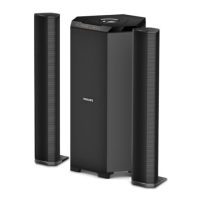
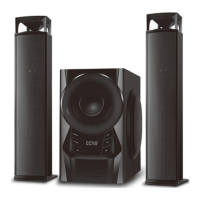
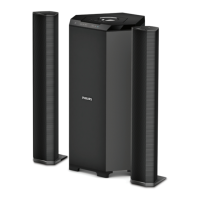
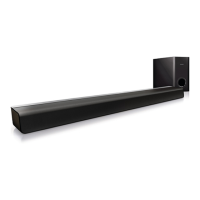
This document is a user manual for the Philips MMS3160B 3.1 Speakers, providing comprehensive information on safety, connections, operation, troubleshooting, and warranty.
Function Description
The Philips MMS3160B is a 3.1 speaker system designed to enhance audio experience for various media sources. It includes a subwoofer, a center speaker, and two front speakers (left and right). The system supports multiple input modes, including Audio-in (AU), CD (Cd), USB (Ud), SD card (Sd), FM radio (88.3), and Bluetooth (bt). This versatility allows users to connect a wide range of devices such as mobile phones, DVDs, computers, and USB/SD flash drives. The system is capable of playing MP3 format files from USB and SD storage.
Usage Features
The speaker system offers both front panel and remote control operation for convenience.
Front Panel Operation:
- Power (U/II): A short press turns on the speaker; a long press puts it into standby mode. In USB/SD/BT mode, a short press functions as play/pause.
- Source (SRC): This button allows users to change the input mode, cycling through Audio-in (AU), CD (Cd), USB (Ud), SD card (Sd), FM radio (88.3), and Bluetooth (bt).
- Tune- (K): A short press selects the previous stored FM station. A long press initiates a semi-automatic search for radio stations. In USB/SD/BT mode, this button plays the previous song.
- Tune+ (I): A short press selects the next stored FM station. A long press initiates a semi-automatic search for radio stations. In USB/SD/BT mode, this button plays the next song.
- Volume+/-: Adjusts the volume up or down.
Remote Control Operation:
The remote control provides extended functionality:
- Power (U): Turns on/standby the speaker.
- Mute: Activates or deactivates mute.
- Numeric Keys (0-9): Used to select songs/tracks in USB* mode or to key in FM frequencies (e.g., 927 for 92.7 MHz).
- Source: Selects the input/source (AU, Cd, Ud, Sd, FM, bt).
- Bass-/+: Decreases or increases the bass level.
- EQ: Cycles through equalizer modes: Normal, Classic, Country, Pop, Jazz, Rock (available only in USB*/SD*/BT mode).
- Vol+: Increases volume.
- Play/Pause (II): A short press plays or pauses songs. A long press in FM mode automatically searches and saves channels. For manual storage, users can enter a frequency, press play/pause, use K/I to choose the serial number, and press play/pause again to store the station.
- Previous (K): Plays the previous song in USB*/BT mode or selects the previous channel in FM mode.
- Next (I): Plays the next song in USB*/BT mode or selects the next channel in FM mode.
- Vol-: Decreases volume.
- Tune-: Each press searches for the previous channel step by step (0.1 MHz). Holding it searches for the previous channel and stops once found.
- Tune+: Each press searches for the next channel step by step (0.1 MHz). Holding it searches for the next channel and stops once found.
Bluetooth Operating Instruction:
- Press the SOURCE key (front panel or remote) to enter Bluetooth mode.
- In Bluetooth mode, "bt" will blink on the display, and an audio tone will indicate pairing mode.
- Search for "Philips MMS3160B" on your mobile phone or other Bluetooth device and pair. "bt" stops blinking, and an audio tone confirms successful pairing.
- To force disconnect Bluetooth, press and hold "II" on the remote for 3 seconds.
Note: During a Bluetooth call, the speaker system mutes to protect privacy and resumes operation once the call is disconnected.
System Positioning:
- Subwoofer: Recommended to be placed on the floor for optimal acoustic effect.
- Speakers (general): For best surround sound, all speakers (except the subwoofer) should be placed at the same distance from the listening position.
- Front Left and Right Speakers: Place at equal distances from the TV, at an angle of approximately 45 degrees (horizontal) from the listening position.
- Center Speaker: Place above the TV to localize the center channel's sound.
- Surround Speakers: Place at normal listening ear level, facing each other or mounted on the wall.
- Helpful Hint: Avoid positioning speakers too close to the TV to prevent magnetic interference.
Maintenance Features
- Care of the Cabinet: Use a soft cloth slightly moistened to clean the cabinet. Avoid solutions containing alcohol, spirits, ammonia, or abrasives.
- Ventilation: Place the apparatus in a location with adequate ventilation, allowing at least 10cm (4 inches) of free space around it to prevent internal heat buildup. The back cover of the subwoofer can become hot at high volume, so avoid touching it.
- General Safety: Do not expose the product to dripping or splashing liquids. Do not place liquid-filled objects (like vases) or heat sources (like lighted candles) on the product or satellite speakers. Do not install near other heat sources.
- Battery Safety: Batteries should not be exposed to excessive heat (sunshine, fire, etc.). Dispose of batteries responsibly, considering environmental aspects.
- Power Disconnect: The MAINS plug serves as the disconnect device and should remain readily operable.
- Servicing: Do not open the cover or back panel to avoid electrical shock. There are no user-serviceable parts inside. For any issues, consult the dealer or PHILIPS APSC.
- Troubleshooting: The manual provides a troubleshooting guide for common issues like no power, distorted sound, remote control malfunction, hum/buzz sound, USB/SD drive issues, FM tuning problems, and Bluetooth connectivity. It suggests solutions such as checking power cords, adjusting volume, replacing remote batteries, repositioning the product, and ensuring correct file formats. If these measures fail, contact a PHILIPS service center.

 Need help?
 General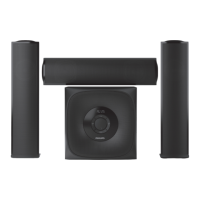

 To Next Page