Diagnostic Software
EN 41DVDR615, MRV640 5.
User Input None
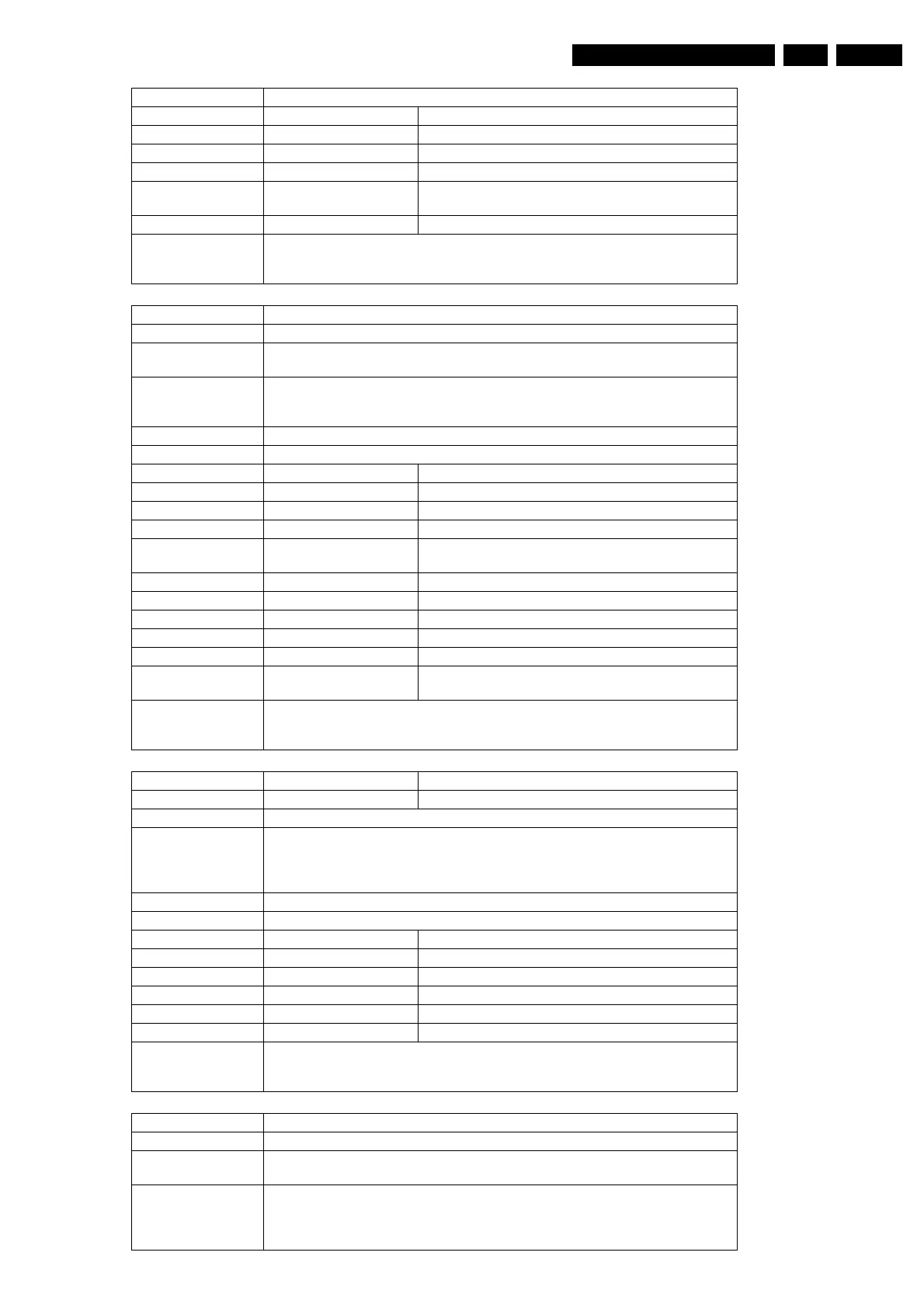
Error Number Description
100100 Retrieving the version of the DCB succeeded
100101 The DCB could not be accessed by the analogue board.
100102 There was no response from the analogue board.
100103 The returned errorcode from the analogue board is un-
known
100104 Something went wrong with the error code.
Example DS:> 1001
100100: DCB version: 13
Test OK @
Nucleus Name DS_DCB_LightDisplay
Nucleus Number 1002
Description Light the entire display of the DCB, and clear the display after confirmation.
User confirmation is necessary.
Technical - First issue a command to clear the display and wait for the result
- Then issue the command to light the entire display and wait for confirmation by the
user
Execution Time Until user confirmation.
User Input None
Error Number Description
100200 Lighting the entire display succeeded
100201 The DCB could not be accessed by the analogue board.
100202 There was no response from the analogue board.
100203 The returned errorcode from the analogue board is un-
known
100204 The DCB could not be accessed by the analogue board.
100205 There was no response from the analogue board.
100206 The DCB did not light all labels.
100207 The user skipped the rest of the DCB_Light_Display test.
100208 The user returned an unknown confirmation:
100209 The returned errorcode from the analogue board is un-
known
Example DS:> 1002
100200:
Test OK @
Nucleus Name DS_DCB_Keyboard
Nucleus Number 1004
Description Check all keys of the keyboard by confirming the key-code displayed of each key.
Technical - Initialise the display
- Display the key pressed by the user on the display
- Monitor the service port for an abort and get the next key pressed
- Update the display and repeat previous steps until user stops / confirms
Execution Time Until user confirmation. Confirm by press & hold respective button
User Input None
Error Number Description
100400 All the keys on the keyboard have been pressed
100401 DCB Keyboard; test failed
100402 DCB Keyboard; test aborted
100403 Not all the keys were pressed.
100404 The DCB could not be accessed by the analogue board.
Example DS:> 1004
100400:
Test OK @
Nucleus Name DS_DCB_RemoteControl
Nucleus Number 1005
Description Check the interface between the remote control and the DCB by checking the key-
code displayed
Technical - Initialise the display
- Display the key pressed by the user on the display
- Monitor the service port for an abort and get the next key pressed
- Update the display and repeat previous steps until user stops / confirms














 To Next Page