Directions For Use
EN 7DVDR615, MRV640 3.
3. Directions For Use
The following excerpt of the Direction for Use serves as an introduction to the set.
The complete Direction for Use can be downloaded in different languages from the internet site of Philips Customer Care Center:
www.p4c.philips.com
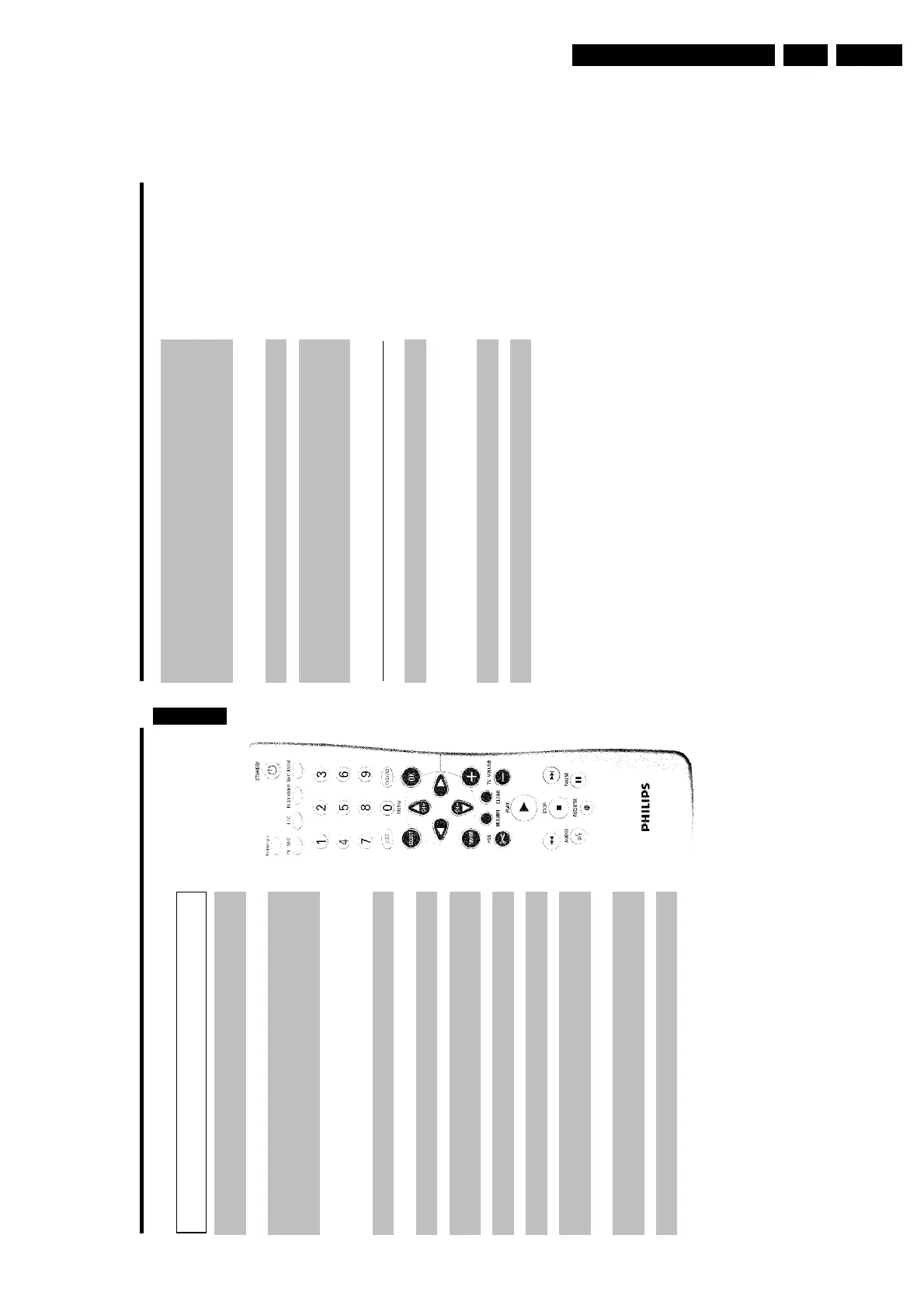
O Next title/Chapter/Track/Forward search:
Pressing this button once during playback will jump to the next
chapter/track.
If this button is held down during playback, it will search forward.
If button is held down during a still picture function, it will search
forward in slow motion.
STOP h Stop: To stop playback/recording, except with programmed recordings
(TIMER)
Holding down the button will open and close the disc tray.
AUDIO Audio: To select the audio language. For SAP recording
REC/OTR n Record: Record the current TV channel
PAUSE 9 Pause(still picture): If this button is pressed during playback, the
DVD Recorder switches to pause. You will see a still picture.
If this button is pressed during recording, the DVD Recorder will also
switch to pause.
Additional TV functions
This will only work with TVs with the same remote control code (RC5) (e.g. Philips TVs)
TV VOLUME q TV volume: Increase TV volume
TV VOLUME r TV volume: Reduce TV volume
For the following functions, you must hold down the side button DVD/TV while pressing the
other button.
STANDBY m Switching the TV off:
0..9 Number buttons:0-9
CH+ A TV Channel: To select the next highest TV channel.
CH- B TV Channel: To select the next lower TV channel.
The remote control
MONITOR Monitor: To switch between the internal tuner of the DVD Recorder
(TV reception) and playback of the DVD Recorder
STANDBY m Switch on or off: To switch set on or off, interrupt menu function,
interrupt a programmed recording (TIMER)
TV/DVD TV/DVD: To connect the antenna signal directly to the TV. This button
lets you switch between the DVD Recorder and the antenna signal. This
function operates when the DVD Recorder is connected to the TV with
only an antenna cable.
T/C Title/Chapter: To directly select a '
B
'(title)/'
C
'(chapter) in the menu
bar using CH- B , CH+ A .
If 'INFO' appears in the display, the index menu of the loaded disc will
appear or an introduction will play. In this case, this function will not be
available.
PLAY MODE Playback mode: To select Repeat, Shuffle, and Intro Scan
REC MODE Recording mode (quality): To select the maximum possible
recording duration
0..9 Number buttons:0-9
DISC-MENU Disc Menu: To display the DVD menu or index screen
SYSTEM-MENU System Menu: To display/hide the main menu (menu bar at top of
screen)
SELECT Select: To select a function
OK Store/Confirm: To store or confirm an entry
DC Cursor buttons : To move left, right
CH+ A Cursor buttons/Plus : Cursor up / Next channel
CH- B Cursor buttons/Minus : Cursor down / Previous channel
TIMER TIMER: To make a TIMER programming with VCR Plus+
®
system /
without VCR Plus+
®
system or to alter or clear a programmed TIMER
FSS EDIT: To display the edit menu for DVD+R(W) discs, to set chapter
marker
RETURN Back: To return to the previous menu step on a video CD (VCD). This
also functions with some DVDs.
CLEAR Delete: To delete last entry or clear programmed recording (TIMER)
PLAY G Playback: To play a recorded disc.
N Previous Chapter Track/Reverse search:
Pressing this button once during playback will return to the previous
chapter track/ title
If this button is held down during playback, it will search backward.
If this button is held down during a still picture, it will search backward
in slow motion.
ENGLISH














 To Next Page