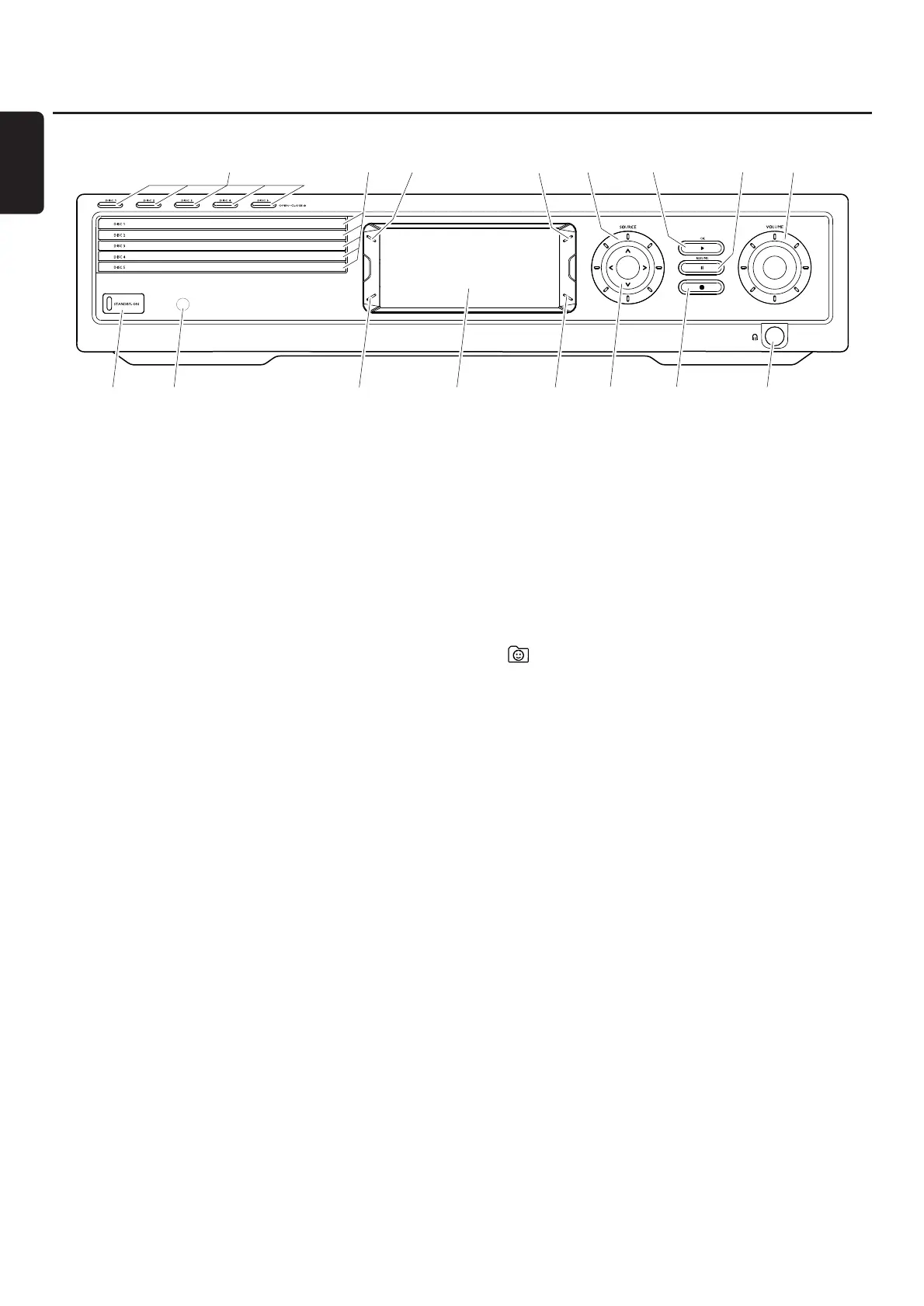
Controls
8
English
1 STANDBY-ON
switches the set on or to standby
2 IR sensor for the remote control
3 INTERNET, PC LINK: multifunction button (same function
as red button on the remote control)
4 display
5 INTERNET, PC LINK: multifunction button (same function
as green button on the remote control)
6 1234
moves left, right, up or down in the menus,
selects favourite radio stations
7 9
stops playback
8 p
6.3 mm headphones socket
9 VOLUME
adjusts the volume
0 ;
pauses playback
! 2OK
starts playback, resumes playback or confirms a selection.
@ SOURCE
selects a source (DISC 1–5,TV,TUNER, AUX DIGITAL,
AUX ANALOG, INTERNET, PC LINK)
#
INTERNET,TUNER: shows your favourite Internet media
services and radio stations
$ RECENT
INTERNET, PC LINK: displays the last 20 items played
% disc trays 1–5
^ DISC 1–5, OPEN·CLOSE /
opens/closes the disc trays 1–5



 To Next Page