8 EN
3 Connect
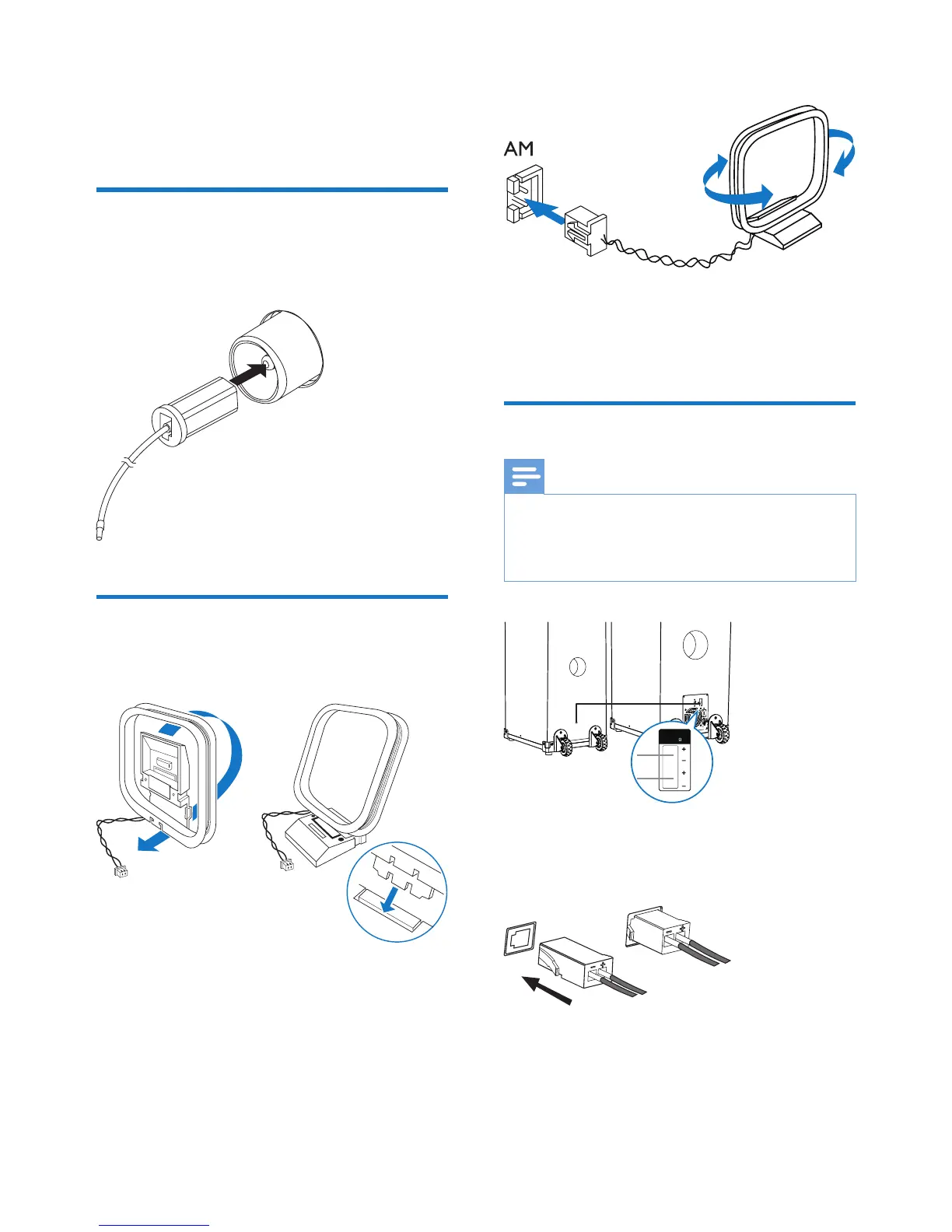
Connect FM antenna
Connect the supplied FM antenna to the FM
jack on the back of the main unit.
Connect AM antenna
1 Assemble the AM loop antenna.
2 Connect the AM loop antenna to the AM
jack on the back of the main unit. Adjust
the position of the antenna for optimal
reception.
Connect speakers
Note
• For optimal sound, use the supplied speakers only.
• Connect only speakers with impedance that is the
same or higher than the supplied speakers. Refer to the
Specicationssectionofthismanual.
Connect the speakers
Insert the speaker wires completely into the
SPEAKER OUT sockets.


 To Next Page