11EN
5 Play from a disc
or USB
Play disc
1 Press CD to select the disc source.
2 Load a disc on the disc tray, with the
printed side facing up.
3 Press to start play.
• To pause/resume play, press .
• To stop play, press .
• To select another track, press / .
• To select an album, press ALB/
PRESET+/-.
• To search within a track, press and
hold / , then release to resume
normal play.
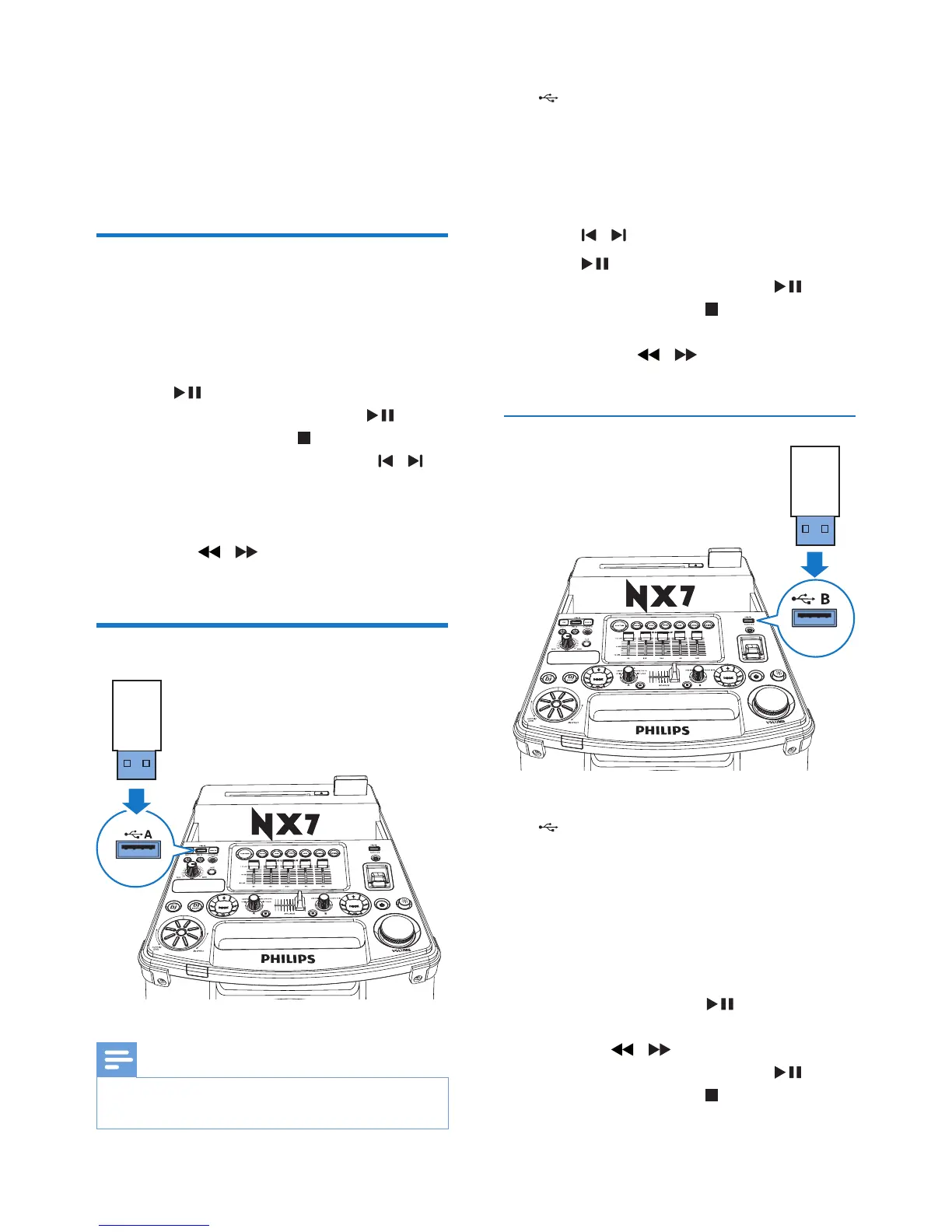
Play from a USB A device
Note
• Ensure that the USB device contains playable audio
contents for supported formats.
1 Insert the USB plug of the device into the
A socket.
2 Press USB A to select the USB A source.
3 Slide the CROSS FADER ASSIGN to its
far left.
4 Press ALB/PRESET+/- to select an album.
5 Press / toselectanaudiole.
6 Press to start play.
• To pause/resume play, press .
• To stop play, press .
• Tosearchwithinanaudiole,press
and hold / , then release to
resume normal play.
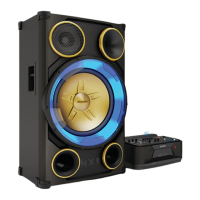
Play from a USB B device
1 Insert the USB plug of the device into the
B socket.
2 Rotate the Source dial to select the USB
B source.
3 Slide the CROSS FADER ASSIGN to its
far right.
4 Use the control play panel (right) on the
top of the main unit for play:
• To start play, press .
• Press +/- to select an album.
• Press / toselectanaudiole.
• To pause/resume play, press .
• To stop play, press (right) on the
main unit.


 To Next Page