9EN
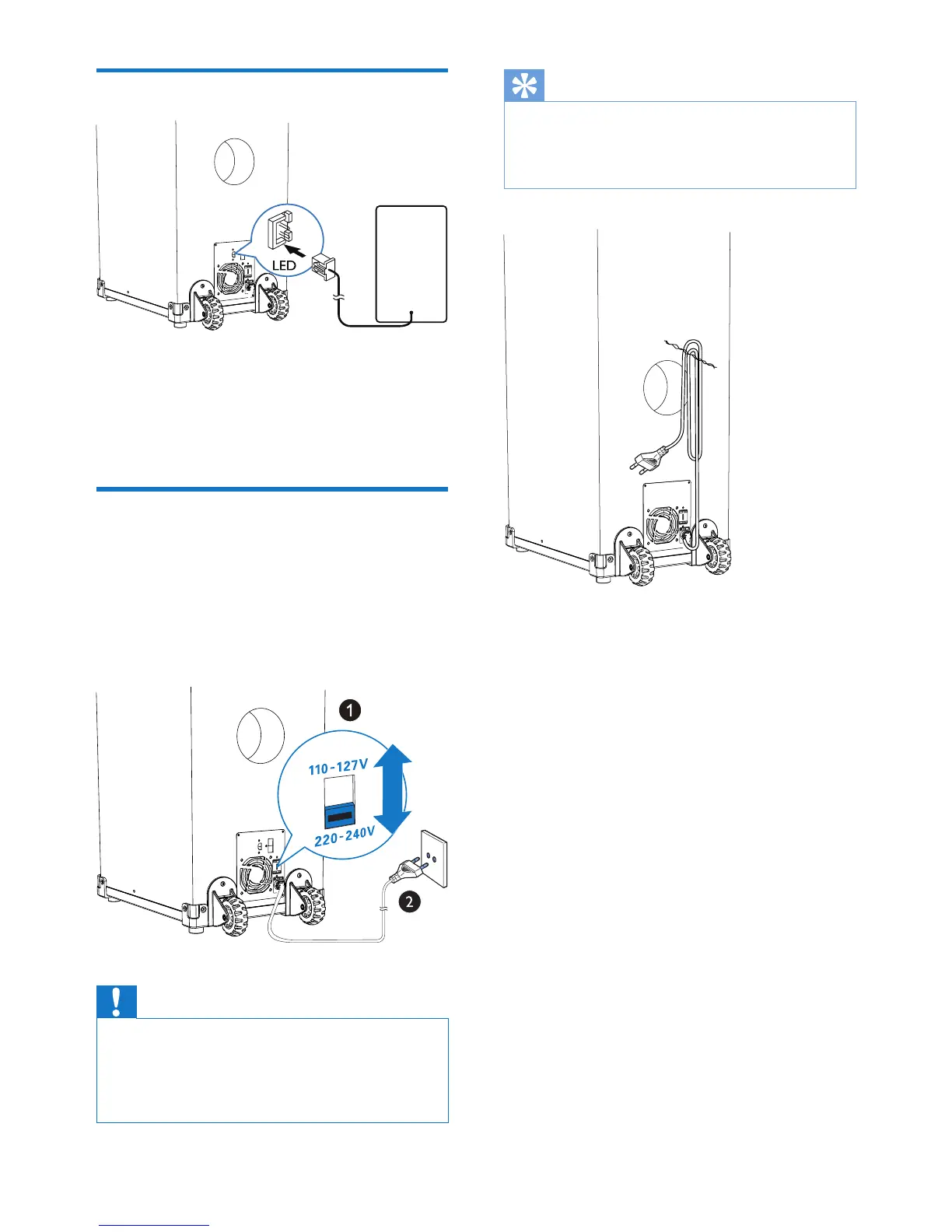
Connect speaker LED
1 Find an LED socket on the back of the
main unit.
2 Insert the connector of the LED wire to
the LED socket.
Connect power
1 If your power supply voltage is 110V-127V,
adjust the voltage selector (locate on the
back panel of the unit) to 110V-127V.
2 Connect the AC power plug to the power
outlet.
Caution
• Risk of product damage! Make sure that the power
supply voltage corresponds to the voltage set on the
voltage selector on the bottom of the unit.
• Before connecting to the AC power, make sure that you
have completed all other connections.
Tip
• When you are not using or are transporting the unit, to
keep the power cord organized and above the ground,
xthepowercablewiththecabletieonthebackpanel
of the main unit.


 To Next Page