9EN
Drive:
• Cloud storage service of Google
Camera:
• Take photos or record videos.
Movie Studio
• Edit video clips.
Translate
• Online language translation service of
Google
Calendar:
• Add events, and set reminders for your
events.
Keep:
• Keep quick notes.
Clock:
• Use the timer, alarm clock, and
stopwatch.
Calculator
AccuWeather
• Online weather forecast service
Use the screen
Switch screen rotation on or off
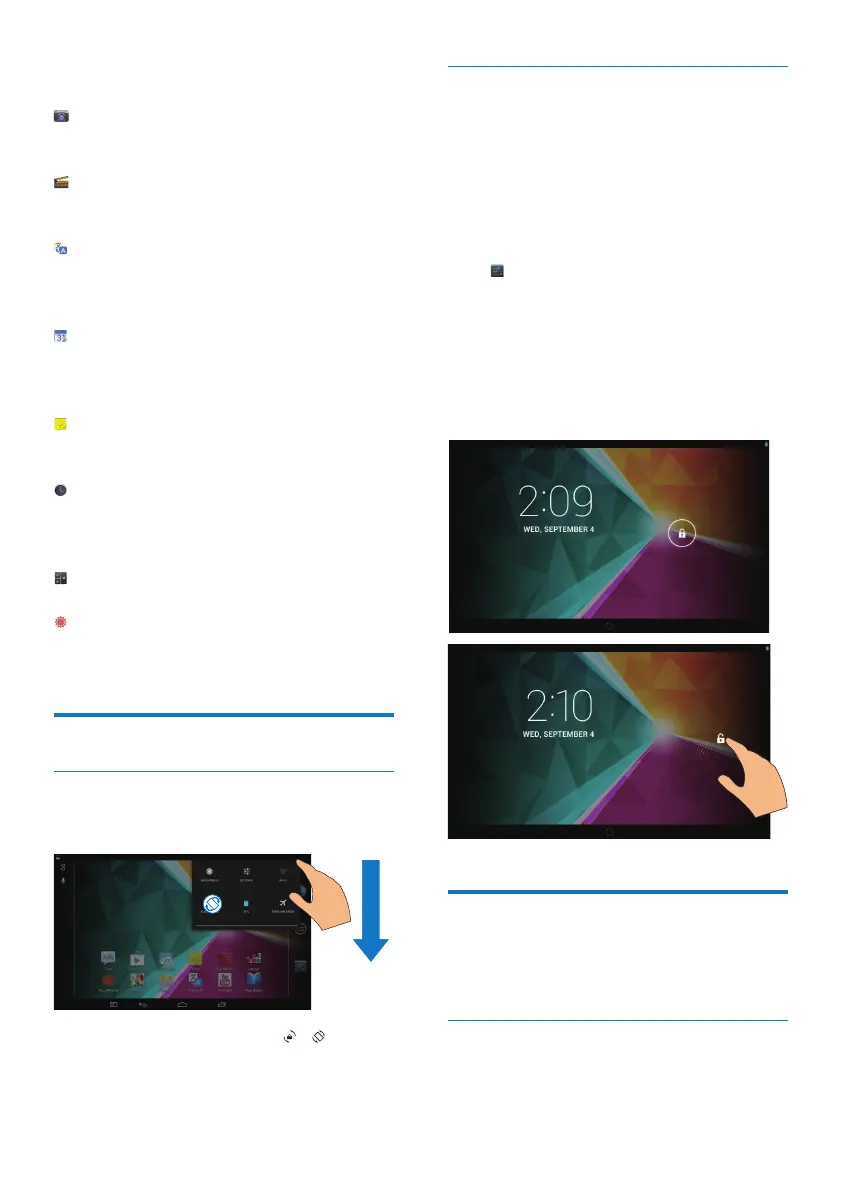
1 Drag down the top bar.
In the pull-down menu, tap / to
switch screen screen rotation on or off.
Lock/ unlock the screen
By locking the screen, you can lock the touch
controls on the screen (except for some apps
or widgets). Thus, undesired operations are
prevented.
Auto lock
After a time duration, the screen dims and is
locked automatically. To set the time duration,
go to > Display > Sleep.
To lock the screen manually
• Press the power/ lock button.
To unlock the screen
1 If necessary, press the power/ lock button
to display the lock.
2 Drag the lock to an icon.
Customize the Home screen
To access functions quickly from the Home
screen, you can add and rearrange items.
Add application icons and widget
1 Swipe left/ right to select a page.



 To Next Page