7EN
3 Get started
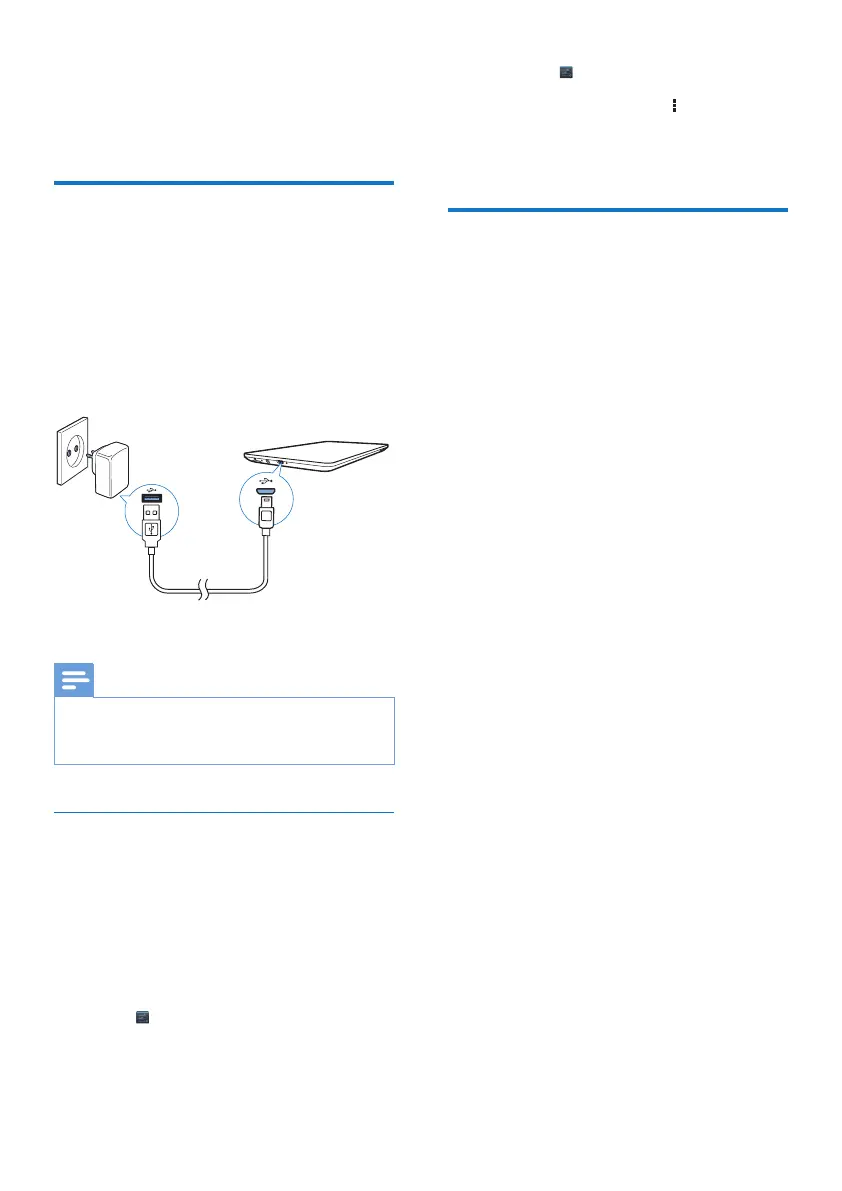
Charge power
PI2010 has a built-in battery that can be
charged through the USB connector of the
supplied USB power adapter.
1 By using the USB cable, connect PI2010 to
the supplied USB power adapter.
2 Charge PI2010 for more than three hours.
Note
• Rechargeable batteries have a limited number of charge
cycles. Battery life and number of charge cycles vary by
use and settings.
Conserve battery power
• To conserve battery power and increase
the play time, do the following:
Use the sleep mode
After the selected time duration, PI2010 goes
to the sleep mode, and the screen switches
off automatically. To save battery power, do the
following:
• Go to > Display > Sleep to set the
screen-off timer to a low value.
• To switch off Wi-Fi during the sleep mode,
a Go to > Wi-Fi.
b At the top bar, select > Advanced
> Keep Wi-Fi on during sleep. Select
Never.
Switch the device on or off
Press and hold the power/ lock button until the
device is switched on or off.



 To Next Page