4. Advanced operation
4.8 OSD lock
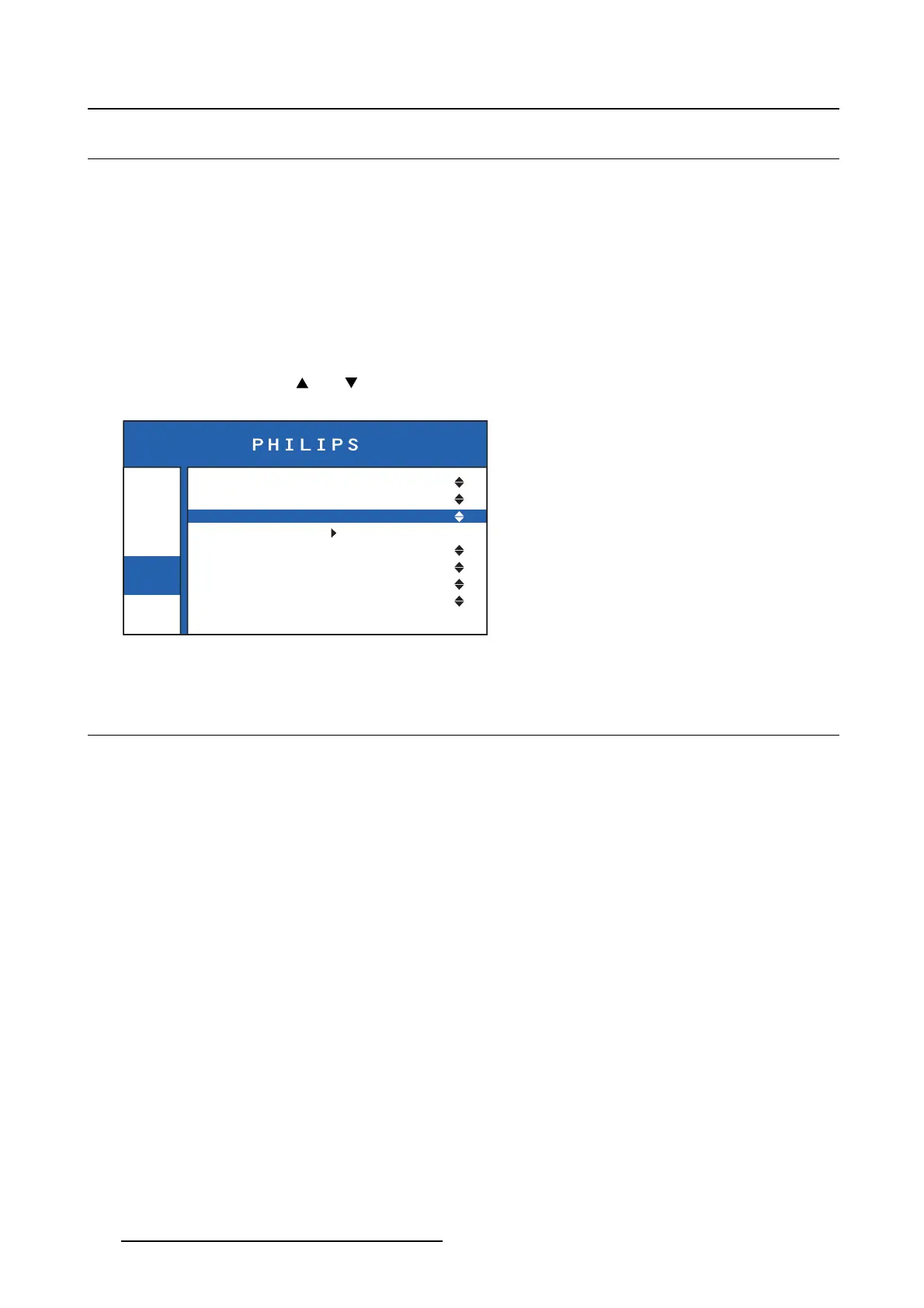
About the OSD lock
This setting allows you to prevent the access to the OSD and to the brightness control when enabled.
To fully lock/unlock the OSD
1. Bring up the OSD main menu.
2. Navigate to the Settings > OSD Lock menu.
3. Select On to enable or Off to disable the OSD lock.
To temporarily unlock and enter the OSD
Press and hold both the and keys for approximately 3 seconds, until a pop up warns you that the
OSD has been unlocked for about 20 sec.
Info
Image
Settings
OSD Position
OSD Timeout
OSD Lock
Factory Reset
DVI1 5V
DVI2 5V
5V Output
Back Illumination
Center
240 sec.
Off
Off
Off
Off
Off
Image 4-9
4.9 Factory reset
About the factory reset
The factory reset option allows to reset all OSD menu settings to its default settings. The default settings
are described below.
Image menu:
• Image source: DVI2
• Aspect ratio: Aspect
• Color temperature: Calibrated
• Display function: CAL. DICOM
Settings menu:
• OSD menu position: Bottom right
• OSD menu time-out: 15 sec.
• OSD lock: On
• Power (5V) over DVI1: Off
• Power (5V) over DVI2: PIN 14 ON
• +5 VDC power output: On
• Back illumination: On
Brightness setting: 100%
16
K5902097 (451920611672) PS27QHDCR 22/05/2015






 To Next Page