4. Advanced operation
Info
Image
Settings
OSD Position
OSD Timeout
OSD Lock
Factory Reset
DVI1 5V
DVI2 5V
5V Output
Back Illumination
Center
240 sec.
Off
Off
Off
Off
Off
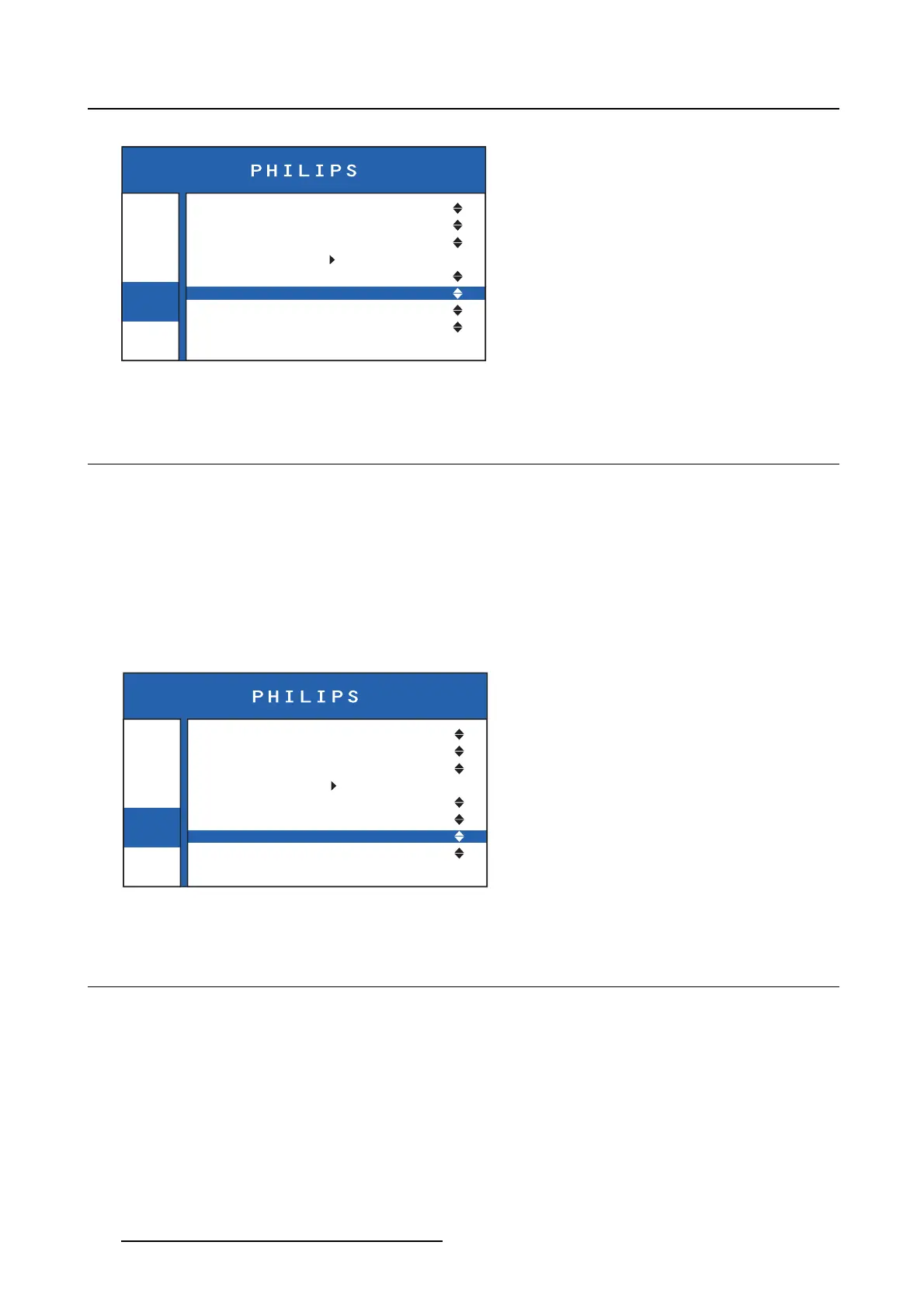
Image 4-12
4.11 +5 VDC power output
About t he +5 VDC power output
The monitor features a +5 VDC power output connector that can be used to connect miscellaneous pe-
ripherals. The power on this connector can be enabled or disabled in the OSD menu.
To enab le/disable the +5 VDC power output power connector
1. Bring up the OSD main menu.
2. Navigate to the Settings > 5V Output menu.
3. Select On to enable or Off to disable the +5 VDC power output connector.
Info
Image
Settings
OSD Position
OSD Timeout
OSD Lock
Factory Reset
DVI1 5V
DVI2 5V
5V Output
Back Illumination
Center
240 sec.
Off
Off
Off
Off
Off
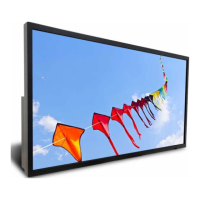
Image 4-13
4.12 Back illu mination
About the back illumination
By default, when the monitor is powered, the circle disc on the back of the monitor will illuminate. This
illumination can be disabled in the OSD menu.
To enable/disable the back illumination
1. Bring up the OSD main menu.
2. Navigate to the Settings > Back illumination menu.
3. Select On to enable or Off to disable the back illumination.
18
K5902097 (451920611672) PS27QHDCR 22/05/2015





 To Next Page