EasyManua.ls Logo

Philips R3505 - User Manual

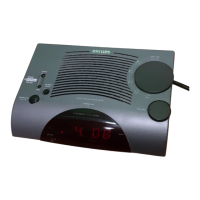
Philips R3505
12 pages
Print Icon
To Next Page IconTo Next Page
Loading...
Register your product and get support at
www.philips.com/support
User manual
Clock Radio
3000 Series
R3505

Other manuals for Philips R3505

Question and Answer IconNeed help?

Do you have a question about the Philips R3505 and is the answer not in the manual?

Summary

Important Safety Information

Safety Precautions

Essential safety precautions and warnings for operating the clock radio.

Your Clock Radio

Overview of the Clock Radio

Identifies and explains the functions of the clock radio's buttons and display.

Get Started

Install Batteries

Instructions for inserting backup batteries correctly.

Connect Power

Guidance on connecting the AC power adapter safely.

Set Time

Step-by-step instructions to set the clock's time and date.

Listen to DAB+ Radio

Listen to FM Radio

Other Features

Set Alarm Time

Configuring the alarm time, type, source, and volume.

Troubleshooting

Summary

Important Safety Information

Safety Precautions

Essential safety precautions and warnings for operating the clock radio.

Your Clock Radio

Overview of the Clock Radio

Identifies and explains the functions of the clock radio's buttons and display.

Get Started

Install Batteries

Instructions for inserting backup batteries correctly.

Connect Power

Guidance on connecting the AC power adapter safely.

Set Time

Step-by-step instructions to set the clock's time and date.

Listen to DAB+ Radio

Listen to FM Radio

Other Features

Set Alarm Time

Configuring the alarm time, type, source, and volume.

Troubleshooting

Philips R3505 Specifications

General IconGeneral
TypeClock Radio
BrandPhilips
ModelR3505
Display TypeLED
Display ColorWhite
AlarmYes
Alarm TypeBuzzer, Radio
Dual AlarmNo
Snooze FunctionYes
Sleep TimerYes
Radio BandFM
FM Frequency Range87.5 - 108 MHz
PresetsYes
Number of Preset Stations20
Power SourceAC Power
Backup BatteryYes
Weight0.23 kg

Related product manuals