How to improve radio reception on Philips R7705?
- RRoberto RossAug 6, 2025
To avoid radio interference, keep the Philips Clock Radio away from other electronic devices. Fully extend and adjust the position of the antenna to improve the reception.
How to improve radio reception on Philips R7705?
To avoid radio interference, keep the Philips Clock Radio away from other electronic devices. Fully extend and adjust the position of the antenna to improve the reception.
What to do if my Philips R7705 Clock Radio has no sound?
If your Philips Clock Radio isn't producing any sound, the first thing to check is the volume level. Make sure it's properly adjusted.
What to do if my Philips Clock Radio is not responding?
If your Philips Clock Radio does not respond, disconnect and reconnect the AC power plug, then turn the unit on again.
Why is the alarm not working on my Philips R7705?
If the alarm on your Philips Clock Radio isn't working, ensure that you have set the clock and alarm correctly.
Why is the Bluetooth audio quality poor on my Philips Clock Radio?
If you are experiencing poor audio quality through a Bluetooth connection on your Philips Clock Radio: * Move the Bluetooth enabled device closer to the Clock Radio, or remove any obstacles between them. * Check the user manual of your device to enable Bluetooth, if it is not enabled. * Disconnect other Bluetooth enabled devices and try again.
How to fix a Philips Clock Radio that won't turn on?
If your Philips Clock Radio has no power, ensure that the AC power plug is properly connected to the unit and that there is power at the AC outlet.
Why does my Philips Clock Radio keep erasing the clock/alarm setting?
If the clock or alarm setting on your Philips Clock Radio is erased, it indicates that the power has been interrupted or the power plug has been disconnected. Reset the clock and alarm.
Covers general safety precautions and specific warnings for device usage and battery handling.
Instructions on how to insert backup batteries for the clock radio.
Steps to connect the clock radio to a power source via the AC adapter.
Guide on setting the current time and date on the clock radio.
How to power on the clock radio and switch it to standby mode.
Procedure for tuning into DAB+ radio stations and scanning for available channels.
How to tune into FM radio stations and perform automatic or manual tuning.
Steps for pairing and playing audio from Bluetooth devices.
Guide on setting alarm times, types, and sources for the clock radio.
Instructions on enabling and disabling the alarm function and stopping an active alarm.
Covers general safety precautions and specific warnings for device usage and battery handling.
Instructions on how to insert backup batteries for the clock radio.
Steps to connect the clock radio to a power source via the AC adapter.
Guide on setting the current time and date on the clock radio.
How to power on the clock radio and switch it to standby mode.
Procedure for tuning into DAB+ radio stations and scanning for available channels.
How to tune into FM radio stations and perform automatic or manual tuning.
Steps for pairing and playing audio from Bluetooth devices.
Guide on setting alarm times, types, and sources for the clock radio.
Instructions on enabling and disabling the alarm function and stopping an active alarm.
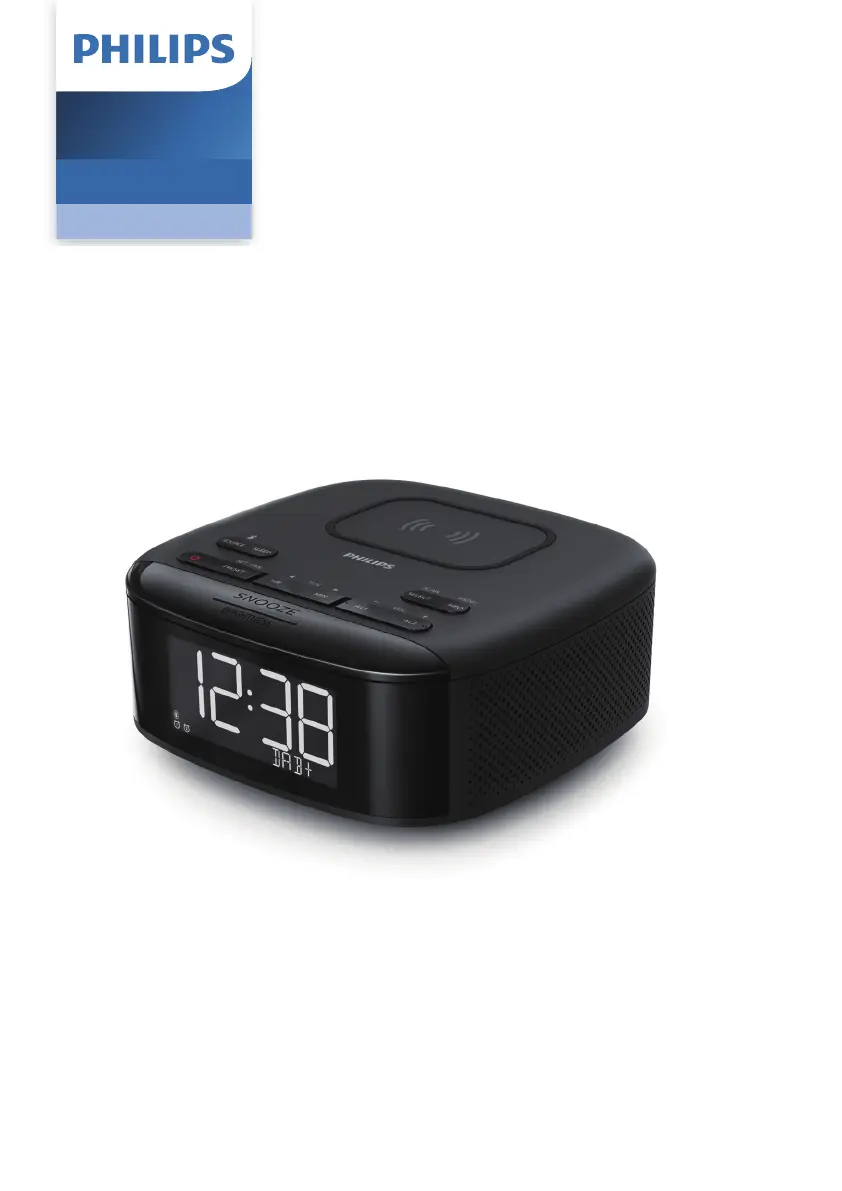
| Brand | Philips |
|---|---|
| Model | R7705 |
| Category | Clock Radio |
| Display Type | LED |
| Presets | 20 |
| Alarm Function | Yes |
| Snooze Function | Yes |
| Sleep Timer | Yes |
| Backlight Control | Yes |
| Alarm Type | Buzzer, Radio |
| Tuner Bands | FM |
| Power Source | Mains |
| Battery Backup | Yes |
| USB Charging | Yes |