8
EN
6 Bluetooth
Note
• The effective operation range between this unit and
your Bluetooth enabled device is approximately 10
meters (33 feet).
• Any obstacle between this unit and your Bluetooth
enabled device can reduce the operational range.
Play from Bluetooth enabled
devices
1 Press SOURCE repeatedly to select
Bluetooth mode.
» [BT] and will ash.
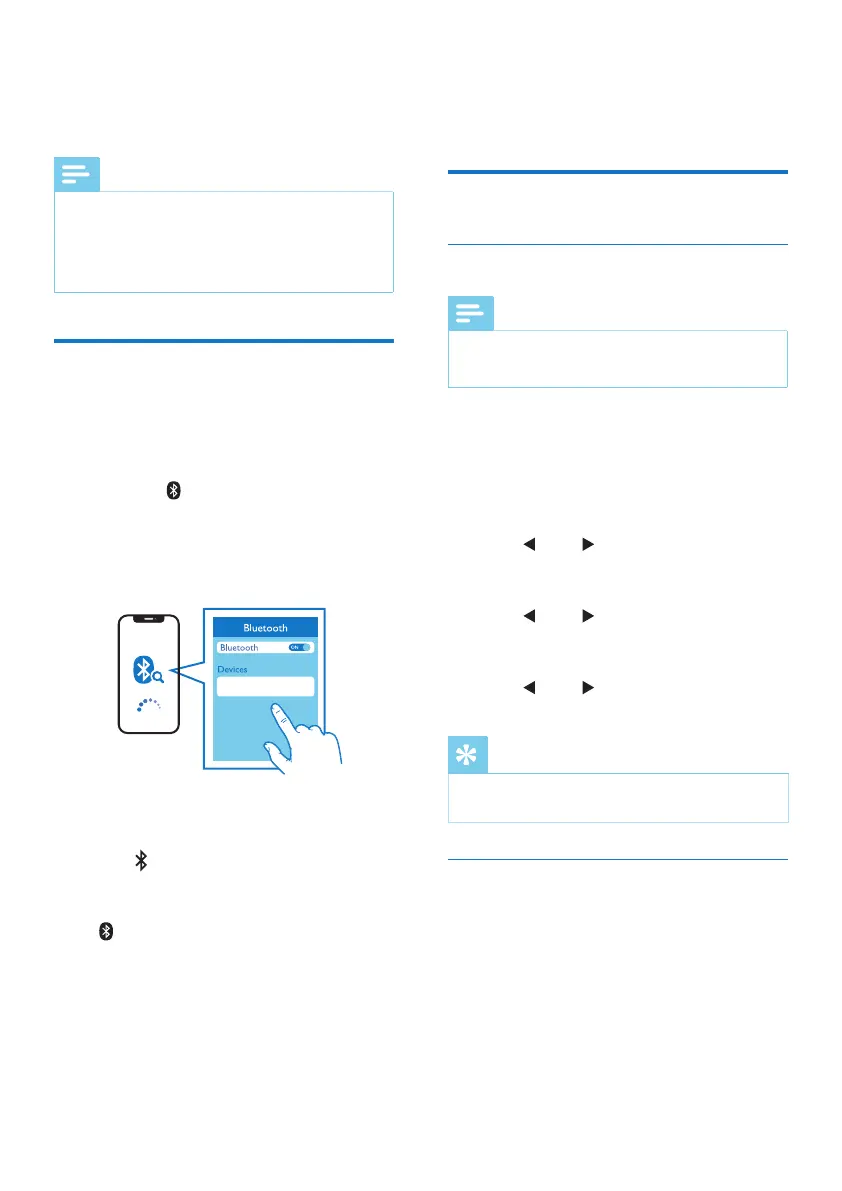
2 When [Philips R7705] is displayed on
your device, select it to start pairing and
connection. If necessary, enter default
password “0000”.
Philips R7705
» If you fail to search for “Philips R7705”
or cannot pair with this unit, press and
hold for more than 2 seconds to enter
pairing mode.
» When successfully connected, [BT] and
will turn steady and you will hear a
pairing chime.
3 Play audio on the connected device.
» Audio streams from your Bluetooth
enabled device to this unit.
To disconnect the Bluetooth enabled device,
turn off Bluetooth on your device.
7 Other features
Set alarm time
Set alarm
Note
• You can only set the alarm in standby mode.
• Make sure that you have set the clock correctly.
1 In standby mode, press and hold AL1 or
AL2 for more than 2 seconds to set alarm
time.
2 Press HR to set hour and MIN to set
minute, then press AL1 or AL2 to conrm.
3 Press TUN to set alarm type (daily,
once, weekdays, or weekends), then press
AL1 or AL2 to conrm.
4 Press TUN to set an alarm source (BT,
DAB, FM, or buzzer), then press AL1 or
AL2 to conrm.
5 Press TUN to set the volume level,
then press AL1 or AL2 to conrm.
Tip
• The unit exits alarm setting mode when being idle for 15
seconds.
Activate/deactivate alarm timer
Press AL1 or AL2 repeatedly to activate or
deactivate the alarm timer.
» If the alarm timer is activated, the alarm
indicator turns on.
» If the alarm timer is deactivated, the alarm
indicator turns off.
» The alarm repeats ringing for the next day.
» To stop the alarm, press the coresponding
AL1 or AL2.



 To Next Page