EasyManua.ls Logo

Philips RC 8510 - Page 4

Philips RC 8510
12 pages
Print Icon
To Next Page IconTo Next Page
To Previous Page IconTo Previous Page
Loading...
OR
aes
INTRODUCTION
The
RC
8510
Remote
Control
replaces
up
to
4
separate
remote
controls
to
operate
your
infra-red
controlled
televisions
(TV),
video
cassette
recorders
(VCR),
satellite
receivers
(SAT)
&
cable
boxes
(AUX).
This
RC
is
pre-programmed
for
many
brands.
Simply
enter
the
correct
device
codes
for
your
equipment
and
your
RC
8510
is
ready
to
use.
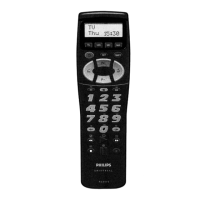
LCD
DISPLAY
(fig
1)
The
LCD
display
will
show
you
@)-The
current
device
mode
(TV
/VCR
/SAT
/AUX}
(®)-The
current
day.
©)-Battery
Low
indicator.
This
will
show
up
if
the
battery
level
is
low.
Replace
the
batteries
with
new
ones
to
ensure
proper
functioning.
(©)-Transmission
symbol.
This
will
show
up
if
the
RC
8510
is
transmitting
a
function.
©>-The
current
time.
The
LCD
display
also
makes
the
setup
easy.
!t
guides
you
through
the
setup
procedure
with
easy
Yes/No
choices.
CONTROLS
(fig
1)
@
Enter
set
up
@)
Pause
(2)
Standby/Power
ce
Hold
TXT
page
@)
Programme
+
@
Device
mode
keys
@)
Volume
43)
To
use
secondary
6)
Mute
functions
©)
External
Volume
+
@
1/2
digit
45)
Programme
Rewind
Language
1
and
2
Mix
TV/Teletext
@7)
Numerical
keys
©)
Play
48)
Channel/Programme
©)
TV/TXT
off
mode
Stop
Fast
forward
Teletext
on/off)
100
-
Teletext
index
@+
=Record
Secondary
functions
Key
strokes
Function
SHIFT
+
x4
@
+/-
Colour
+/-
SHIFT
P
+
P—
-O;
+/—
Brightness
+/—
SHIFT
HI
Stereo
SHIFT
2
cy
External
2
SHIFT
-=f-=
11
SHIFT
C/P
12
SHIFT
7
Red
SHIFT
8
Green
SHIFT
9
Yellow
SHIFT
@
Blue
SHIFT
1-6
For
some
codes
Shift
1...6
will
contain
one
of
the
following
groups
of
functions:
10+,
20+, 30+,
40+.......
11, 12, 13, 14,
15.......
ANT
1,
ANT
2,
ANT
3,
ANT
4.......
FA,
F2,
F3,
F4...ete......
HOW
TO
SET
UP
Installing
the
batteries
Your
RC
8510
requires
4
fresh
AAA-size
(LRO3)
batteries.
(alkaline
batteries
recommended)
1.Remove
the
battery
cover
on
the
back
of
the
RC
8510.
2.
Insert
the
batteries
according
to
the
+/-
marks
inside
the
battery
compartment.
3.
Push
the
battery
cover
back
in
place.
Notes
on
changing
batteries
When
the
batteries
are
removed
or
disconnected,
the
RC
8510
retains
its
setting
for
15
minutes.
Write
down
the
setup
codes
in
case
you
have
to
setup
your
RC
8510
again.

Related product manuals