EasyManua.ls Logo

Philips RC 8510 - Maintenance; Troubleshooting; Specifications

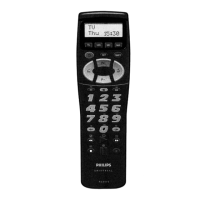
Philips RC 8510
12 pages
Print Icon
To Next Page IconTo Next Page
To Previous Page IconTo Previous Page
Loading...
English
|
To
operate,
press
an
appropriate
device
mode
key
and
aim
at
your
equipment.
Activate
the
desired
function
by
pressing
a
corresponding
key
on
the
RC
8510.
Secondary
functions
Sometimes
the
functions
you
need
are
not
directly
present
under
a key.
Therefore
you
need
the
Shift-key.
Symbols
of
secondary
functions
are
printed
in
different
colours
on
the
panel,
and
a
SECONDARY
FUNCTION
TABLE
is
included
in
this
manual.
To
activate
a
secondary
function:
1.
Press
SHIFT;
a
[S]
will
appear
on
the
LCD
display.
2.Press
a
function
key
to
activate
the
secondary
function
under
that
key.
To
return
to
normal
mode,
press
shift
again.
If
no
key
is
pressed,
after
6
seconds
the
RC
8510
will
return
to
normal
mode.
Punch
through
Punch
through
allows
you
to
operate
the
TV’s
volume
and
mute
functions
when
you
are
in
VCR,
SAT
or
AUX
mode
without
having
to
switch
the
device
mode.
For
example,
you
can
control
the
Volume
of
the
TV
with
+
t.4
keys,
even
when
you
are
in
VCR
mode.
MAINTENANCE
©
Do
not
expose
your
RC
8510
to
dust,
strong
sun
light,
humidity,
high
temperature,
or
mechanical
shock.
©
Do
not
use
ald
and
new
batteries
together
to
prevent
battery
leakage.
©
Do
not
use
corrosive
or
abrasive
cleaners
on
your
RC
8510.
©
Keep
the
unit
dust
free
by
wiping
it
with
a
soft,
dry
cloth.
¢
Do
not
disassemble
your
RC
8510,
it
contains
no
user-serviceable
parts.
TROUBLE
SHOOTING
My
RC
8510
does
not
work
at
all!
Check
if
the
device's
mains
switch
is
turned
on
and
if
the
device
is
powered.
©
Check
if
the
batteries
are
inserted
properly
with
correct
+/-
polarity.
e
{f
the
batteries
are
low,
replace
the
batteries,
see
‘Installing
the
batteries’.
©
Check
if
the
RC
8510
is
in
the
correct
device
mode.
See
section
‘Normal
operation’.
The
listed
codes
of
my
brand
don’t
work
e
Your
RC8510
may
still
work.
Try
the
code
search
method
to
find
your
brand
code
instead
of
the
manual
code
entry.
Some
functions
of
my
original
RC
are
missing
¢
You
may
have
to
use
the
Secondary
functions
to
operate
more
of
the
commands.
Some
codes
are
quite
similar.
If
functions
are
still
not
available,
try
other
codes
until
most
keys
work
properly.
¢
Use
the
search
method
to
find
other
codes
for
your
brand.
There
may
be
more
correct
codes
for
your
equipment
than
are
listed
in
the
brand
code
list.
SPECIFICATIONS
See
page
52.

Related product manuals