EasyManua.ls Logo

Philips RC759 RDS - Basic Functions

Philips RC759 RDS
26 pages
Print Icon
To Next Page IconTo Next Page
To Previous Page IconTo Previous Page
Loading...
Operating
this
set
does
not
exempt
the
driver
from
his
responsibilities.
Pay
attention
to
local
traffic
regulations.
Watching
the
road
is
more
important
than
watching
the
screen!
LEGEND:
Press
the
butto
Turn
the
button,
:
BASIC
FUNCTIONS
*
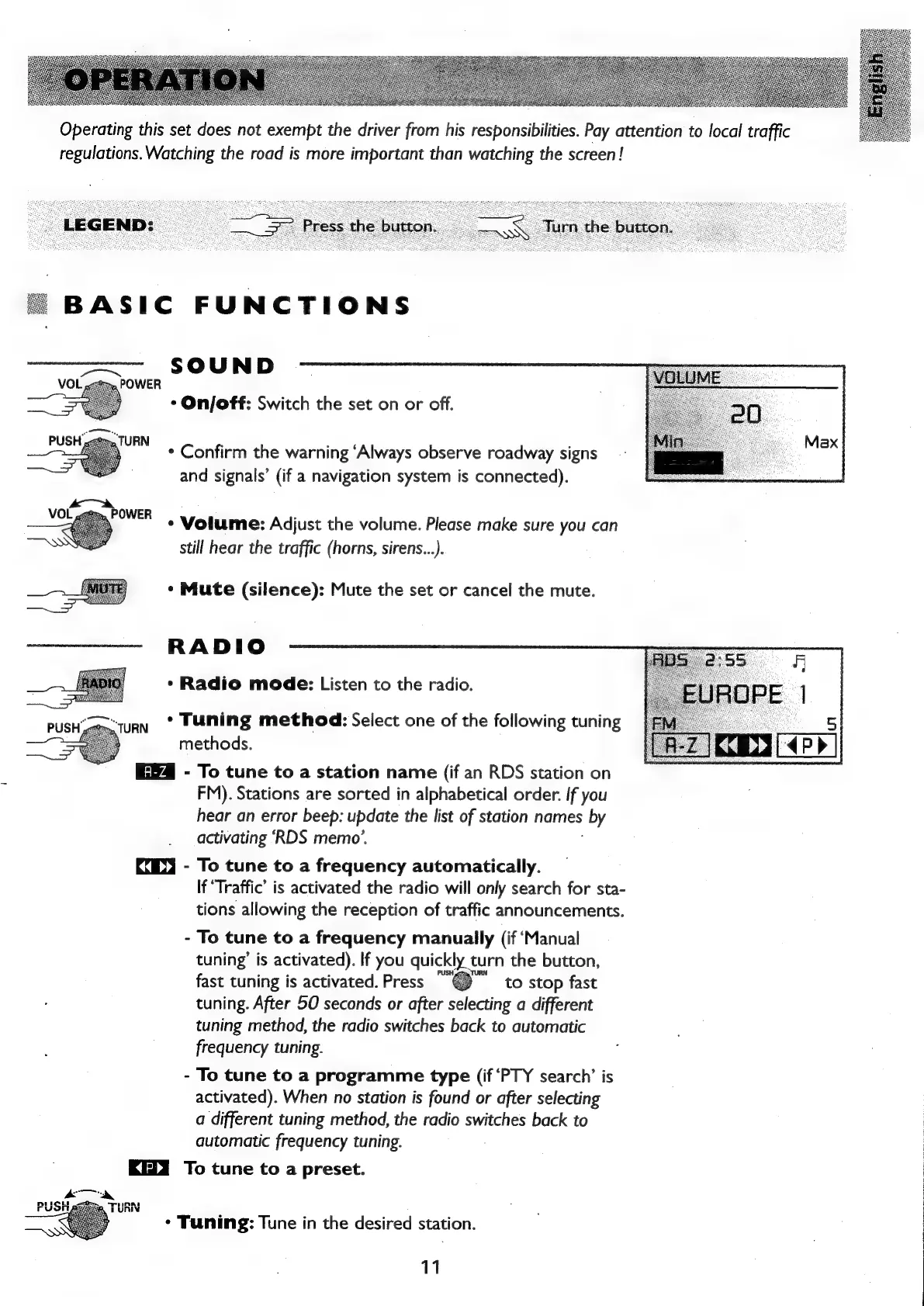
On/off:
Switch
the
set
on
or
off.
*
Confirm
the
warning
‘Always
observe
roadway
signs
and
signals’
(if
a
navigation
system
is
connected).
*
Volume:
Adjust
the
volume.
Please
make
sure
you
can
still
hear
the
traffic
(horns,
sirens...).
*
Mute
(silence):
Mute
the
set
or
cancel
the
mute.
RADIO
*
Radio
mode:
Listen
to
the
radio.
*
Tuning
method:
Select
one
of
the
following
tuning
methods.
-
To
tune
to
a
station
name
(if
an
RDS
station
on
FM).
Stations
are
sorted
in
alphabetical
order.
If
you
hear
an
error
beep:
update
the
list
of
station
names
by
activating
‘RDS
memo’.
KX)
-
To
tune
to
a
frequency
automatically.
If
‘Traffic’
is
activated
the
radio
will
only
search
for
sta-
tions
allowing
the
reception
of
traffic
announcements.
-
To
tune
to
a
frequency
manually
(if
‘Manual
tuning’
is
activated).
If
you
quickly
turn
the
button,
fast
tuning
is
activated.
Press
to
stop
fast
tuning.
After
50
seconds
or
after
selecting
a
different
tuning
method,
the
radio
switches
back
to
automatic
frequency
tuning.
-
To
tune
to
a
programme
type
(if
‘PTY
search’
is
activated).
When
no
station
is
found
or
after
selecting
a
different
tuning
method,
the
radio
switches
back
to
automatic
frequency
tuning.
KETY
To
tune
to
a
preset.
*
Tuning:
Tune
in
the
desired
station.
11

Related product manuals