EasyManua.ls Logo

Philips RC759 RDS - Cassette Player

Philips RC759 RDS
26 pages
Print Icon
To Next Page IconTo Next Page
To Previous Page IconTo Previous Page
Loading...
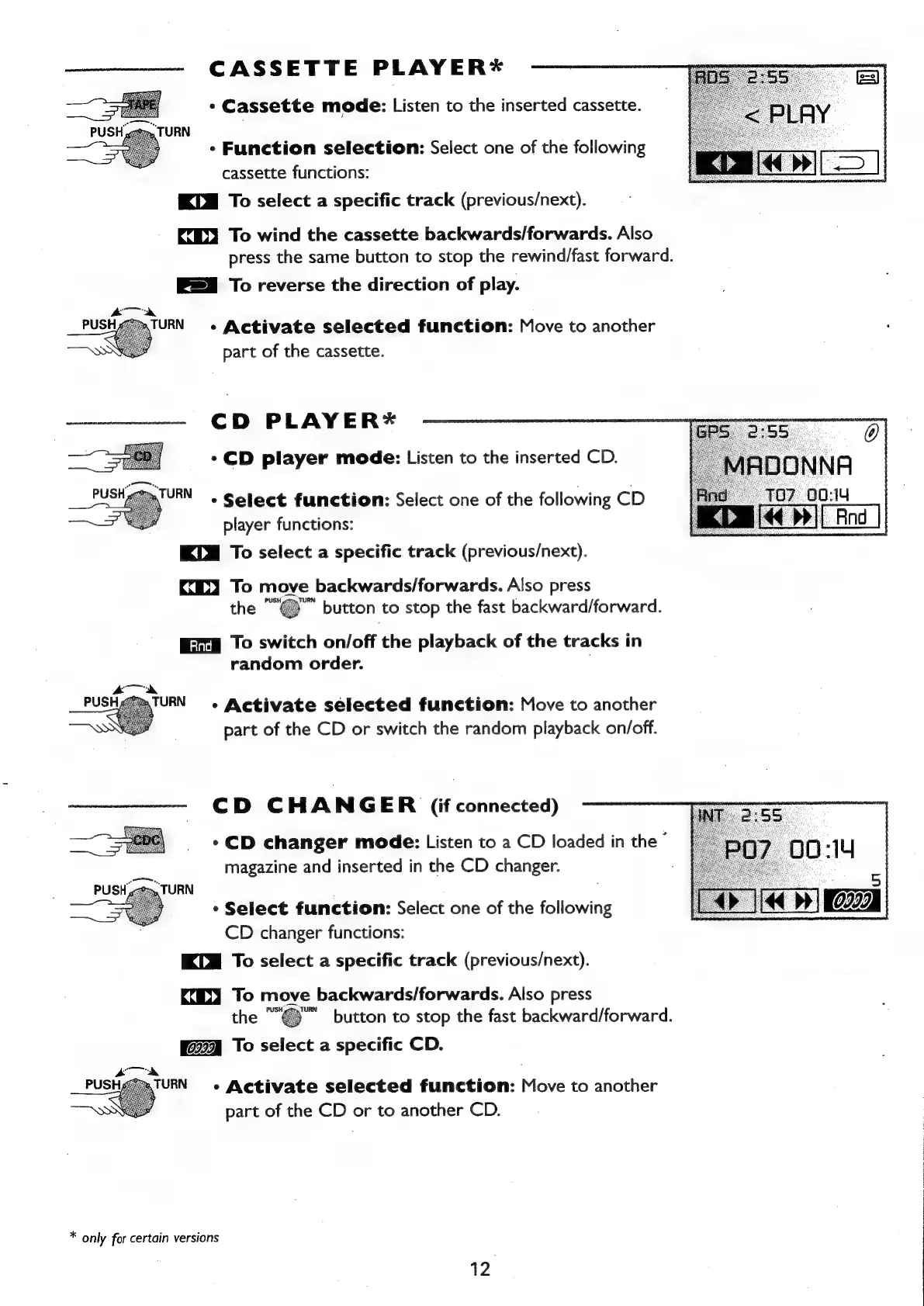
CASSETTE
PLAYER*
*
Cassette
mode:
Listen
to
the
inserted
cassette.
URN
¢
Function
selection:
Select
one
of
the
following
cassette
functions:
KLM
To
select
a
specific
track
(previous/next).
KX)
To
wind
the
cassette
backwards/forwards.
Also
press
the
same
button
to
stop
the
rewind/fast
forward.
To
reverse
the
direction
of
play.
-
Activate
selected
function:
Move
to
another
part
of
the
cassette.
CD
PLAYER*
*
CD
player
mode:
Listen
to
the
inserted
CD.
-
Select
function:
Select
one
of
the
following
CD
player
functions:
KIM
To
select
a
specific
track
(previous/next).
KX)
To
move
backwards/forwards.
Also
press
the
“"@™"
button
to
stop
the
fast
backward/forward.
Eig
To
switch
on/off
the
playback
of
the
tracks
in
random
order.
*
Activate
selected
function:
Move
to
another
part
of
the
CD
or
switch
the
random
playback
on/off.
CD
CHANGER
(if
connected)
*
CD
changer
mode:
Listen
to
a
CD
loaded
in
the
©
magazine
and
inserted
in
the
CD
changer.
*
Select
function:
Select
one
of
the
following
CD
changer
functions:
KLM
To
select
a
specific
track
(previous/next).
KX)
To
move
backwards/forwards.
Also
press
"button
to
stop
the
fast
backward/forward.
To
select
a
specific
CD.
TURN
«
Activate
selected
function:
Move
to
another
part
of
the
CD
or
to
another
CD.
*
only
for
certain
versions
12

Related product manuals