EasyManua.ls Logo

Philips RC759 RDS - Before You Start

Philips RC759 RDS
26 pages
Print Icon
To Next Page IconTo Next Page
To Previous Page IconTo Previous Page
Loading...
BEFORE
YOU
START
RDS
(Radio
Data
System)
Many
FM
stations
broadcast
RDS
information.
This
car
radio
uses
the
RDS
information
to
offer
you
many
advantages,
including:
display
of
the
station-name;
station
selection
according
to
programme
type
(PTY);
automatic
retuning
to
the
best
Alternative
Frequency
(AF)
for
the
same
programme;
and
listening
to
traffic
announcements,
news
bulletins
and
alarm
messages.
CASSETTES*
Only
use
good
quality
cassettes
of
60
or
90
minutes.
os
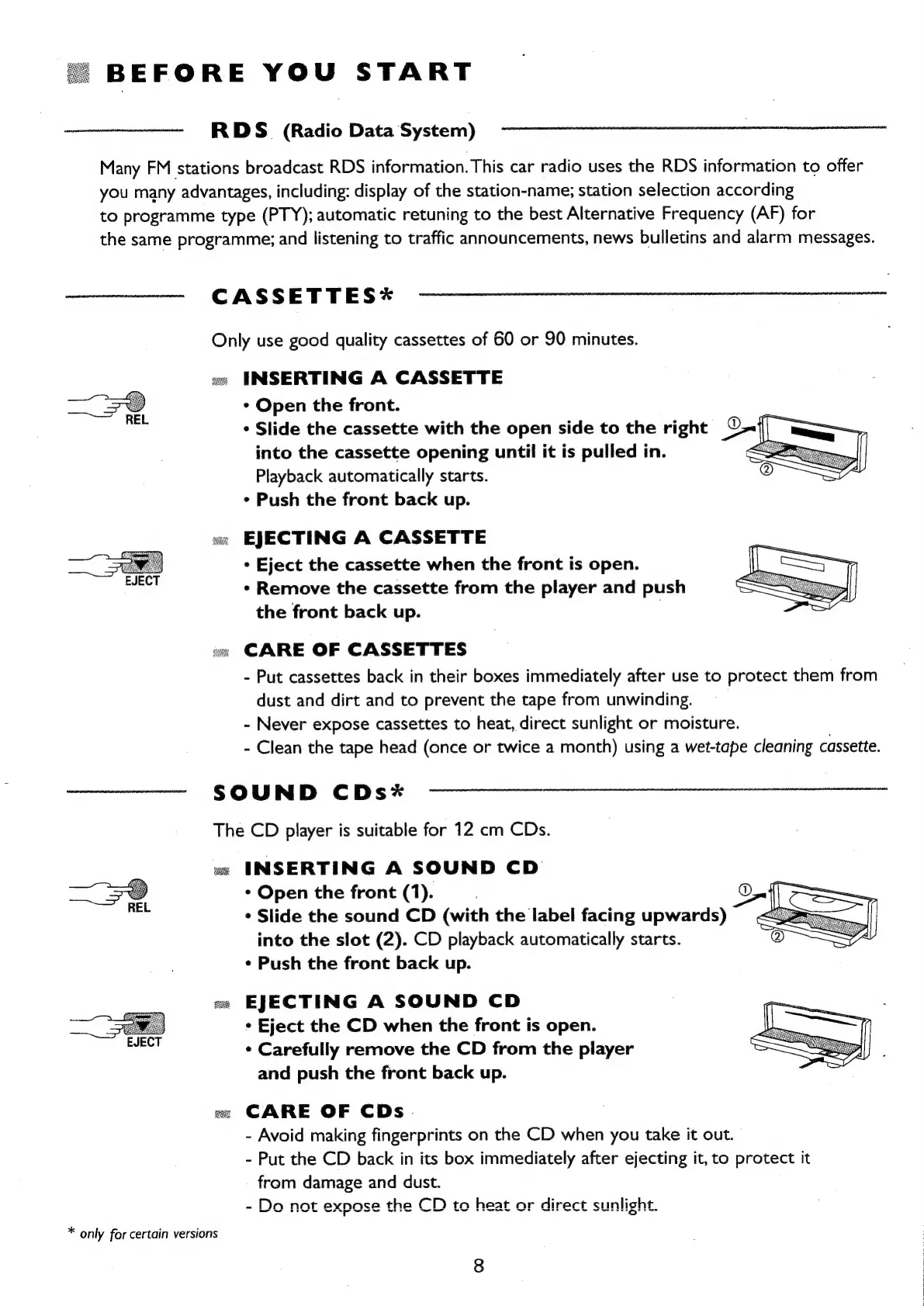
INSERTING
A
CASSETTE
¢
Open
the
front.
*
Slide
the
cassette
with
the
open
side
to
the
right
OAT
into
the
cassette
opening
until
it is
pulled
in.
<7
Playback
automatically
starts.
*
Push
the
front
back
up.
«ec
EJECTING
A
CASSETTE
*
Eject
the
cassette
when
the
front
is
open.
*
Remove
the
cassette
from
the
player
and
push
the
front
back
up.
|
on
CARE
OF
CASSETTES
-
Put
cassettes
back
in
their
boxes
immediately
after
use
to
protect
them
from
dust
and
dirt
and
to
prevent
the
tape
from
unwinding.
-
Never
expose
cassettes
to
heat,
direct
sunlight
or
moisture.
-
Clean
the
tape
head
(once
or
twice
a
month)
using
a
wet-tape
cleaning
cassette.
SOUND
CDs*
The
CD
player
is
suitable
for
12
cm
CDs.
ue
INSERTING
A
SOUND
CD
*
Open
the
front
(1).
*
Slide
the
sound
CD
(with
the
label
facing
upwards)
into
the
slot
(2).
CD
playback
automatically
starts.
*
Push
the
front
back
up.
oe
EJECTING
A
SOUND
CD
*
Eject
the
CD
when
the
front
is
open.
*
Carefully
remove
the
CD
from
the
player
and
push
the
front
back
up.
«
CARE
OF
CDs.
-
Avoid
making
fingerprints
on
the
CD
when
you
take
it
out.
-
Put
the
CD
back
in
its
box
immediately
after
ejecting
it,
to
protect
it
from
damage
and
dust.
-
Do
not
expose
the
CD
to
heat
or
direct
st
nlight.
~
SAPY
SS
at
-
:
as
hee
see,
*
only
for
certain
versions

Related product manuals