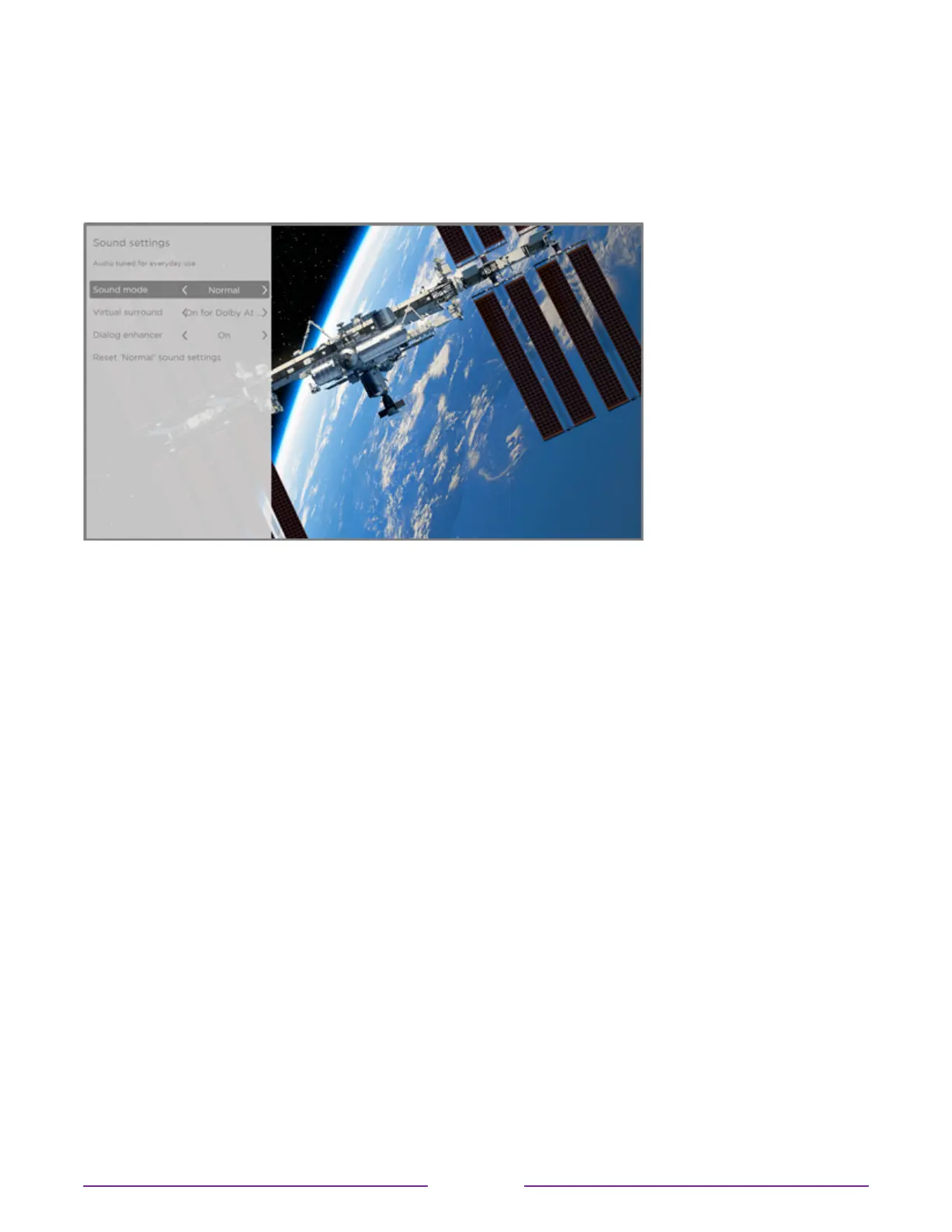
Sound settings – Dolby® Audio Processing (select models only)
Each TV input has separate settings for fine tuning sound quality. All of the settings in this
menu apply only to the currently-selected input. To access the DAP settings, first press
STAR
to display the Options menu, then select Soundsettings.
Sound settings menu for models with Dolby® Audio Processing
Tip: Some streaming channels assign STAR
to a dierent function, meaning it will not open
the Options menu. In these cases, use a dierent streaming channel to configure Dolby®
Audio Processing. The selected settings remain active for all streaming channels.
Sound settings menu– Dolby® Audio Processing
•
Soundmode – Select from among various preset sound modes to improve
speech, make music sound its best, boost bass or treble, or simulate a theater. Use
Resetaudiosettings, described below, to return the input’s current settings to their
original values.
•
Virtualsurround(Only on select models)– Options vary by TV model. Simulates
surround sound that otherwise would require installation of a surround sound audio
system. Sometimes, the eect interferes with dialog clarity. Use the Dialog enhancer
option to compensate.
•
Dialogenhancer– Improves the clarity of speech when on.
•
Resetsoundsettings– Returns Virtualsurroundand Dialogenhancersettings to their
default settings for the selected Soundmode.
74







 To Next Page