English
64
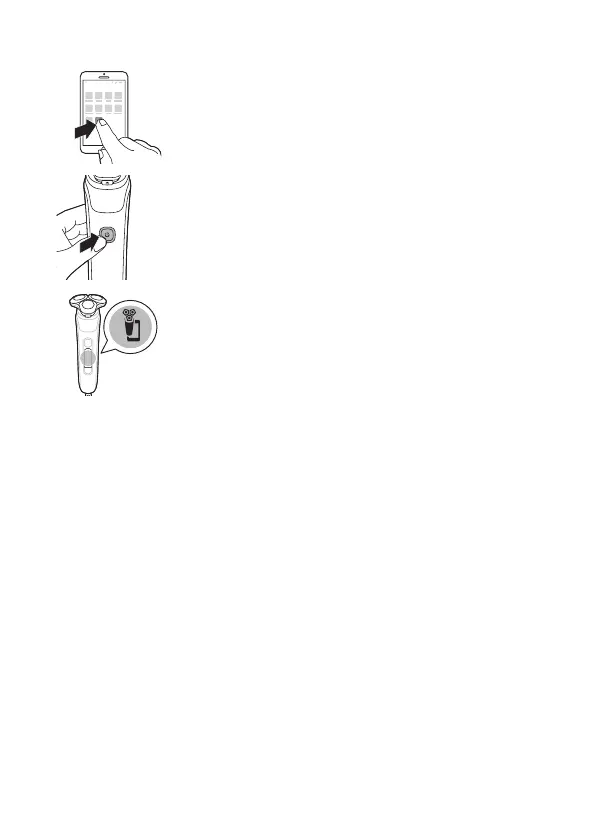
2 Make sure Bluetooth on your smartphone is
switched on.
3 Switch on the shaver to activate Bluetooth.
4 Open the app and follow the instructions to start
the pairing process.
5 Once paired, the shaver and app connect
automatically when the app is open and Bluetooth
on your phone is switched on.
Synchronize your shaves
This shaver stores your shave data so you don't need
to take your smartphone with you when you shave or
want to check your shave data at a later stage.
When the data storage is almost full, you receive
a notication reminding you to synchronize your
shaves. To prevent data loss, synchronize the shaver
with the app (see 'How do I connect my shaver and
smartphone?').
1 Make sure your phone is close to the shaver and
open the app.
2 The app connects automatically and synchronizes
your last shaves.
S7920



 To Next Page