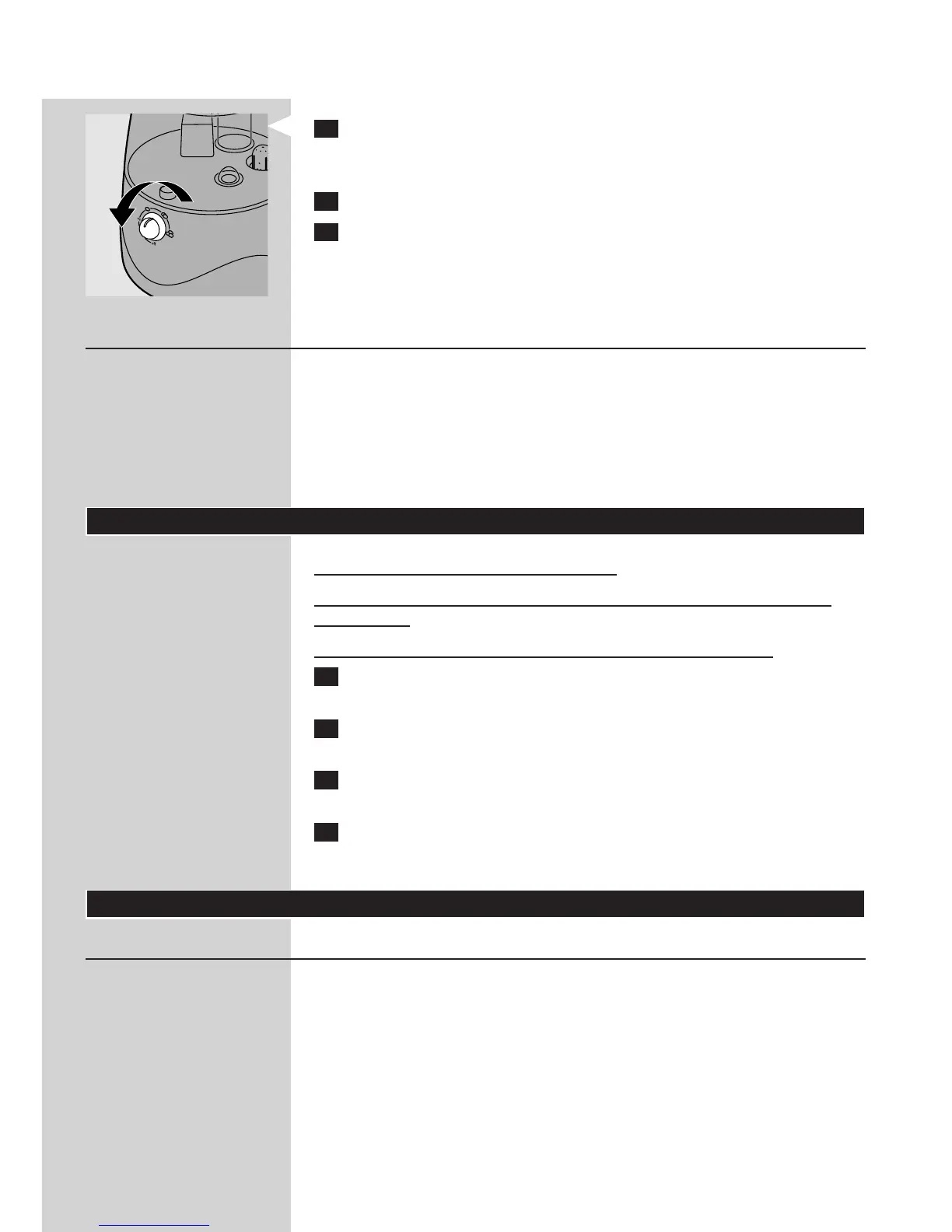
11 Turntheon/offknobanticlockwiseuntilyouhearaclicktoswitch
offthehumidier.
Thepower-onlightgoesout.
12 Removethemainsplugfromthewallsocket.
13 Emptythewatertankifyouarenotgoingtousethehumidierfor
twoormoredays.
This prevents algae and bacteria growth.
Note: Always unplug the appliance before you rell the water tank.
Thesafetyswitchautomaticallyswitchesofftheoscillatortostop
themistoutputwhenthewaterlevelistoolow.
Thetip-overswitchautomaticallyswitchesofftheoscillatortostop
themistoutputwhenthehumidieristilted.
Note: The automatic mist shut-off protects the oscillator from overheating. In
both cases, the humidier is still on and the fan continues to operate.
Cleaning
Donotusecleaningorscouringagents.
Donotimmersethebase,mainscordormainspluginwaterorany
otherliquid.
Donotuseanymetalorhardobjectstocleantheoscillator.
1 Disconnectthehumidierfromthemainsandsettheon/offknobto
‘off’.
2 Cleanthewatertankandthetankcoverinhotwaterwithsome
washing-upliquidorinthedishwasher.
3 Cleantheinsideofthewatertankbyllingitwithwater,rmly
tighteningthetankcapandshakingthetankrepeatedly.
4 Cleanthebasewithadampcloth.
Tip: Regular cleaning reduces scale build-up.
Descaling
Use cold boiled water or distilled water. Make sure that the water
temperature does not exceed 40ºC.
Clean the tank cover, the water tank, the oscillator and the water basin
every week.
Fill the water tank with fresh water every time you use the humidier.
Clean all parts of the humidier, empty the water tank and the water
basin and dry all parts with a soft, dry cloth when you are not going to
use your humidier for a long time.
,
,
,
-
-
-
-
ENGLISH10












 To Next Page