7
EN
Installation
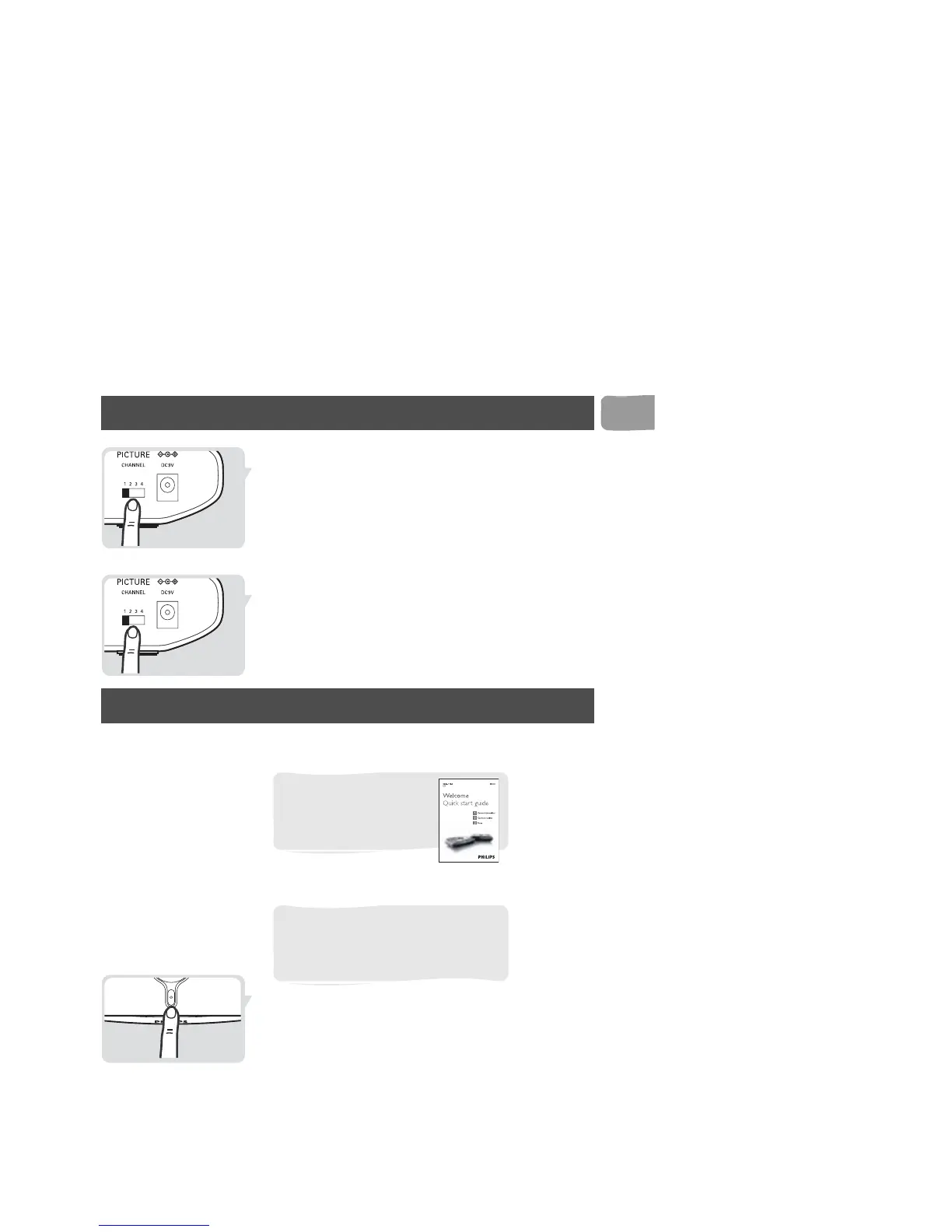
Remove interference on TV2
1 Find the PICTURE CHANNEL switch on the
transmitter (A).
2 Set the PICTURE CHANNEL switch to a
different number.
3 Find the PICTURE CHANNEL switch on the
receiver (B).
4 Set the PICTURE CHANNEL switch to the same
number as on the transmitter (A).
Operation
Enjoy your Wireless TV Link
Watch a cable TV program on TV2
1 Switch on the transmitter (A).
2 Switch on the VCR or DVD recorder.
For basic operation, see
the quick start guide that
came with your Wireless
TV Link.
Your VCR or DVD recorder needs to
be connected to the transmitter (A) of
the Wireless TV Link and connected to
the Cable-TV signal.



 To Next Page