VLounge
All applications can be accessed via the Philips V(ideo)-Lounge
application.VLounge is the central application for easy access to
your Philips WebCam.
•
Start VLounge:
- through the Windows QuickLaunch menu in your taskbar;
- via the program group ‘SPC520NC WebCam’;
- by clicking the VLounge icon ‘ ’ on the desktop.
> The VLounge application will now be initiated and the VLounge
selection screen appears.
Selecting your WebCam
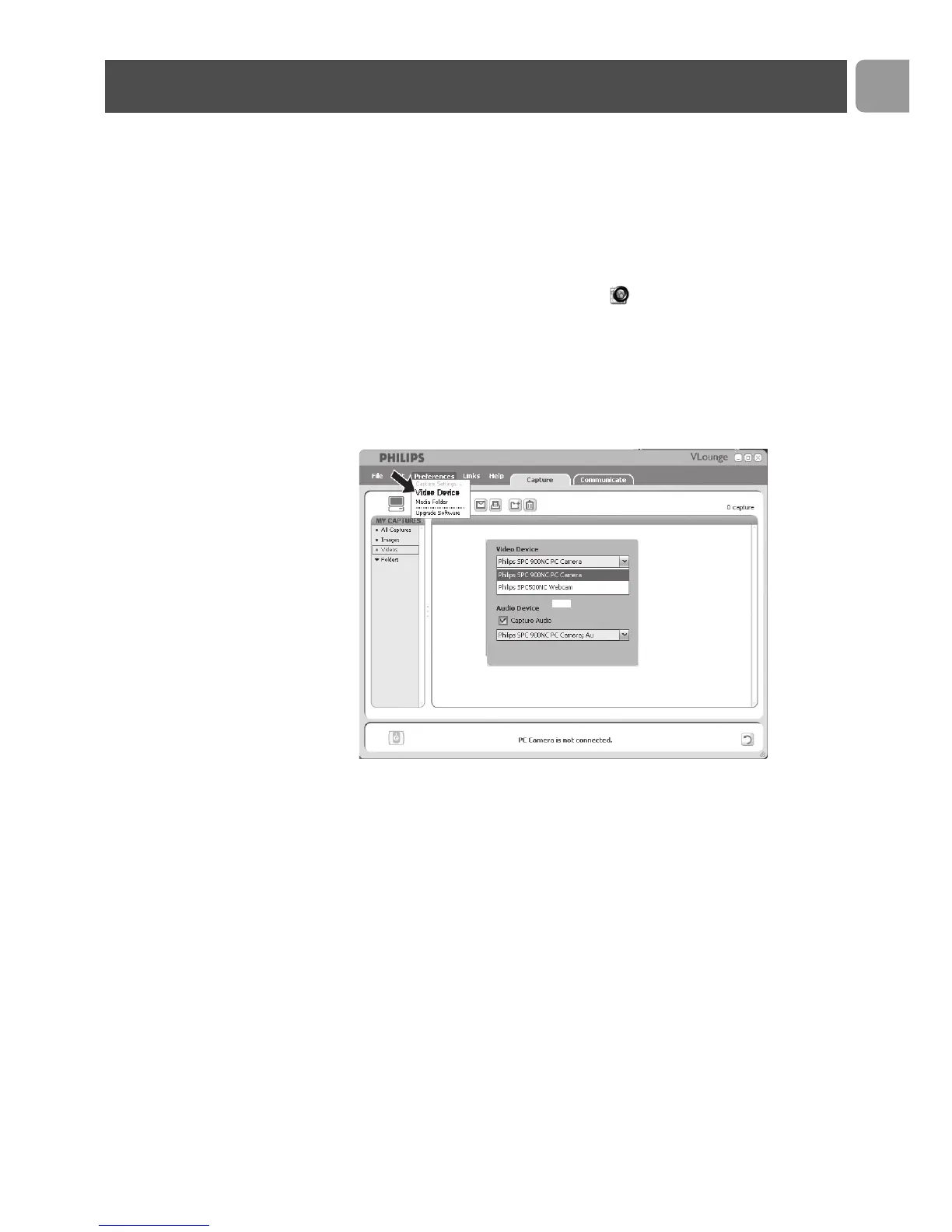
When more than one WebCam is installed and connected to your
PC / laptop, you can select the WebCam you wish to operate.
1
Open the ‘Preferences’ menu.
2
Select ‘Video Device’.
> All WebCams connected are shown.
3
Select the WebCam you wish to operate.
4
Click the ‘OK’ button.
> The VLounge-selection screen for the selected WebCam appears.
Operating the WebCam
EN
17



 To Next Page