EN
19
Instant messaging and Internet calling
(video chatting, video calling and VoIP)
The Philips SPC520NC/SPC525NC WebCam works with all free
instant messenging and VoIP (Voice over Internet Protocol)
applications such as Skype,Windows
®
Live Messenger,Yahoo!
Messenger, AOL Messenger and QQ.
1
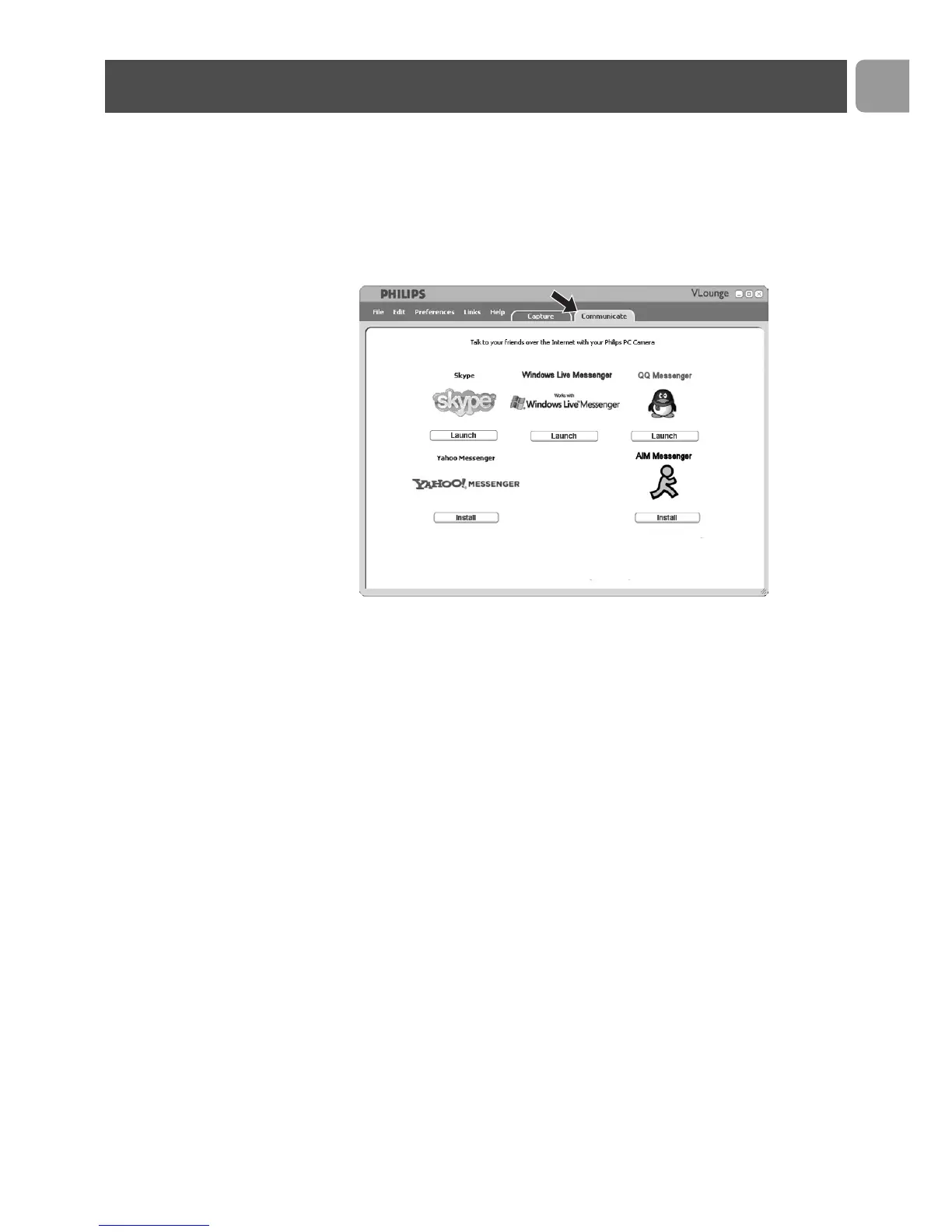
Click the ‘Communicate’ tab to open the Communicate
menu.
> The available applications are shown by their icons.
2
Click the appropriate ‘Install’ button to download and install
an application.
3
Follow the on-screen instructions during downloading and
installing.
4
After installing an application, make the required WebCam
settings within the application in order to be able to properly
use the WebCam via the application.
5
Click the appropriate ‘Launch’ button to start an application.
Operating the WebCam



 To Next Page