Capturing images / making video recordings
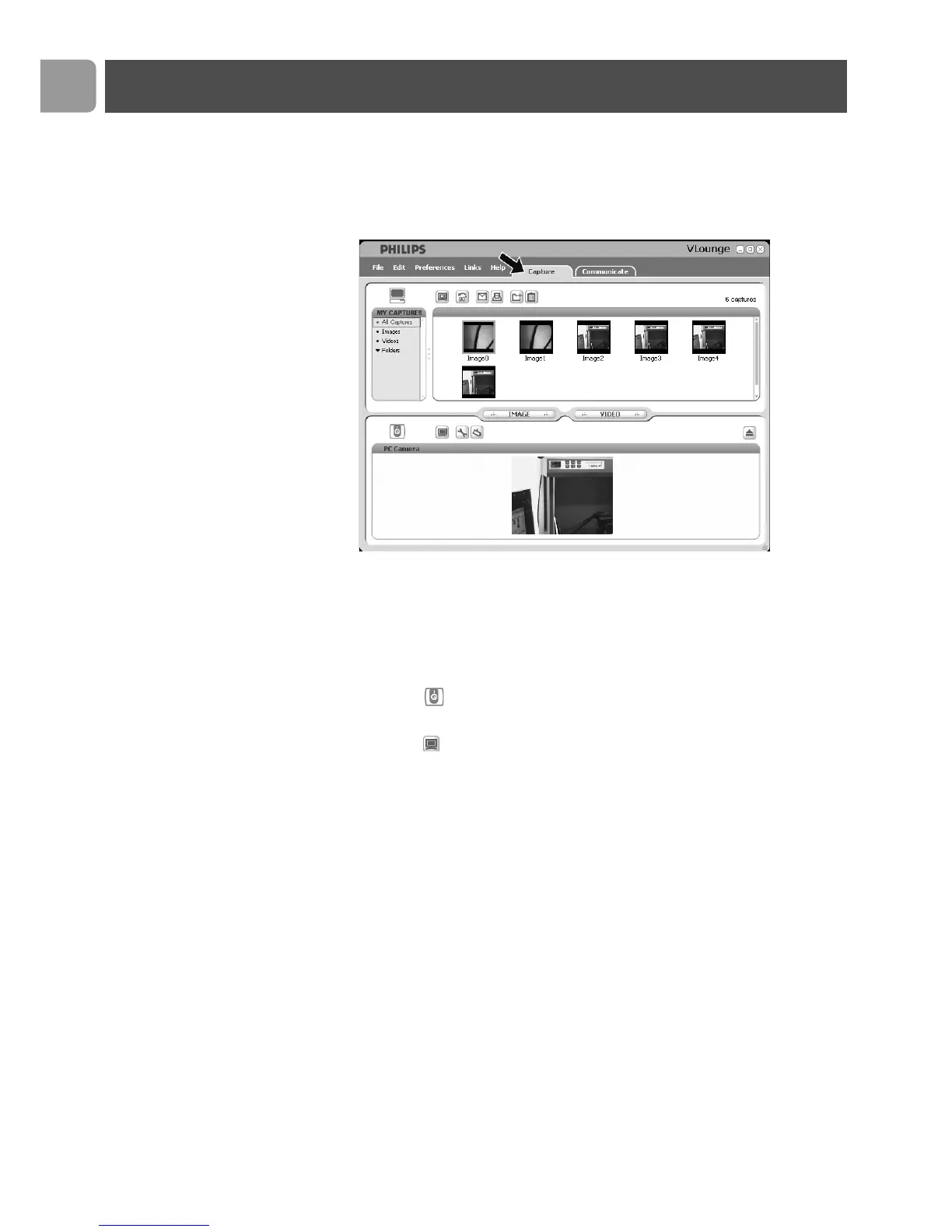
In the ‘Capture’ menu you can capture images and make video
recordings and transfer, preview, edit, e-mail, print and organise
your photos and video recordings.
• Click the ‘Capture’ tab to open the Capture menu.
> The camera starts operating immediately.
• Click ‘IMAGE’ to capture an image.
• Click ‘VIDEO’ to start a video recording.
Click ‘VIDEO’ again to stop recording.
• Click ‘ ’ to maximize the lower part of the screen and
display the camera preview.
• Click ‘ ’ to maximize the upper part of the screen and
display your captured images and video recordings.
• Move your cursor onto a button to see a brief explanation of
the button function.
• If you need assistance select ‘Application Help’ in the
‘Help’ menu.
Operating the WebCam
EN
18



 To Next Page