EasyManua.ls Logo

Philips SRP2008B/86 - Service and Support Information; Frequently Asked Questions

Philips SRP2008B/86
28 pages
Print Icon
To Next Page IconTo Next Page
To Previous Page IconTo Previous Page
Loading...
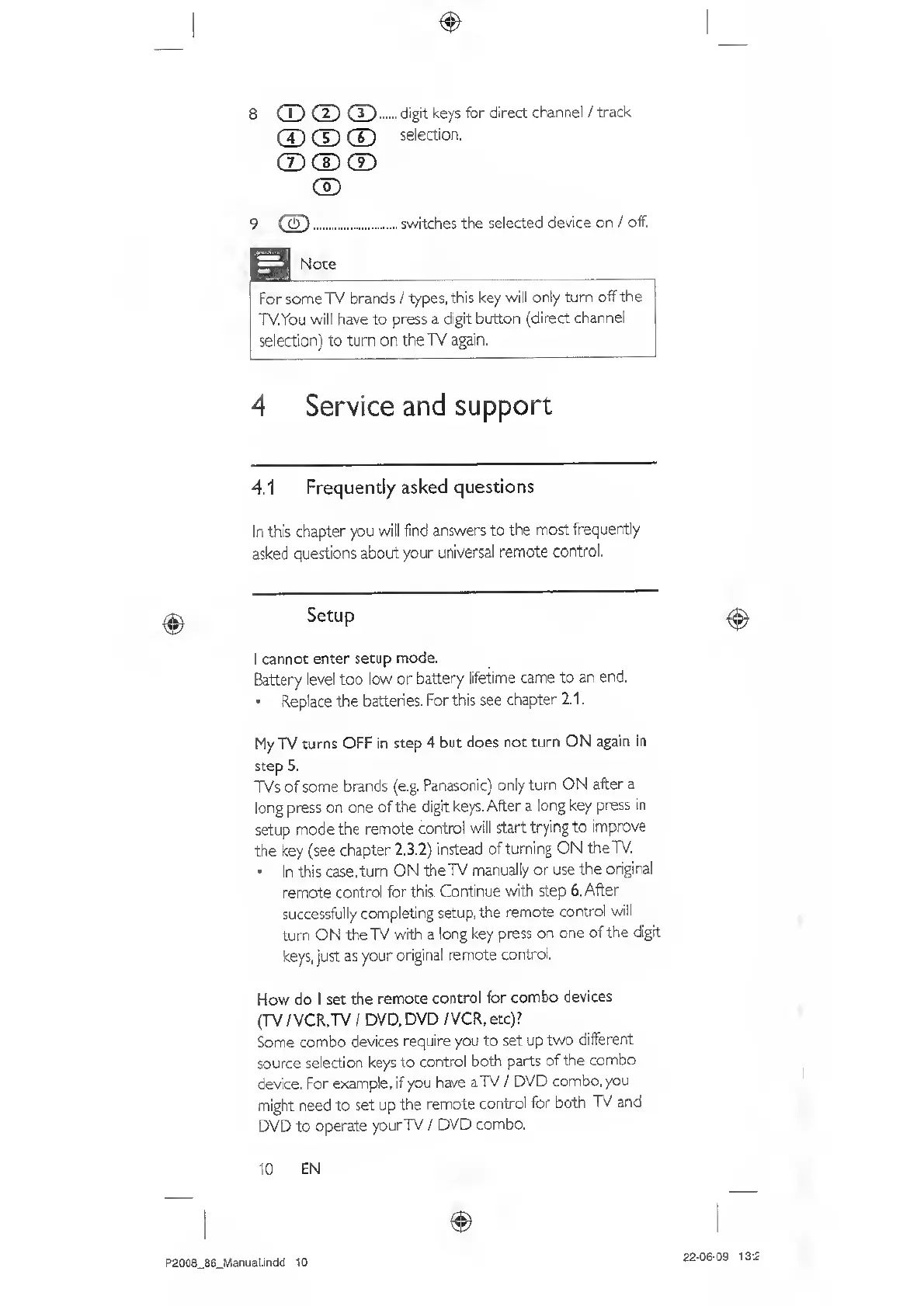
8
rn
(D
(T)
.
digit
keys
for
direct
channel
/
track
®
CD
®
selection.
CD
CD
CD
CD
9
.switches
the
selected
device
on
/
off.
Note
For
some
TV
brands
/
types,
this
key
will
only
turn
off
the
TV.You
will
have
to
press
a
digit
bcrtton
(direct
channel
selection)
to
turn
on
the
TV
again.
4
Service
and
support
4.1
Frequently
asked
questions
In
this
chapter
you
will
find
answers
to
the
most
frequently
asked
questions
about
your
universal
remote
control.
I
cannot
enter
setup
mode.
Battery
level
too
low
or
battery
lifetime
came
to
an
end.
Replace
the
batteries.
Forthis
see
chapter
2.1.
My
TV
uirns
OFF
in
step
4
but
does
not
turn
ON
again
in
step
5.
TVs
of
some
brands
(e.g.
Panasonic)
only
turn
ON
after
a
long
press
on
one
of
the
digit
keys.
After
a
long
key
press
in
setup
mode
the
remote
control
will
start
trying
to
improve
the
key
(see
chapter
2.3.2)
instead
of
turning
ON
the
TV.
In
this
case,
turn
ON
the
TV
manually
or
use
the
original
remote
control
for
this.
Continue
with
step
6.
After
successfully
completing
setup,
the
remote
control
will
turn
ON
the
TV
with
a
long
key
press
on
one
of
the
digit
keys,
just
as
your
original
remote
control.
How
do
I
set
the
remote
control
for
combo
devices
(TV
/VCR.TV
I
DVD.
DVD
/
VCR,
etc)?
Some
combo
devices
require
you
to
set
up
two
different
source
selection
keys
to
control
both
parts
of
the
combo
device.
For
example,
if
you
have
aTV
/
DVD
combo,
you
might
need
to
set
up
the
remote
control
for
both
TV
and
DVD
to
operate
yourTV
/
DVD
combo.
10
E
N
P2008_86_MaauaI.indd
10
22-06-09
13:2