EasyManua.ls Logo

Philips SRP2008B/86 - Page 9

Philips SRP2008B/86
28 pages
Print Icon
To Next Page IconTo Next Page
To Previous Page IconTo Previous Page
Loading...
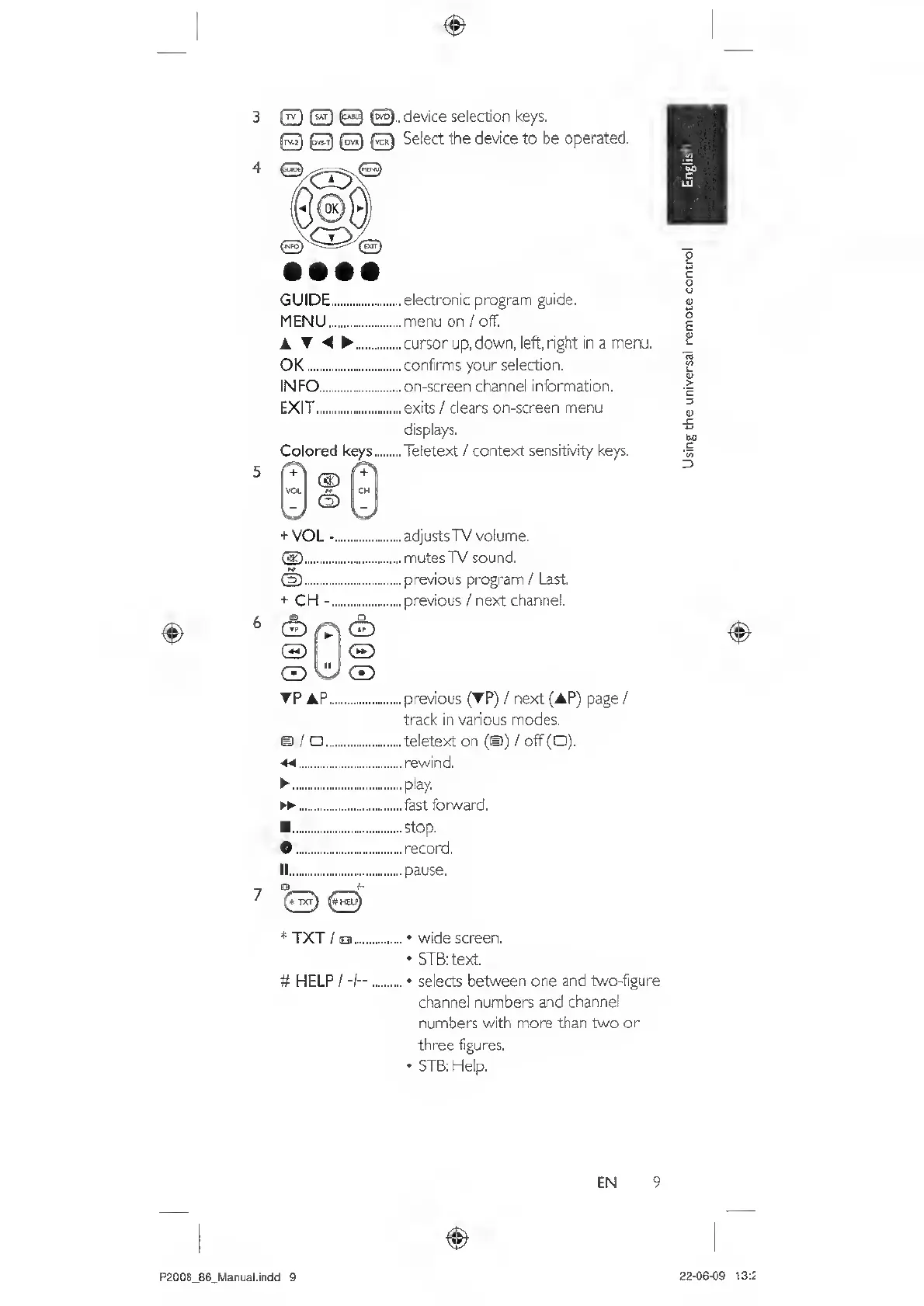
3
fr^
device
selection
keys.
Select
the
device
to
be
operated.
5
6
GUIDE...electronic
program
guide.
MENU.menu
on
/
off.
A
T
.cursorup,
down,
left,
right
in
a
menu,
OK..confirms
your
selection.
INFO.on-screen
channel
information,
EXIT.exits
/
clears
on-screen
menu
displays.
Colored
keys.Teletext
/
context
sensitivity
keys.
VOL
C/
+
VOL
.
®.
(D.
+
CH
-.
®
CE)
®
WCD
TRAP...
ei
/
adjusts
TV
volume,
mutes
TV
sound,
previous
program
/
Last,
previous
/
next
channel.
previous
(TP)
/
next
(AP)
page
/
track
in
various
modes,
teletext
on
(©)
/
off
(O),
rewind,
play.
fast
forward.
.Stop.
•.record,
II
.pause.
*
TXT
/
o.•
wide
screen.
STB:
text
#
HELP
/
-I—
.
selects
between
one
and
two-figure
channel
numbers
and
channel
numbers
with
more
than
two
or
three
figures.
STB:
Help.
EN
9
P2008_86_Marual.indd
9
22
-
06-09
13:5
Using
the
universal
remote
control

Related product manuals