EasyManua.ls Logo

Philips SRP2008B/86 - Universal Remote Control Operation; Remote Control Keys and Functions

Philips SRP2008B/86
28 pages
Print Icon
To Next Page IconTo Next Page
To Previous Page IconTo Previous Page
Loading...
3
4
5
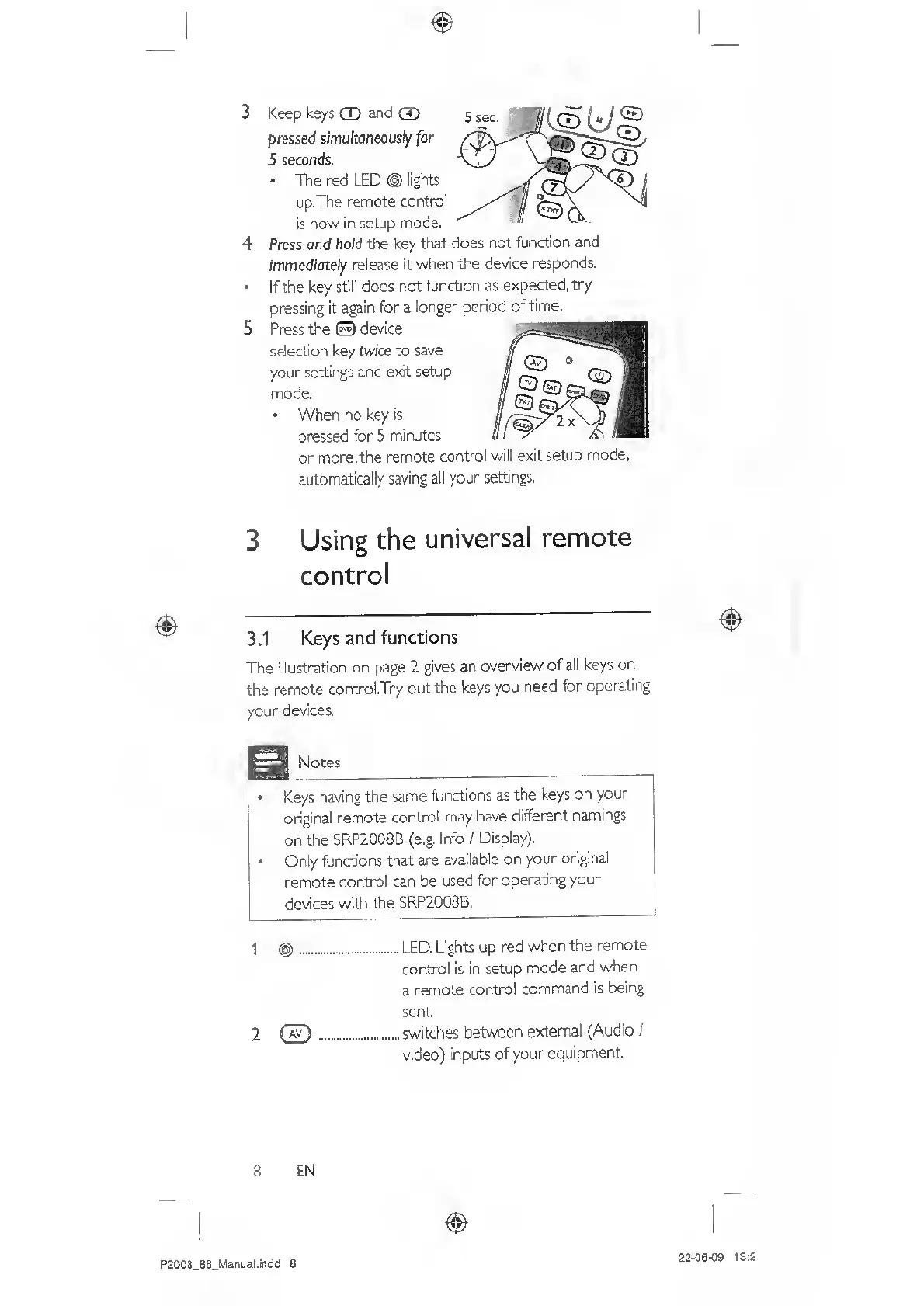
Keep
keys
CD
and
(7?
pressed
simultaneously
for
5
seconds.
The
red
LED
©
lights
up,The
remote
control
is
now
in
setup
mode.
Press
and
hold
the
key
that
does
not
function
and
immediote/y
release
it
when
the
device
responds.
If
the
key
still
does
not
function
as
expected,
try
pressing
it
again
for
a
longer
period
of
time.
Press
the
©
device
selection
key
twice
to
save
your
settings
and
e>dt
setup
mode.
When
no
key
is
pressed
for
5
minutes
or
more,the
remote
control
will
exit
setup
mode.
aLftomatically
saving
all
your
settings.
3
Using
the
universal
remote
control
3.1
Keys
and
functions
The
illustration
on
page
2
gives
an
overview
of
all
keys
on
the
remote
control.Try
out
the
keys
you
need
for
operating
your
devices,
Notes
Keys
having
the
same
functions
as
the
keys
on
your
original
remote
control
may
have
different
namings
on
the
SBP2008B
(e.g.
Info
/
Display).
Only
functions
that
are
available
on
your
original
remote
control
can
be
used
for
operating
your
devices
with
the
SRP2008B.
j
^.
l
ed.
Lights
up
red
when
the
remote
control
is
in
setup
mode
and
when
a
remote
control
command
is
being
sent.
2
(7!7)
.
switches
between
external
(Audio
/
video)
inputs
of
your
equipment
8
EN
P2008_86_Manijal.indd
8
22-06-09
13:2

Related product manuals