EasyManua.ls Logo

Philips SRP2008B/86 - Page 6

Philips SRP2008B/86
28 pages
Print Icon
To Next Page IconTo Next Page
To Previous Page IconTo Previous Page
Loading...
5
60
se
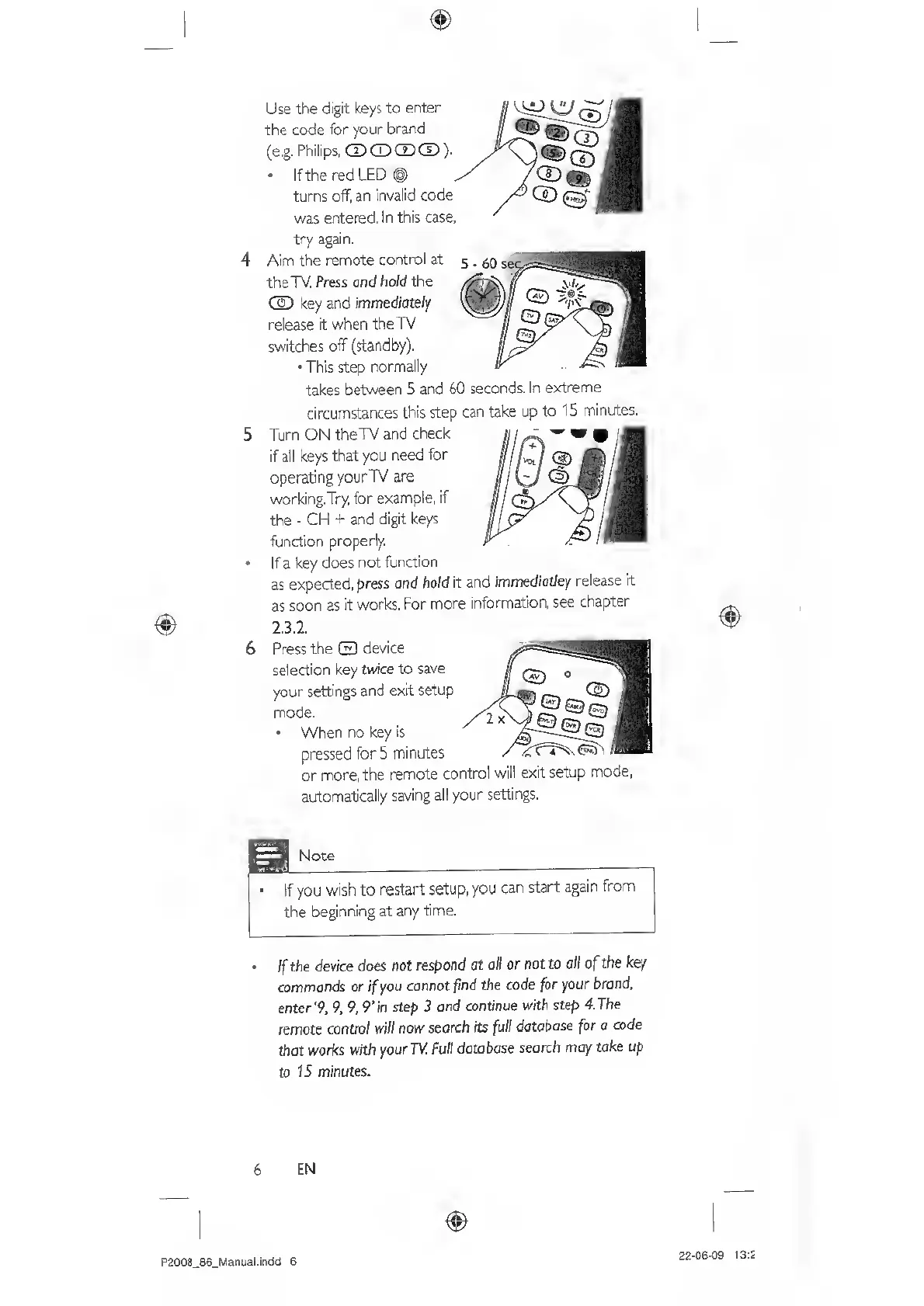
Use
the
digit
keys
to
enter
the
code
for
your
brand
(e.g.
Philips,
CD
CD
CD
®).
If
the
red
LED
(§)
turns
off,
an
invalid
code
was
entered.
In
this
case,
try
again.
Aim
the
remote
control
at
the
TV.
Press
and
hold
the
CS)
key
and
immediately
release
it
when
theTV
switches
off
(standby).
•This
step
normally
takes
between
5
and
60
seconds.
In
extreme
circumstances
this
step
can
take
up
to
15
minutes.
Turn
ON
theTV
and
check
if
all
keys
that
you
need
for
operating
yourTV
are
working.Try,
for
example,
if
the
-
CH
+
and
digit
keys
function
properly.
If
a
key
does
not
function
as
expected,
press
and
hold
it
and
immediatJey
release
rt
as
soon
as
it
works.
For
more
information,
see
chapter
2.3.2.
Press
the
Q
device
selection
key
twice
to
save
your
settings
and
exit
setup
mode.
When
no
key
is
pressed
for
5
minutes
or
more,
the
remote
control
will
exit
setup
mode,
automatically
saving
all
your
settings.
Note
If
you
wish
to
restart
setup,
you
can
start
again
from
the
beginning
at
any
time.
If
the
device
does
not
respond
at
all
or
not
to
all
of
the
key
commands
or
if
you
cannot
find
the
code
for
your
brond,
enter‘9,
9,
9,
9'in
step
3
and
continue
with
step
4.The
remote
control
will
now
search
its
full
dotobase
for
o
code
that
works
with
yourTV.
Full
database
search
may
take
up
to
IS
minutes.
6
EN
P2008_86_Manual.inda
6
22-06-09
13:2