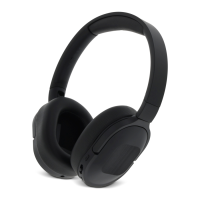
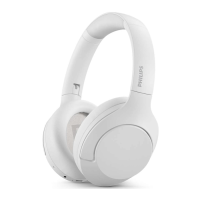
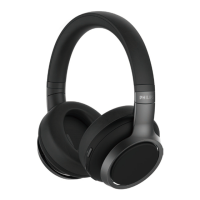
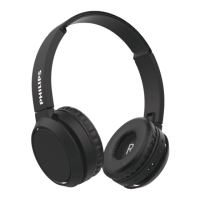
This document is the user manual for the Philips 6000 Series TAH6509 Active Noise Canceling wireless headphones.
Function Description
The Philips TAH6509 headphones are designed to provide a convenient wireless audio experience with active noise cancellation. Users can enjoy music, make hands-free calls, switch between calls and music, and benefit from noise cancellation. The headphones connect to Bluetooth-enabled devices such as mobile phones, notebooks, tablets, and MP3 players. The Philips Headphones App allows for sound customization to suit individual listening and calling preferences.
Important Technical Specifications
- Model: Philips TAH6509
- Bluetooth Version: 5.3
- Bluetooth Profiles: HFP (Hands-Free Profile), A2DP (Advanced Audio Distribution Profile), AVRCP (Audio Video Remote Control Profile)
- Frequency Range: 2.402-2.480GHz
- Transmitter Power: < 10 dBm
- Operating Range: Up to 10 meters (33 feet)
- Music Play Time (ANC on): 70 hours
- Music Play Time (ANC off): 45 hours
- Talk Time (ANC on): 70 hours
- Talk Time (ANC off): 45 hours
- Charging Time: 2 hours
- Battery Type: Rechargeable lithium ion battery (600 mAh)
- Charging Port: USB-C
- Audio Jack: Yes
- Compliance: RED Directive 2014/53/EU, UK Radio Equipment Regulations SI 2017 No 1206, FCC Part 15, Canadian ICES-003(B)/NMB-003(B), European Directive 2012/19/EU (WEEE), European Directive 2013/56/EU (Batteries).
- Operating Temperature: 0°C (32°F) to 45°C (113°F) with up to 90% relative humidity.
- Storage Temperature: -20°C (-4°F) to 50°C (122°F) with up to 90% relative humidity.
Usage Features
- Power On/Off: Press and hold the power button for 2 seconds to turn the headphones on or off.
- Bluetooth Pairing:
- For the first time, ensure headphones are fully charged and powered off. Press and hold the power button for 2 seconds until the LED flashes white and blue alternately. The headphones are then in pairing mode.
- To pair with another Bluetooth device, put the headphones into pairing mode by pressing the power button for 5 seconds. The headphones store up to 5 devices; the earliest paired device is replaced by a new one.
- After powering on, if the headphones cannot find any previously connected Bluetooth device, they will automatically enter pairing mode (press the power button for 5 seconds).
- When connecting, select "Philips TAH6509" from your device's Bluetooth menu. If prompted for a password, enter "0000".
- Active Noise Canceling (ANC) / Awareness Mode:
- Different ANC modes can be toggled via a single press of the ANC/Awareness mode button.
- ANC function is automatically activated when the headphones are turned on.
- Press the ANC button once to turn the ANC function off.
- Press the ANC button again to switch to Awareness mode.
- Press and hold the ANC button to exit Awareness mode.
- Music Control (Multi-Function Button - MFB):
- Play or Pause: Single press MFB.
- Next Track: Push MFB upward for 2 seconds.
- Previous Track: Push MFB downward for 2 seconds.
- Adjust Volume +: Push MFB upward once.
- Adjust Volume -: Push MFB downward once.
- Call Control (MFB):
- Pick Up Call: Single press MFB.
- Hang Up / Reject Call: Press and hold MFB for 1 second.
- Hold Current Call and Accept Incoming Call: Single press MFB.
- Hold Current Call and Reject Incoming Call: Press and hold MFB for 1 second.
- Switch Between Second-Way Call and Three-Way Call: Single press MFB.
- Voice Assistant (ANC button):
- Trigger Voice Assistant (Siri/Google): Double press ANC button.
- Stop Voice Assistant: Double press ANC button.
- LED Indicator Status:
- Connected to Bluetooth device: Blue LED will be on for 1 second.
- Ready for pairing: The LED flashes blue and white alternately.
- On but not connected to a Bluetooth device: White LED blinks (auto turn off after 3 minutes).
- Low battery level: White LED blinks once every 1 second.
- App Download: Scan the QR code or search "Philips Headphones" in the Apple App Store or Google Play to download the app for customized sound and calling experience.
Maintenance Features
- Charging:
- Connect the supplied USB-C charging cable to the USB-C slot on the headphones and a charger/USB port of a computer.
- The LED turns white during charging and turns off when fully charged.
- A full charge typically takes two hours.
- If the headset is not used for a long time, fully charge the battery at least once every three months to prevent battery loss.
- Cleaning:
- Use a clean, damp cloth to clean the headphones regularly, especially the sound conduits and microphone holes. Avoid buildup of substances like sweat or earwax.
- Do not use cleaning agents containing alcohol, ammonia, benzene, or abrasives.
- If sweat or water droplets are left in the sound conduits, air holes, or microphone holes, the sound level may temporarily drop or cut out. Dry thoroughly with a soft, damp cloth. Alternatively, remove earbud tips, turn sound conduits downward, and gently tap the headphones about five times on a dry cloth to remove collected water. Ensure headphones are completely dry before charging and using.
- Battery Care:
- The integrated battery should not be exposed to excessive heat (sunshine, fire).
- Danger of explosion if the battery is incorrectly replaced; replace only with the same or equivalent type.
- Disposal of a battery into fire or a hot oven, or mechanically crushing or cutting a battery, can result in an explosion.
- Leaving a battery in an extremely high-temperature environment can lead to explosion or leakage of flammable liquid/gas.
- A battery subjected to extremely low air pressure may result in an explosion or leakage of flammable liquid/gas.
- Replacing a battery with an incorrect type risks severely damaging the headphones and battery.
- Resetting Headphones:
- On your Bluetooth device, go to the Bluetooth menu and remove "Philips TAH6509" from the device list.
- Turn off the Bluetooth function of your Bluetooth device.
- Turn on your headphones.
- Press and hold the power button for 16 seconds at the same time.
- Follow steps in "Use your headphones - connect the headphones to your Bluetooth device."
- Pair the headphones with your Bluetooth device, select "Philips TAH6509".
- Environmental Information:
- The product is designed with high-quality materials that can be recycled and reused.
- The product and its battery should not be disposed of with normal household waste. Take the product to an official collection point or a Philips service center for professional battery removal and proper disposal.
- Packaging materials (cardboard, polystyrene foam, polyethylene) are designed to be easily separated for recycling.

 Need help?

 To Next Page
 General