4 EN
3 Get started
Always follow the instructions in this chapter in
sequence.
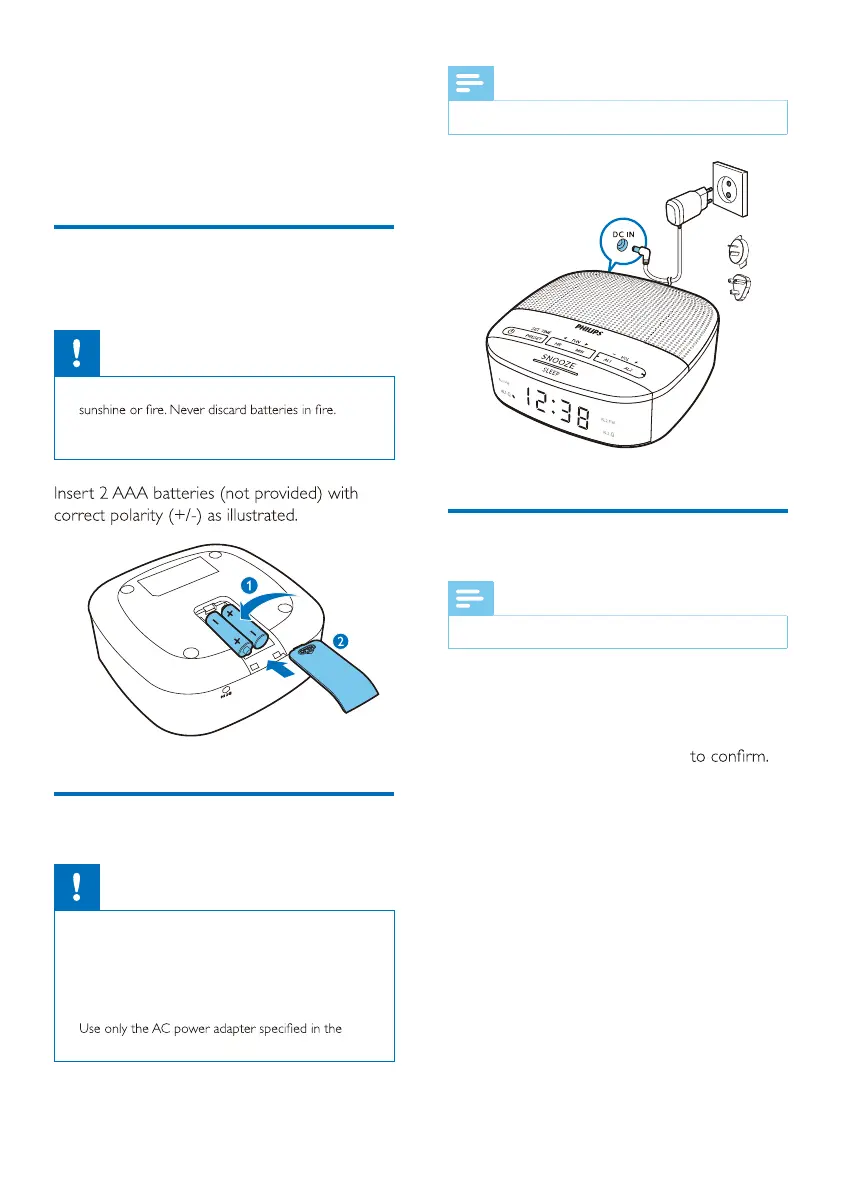
Install batteries
The batteries can only back up clock and alarm
settings.
Caution
•
Risk of explosion! Keep the batteries away from heat,
• Batteries contain chemical substances, so they should
be disposed of properly.
Connect power
Caution
•
Risk of product damage! Make sure that the power
voltage corresponds to the voltage printed on the back
or underside of the clock radio.
• Risk of electrical shock! When you unplug the power
adaptor, always pull the plug from the socket. Never
pull the cord.
•
manufacturer or sold with this unit.
Note
•
The type plate is located at the bottom of the clock radio.
Set time
Note
•
You can only set time in standby mode.
1 In standby mode, press and hold SET TIME
for 2 seconds.
2 Press HR to set hour and MIN to set
minute, then press SET TIME
The time is set.



 To Next Page