EasyManua.ls Logo

Philips TAR3306 - User Manual

Philips TAR3306
9 pages
Print Icon
To Next Page IconTo Next Page
Loading...
Register your product and get support at
www.philips.com/support
User manual
R3306
3000 Series
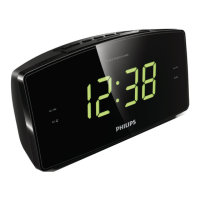
Clock Radio
Question and Answer IconNeed help?

Do you have a question about the Philips TAR3306 and is the answer not in the manual?

Summary

Important Safety and Notice

Safety Instructions

Safety instructions for operating the clock radio, including ventilation, heat sources, and power cord handling.

Compliance and Disposal Notice

Compliance information, declarations of conformity, and disposal guidelines for electronic waste and batteries.

Your Clock Radio Overview

Introduction to Clock Radio Features

Brief overview of the clock radio's capabilities, including listening to FM radio and setting alarms.

Package Contents

Lists the components included in the package, such as the main unit, power adapter, and guides.

Clock Radio Component Identification

Identifies and explains the function of each button and the display panel on the clock radio.

Getting Started with Your Clock Radio

Installing Backup Batteries

Instructions on how to install backup batteries, including cautions regarding battery type and disposal.

Connecting Power Adapter

Guidelines for connecting the power adapter, emphasizing voltage compatibility and safe unplugging practices.

Setting the Time

Step-by-step instructions for setting the current time on the clock radio using the control buttons.

Listening to FM Radio

Tuning and Storing FM Radio Stations

Explains how to tune to stations manually, and store them automatically or manually.

Selecting Preset Radio Stations

Provides methods for selecting a previously stored FM radio station using preset options.

Adjusting Volume Level

Instructions on how to increase or decrease the volume while listening to the radio.

Advanced Clock Radio Features

Setting and Managing Alarms

Guides on setting alarm times, selecting alarm sources, and activating/deactivating alarms.

Using the Snooze Function

Explains how to use the snooze function when the alarm sounds, delaying it for a set period.

Sleep Timer Configuration

Instructions for setting a sleep timer that automatically switches the clock radio to standby mode.

Adjusting Display Brightness

Describes how to cycle through and select different display brightness levels for the clock.

Product Specifications and Troubleshooting

Technical Product Information

Details about amplifier, FM tuner, power adapter, consumption, dimensions, and weight.

Troubleshooting Common Issues

Solutions for no power, no sound, unit unresponsiveness, poor reception, and alarm malfunctions.

Summary

Important Safety and Notice

Safety Instructions

Safety instructions for operating the clock radio, including ventilation, heat sources, and power cord handling.

Compliance and Disposal Notice

Compliance information, declarations of conformity, and disposal guidelines for electronic waste and batteries.

Your Clock Radio Overview

Introduction to Clock Radio Features

Brief overview of the clock radio's capabilities, including listening to FM radio and setting alarms.

Package Contents

Lists the components included in the package, such as the main unit, power adapter, and guides.

Clock Radio Component Identification

Identifies and explains the function of each button and the display panel on the clock radio.

Getting Started with Your Clock Radio

Installing Backup Batteries

Instructions on how to install backup batteries, including cautions regarding battery type and disposal.

Connecting Power Adapter

Guidelines for connecting the power adapter, emphasizing voltage compatibility and safe unplugging practices.

Setting the Time

Step-by-step instructions for setting the current time on the clock radio using the control buttons.

Listening to FM Radio

Tuning and Storing FM Radio Stations

Explains how to tune to stations manually, and store them automatically or manually.

Selecting Preset Radio Stations

Provides methods for selecting a previously stored FM radio station using preset options.

Adjusting Volume Level

Instructions on how to increase or decrease the volume while listening to the radio.

Advanced Clock Radio Features

Setting and Managing Alarms

Guides on setting alarm times, selecting alarm sources, and activating/deactivating alarms.

Using the Snooze Function

Explains how to use the snooze function when the alarm sounds, delaying it for a set period.

Sleep Timer Configuration

Instructions for setting a sleep timer that automatically switches the clock radio to standby mode.

Adjusting Display Brightness

Describes how to cycle through and select different display brightness levels for the clock.

Product Specifications and Troubleshooting

Technical Product Information

Details about amplifier, FM tuner, power adapter, consumption, dimensions, and weight.

Troubleshooting Common Issues

Solutions for no power, no sound, unit unresponsiveness, poor reception, and alarm malfunctions.

Philips TAR3306 Specifications

General IconGeneral
BrandPhilips
ModelTAR3306
CategoryClock Radio
DisplayLED
TunerFM
Preset Stations10
AlarmYes
Alarm TypeBuzzer, Radio
SnoozeYes
Sleep TimerYes
Power SourceAC power
Backup Battery2 x AAA
Weight0.26 kg

Related product manuals