Reducing picture disturbance (’optimizing
the modulator’)
You may experience picture disturbance if you have not used
a scart cable to connect your video recorder and TV. This is
because another TV station in your reception area may
already be using UHF-channel CH36 or 591MHz.
a Make sure that there is no cassette in the video recorder.
On the video recorder, simultaneously hold the
EJECT J and the PROGRAMME = button for a few
seconds until e.g.: ’CH36’or’591’ appears in the
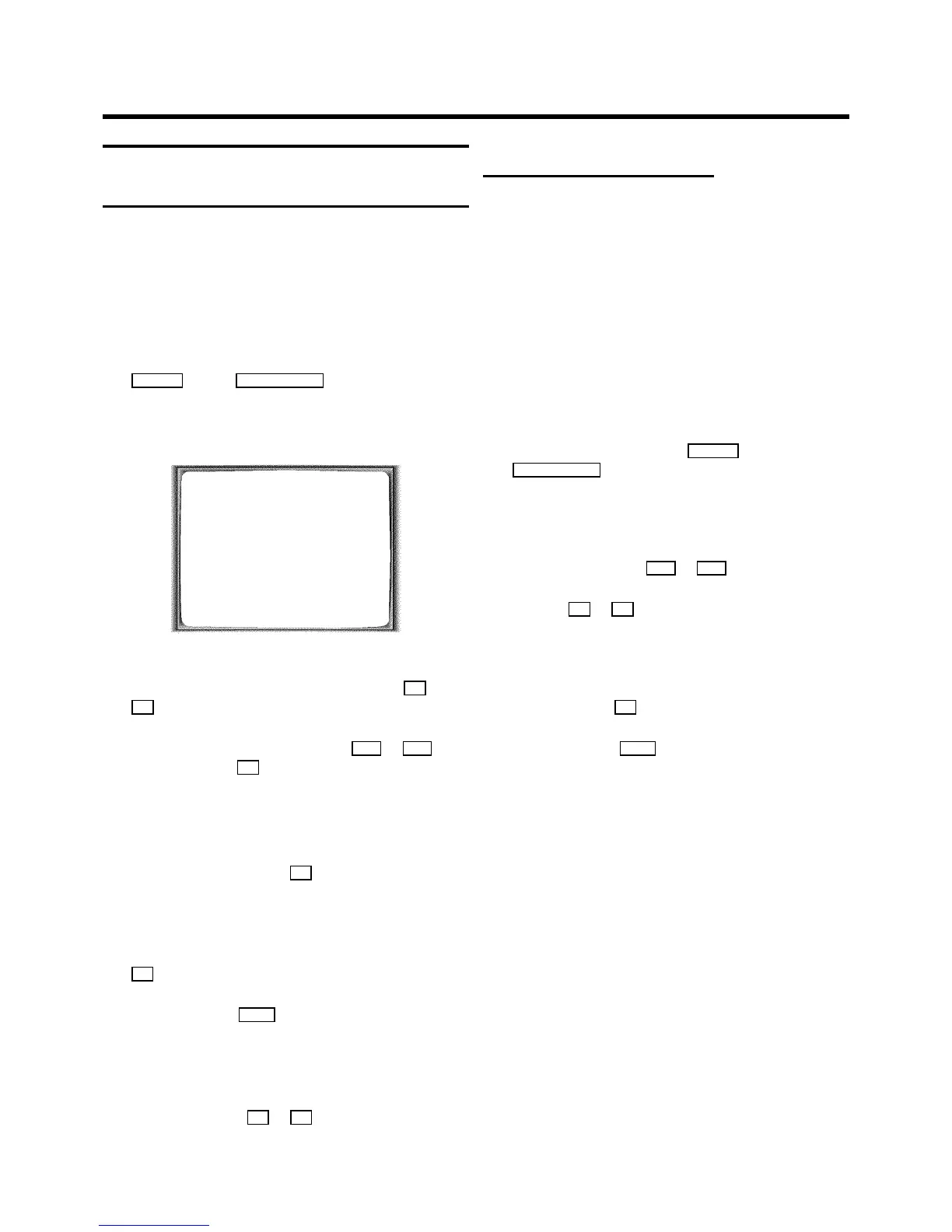
display. The video recorder transmits a test picture on
UHF-channel 36 or frequency 591MHz.
INSTALLATION
OPTIMIZE MODULATOR
OPTIMIZE CH36
MODULATOR ON
CHANNEL/FREQ. CH
SOUND SYSTEM G
________________________________
TO STORE
PRESS OK
b In line ’CHANNEL/FREQ.’ select the indication for
channel ’CH’ or frequency ’FREQ.’, using the P or
Q button.
c Select the line ’OPTIMIZE’ with the P ; or P =
button. Press the P button.
d When the video recorder finds a ’free’ TV channel, the
channel or frequency will be indicated.
DYou can also enter the channel or frequency directly
with the digit buttons 0-9 .
e Tune in the TV set in this channel or frequency.
f Confirm the channel or frequency indicated with the
OK button.
g To end, press the MENU button.
DIf the picture or sound quality is poor, you might
have selected the wrong TV system. In the line
’SOUND SYSTEM’ select the TV system you want
e.g. ’G’ for PAL BG or ’K’ for SECAM DK, using the
menu buttons P or Q .
Switching off the modulator
If you cannot clear picture or sound interference, you can
switch off the built-in modulator. You should only do this if you
have connected the video recorder to the TV set with a scart
cable. ’Connecting VCR without scart cable’ is not possible
when the modulator is switched off.
DWith the function ’Easy Link/NexTView’ the
modulator will be switched off automatically.
a Switch on the TV set and select the programme number
for the video recorder.
b Make sure that no cassette is in the video recorder. On
the video recorder, press the EJECT J and
PROGRAMME = button at the same time for several
seconds, until, for example, ’CH36’or’591’ appears on
the video recorder display.
c Select the line ’MODULATOR’ on the TV screen or ’M ON’
in the display with the P ; or P = button.
d With the Q or P button, select the function ’OFF’on
the TV screen or ’MOFF’ (modulator off) in the display.
Select ’ON’ on the TV screen or ’M ON’ (modulator on) in
the display to switch the modulator back on.
e Confirm with the OK button.
f To end, press the MENU button.
26



 To Next Page