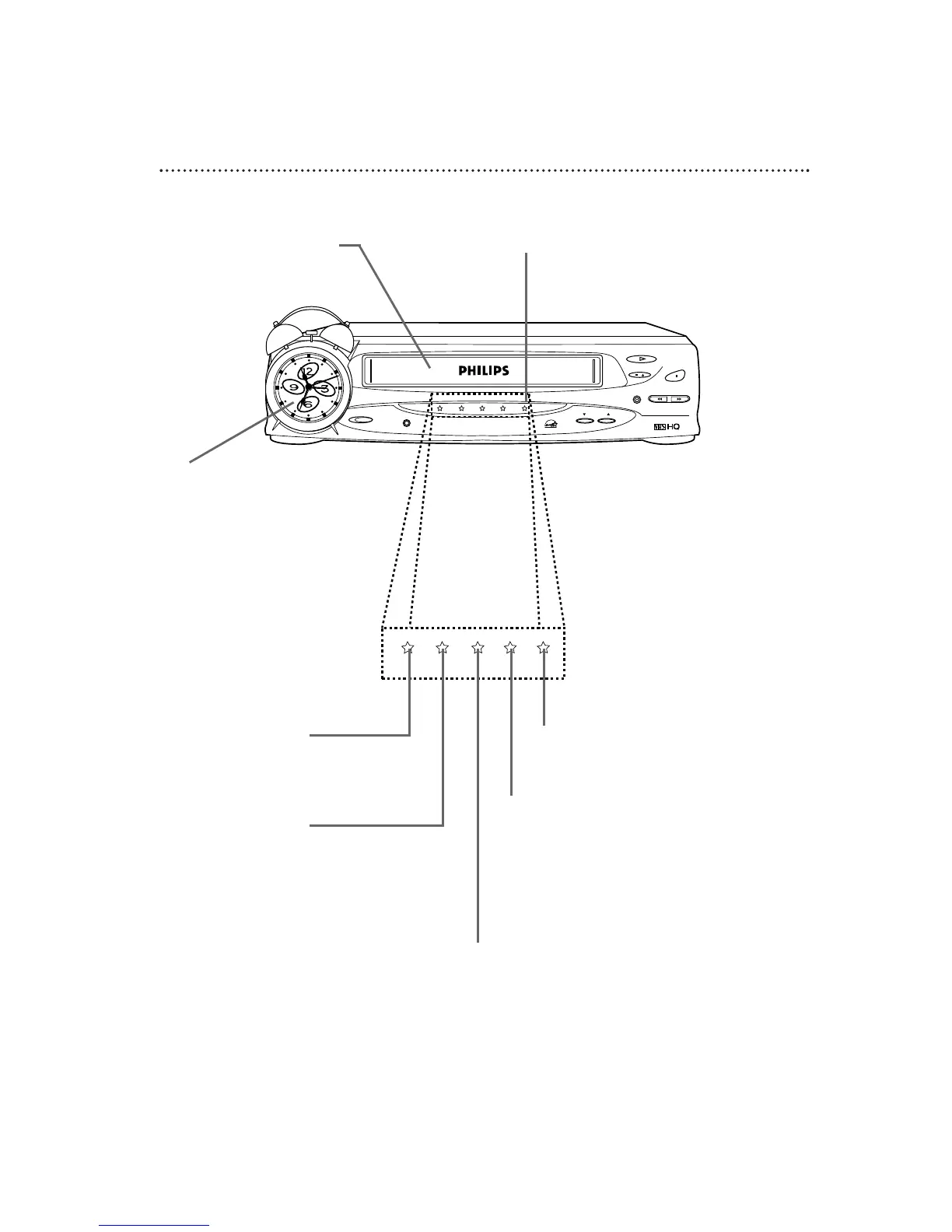
VCR Display Panel
These lights explain the current
activity of the VCR.
Cassette Compartment
Insert a video cassette tape here.
Do not place anything else in this
compartment.
VCR/TV Light
This light appears when the VCR
is in VCR position. Details are on
page 19.
REC(ord) Light
This light appears during a recording. It
flashes when a recording is paused.
CST.IN Light
This light appears when a tape is in the VCR.
POWER Light
This light appears when the VCR
power is on.
TIMER Light
This light glows when the VCR is turned off to
set a timer recording or during a One-Touch
Recording. It flashes if the power is off for a
timer recording, but there is no tape in the
VCR. It flashes when all timer recordings are fin-
ished.
Alarm Clock
Details are on page six.



 To Next Page