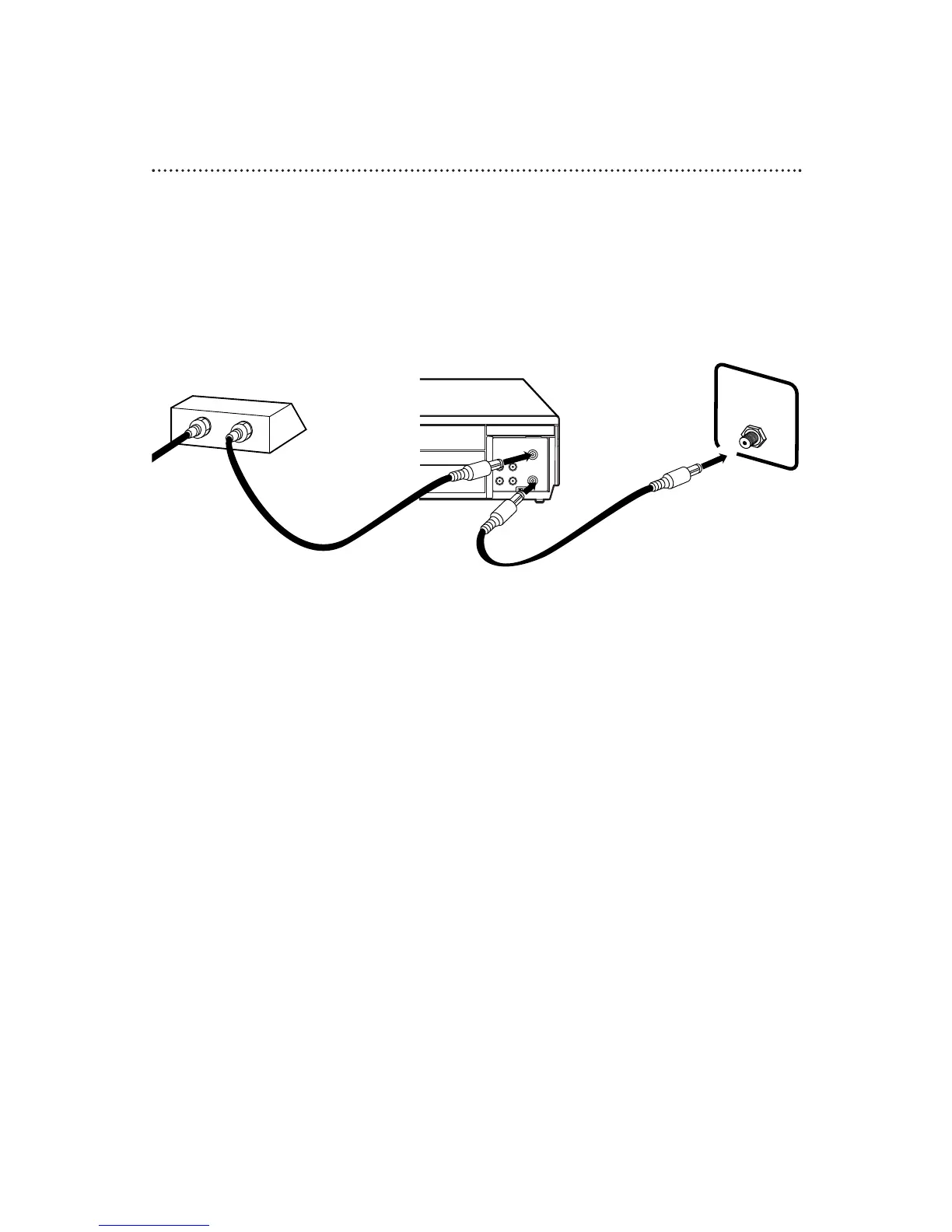
8 Hookups With a Cable Box/Direct Broadcast System
There are two ways to connect your Cable Box/DBS to the VCR. With this connection:
● You may view any channel.
● You must select channels at the Cable Box/DBS. Channels cannot be changed at the VCR.
● You may not view a channel other than the one you are recording.
● You may not program channels at the VCR.
● You can only program a timer recording for one channel at a time. Set the TV and the VCR to the
Cable Box/DBS output channel (channel 03 or 04), and set your Cable Box/DBS to the channel you
want to record. When you enter the channel you want to record in a timer recording, select channel 03
or 04 (the Cable Box/DBS output channel). (This is step 7 on page 28.) Leave the Cable Box/DBS on for
a timer recording.
TV’s
ANTENNA IN
Jack
Cable Box/DBS
VCR
Recording/Viewing Any Channel
Connections
1
With the VCR on and in VCRposition (the VCR/TV light will appear on the
front of the VCR), use the CHANNEL o/p button to set the VCR to
the Cable Box/DBS output channel (channel 03 or 04).
2
Set the TV to the same channel to which you set the VCR. Set the
CH3/CH4 switch on the back of the VCR to the same channel.
3
Select the channel you want to view/record at the Cable Box/DBS.
1
Connect a Cable signal to the IN Jack on the Cable Box/DBS.
2
Use an RF coaxial cable (supplied) to connect the OUT Jack on the Cable
Box/DBS to the ANT(enna) IN Jack on the VCR.
3
Use a second RF coaxial cable to connect the OUT Jack on the VCR to the
TV’s ANTENNA IN Jack.
1
2
3
Cable
Signal
RF coaxial
cable
RF coaxial
cable



 To Next Page