EasyManua.ls Logo

Philips VRKD12BL - Page 29

Philips VRKD12BL
44 pages
Print Icon
To Next Page IconTo Next Page
To Previous Page IconTo Previous Page
Loading...
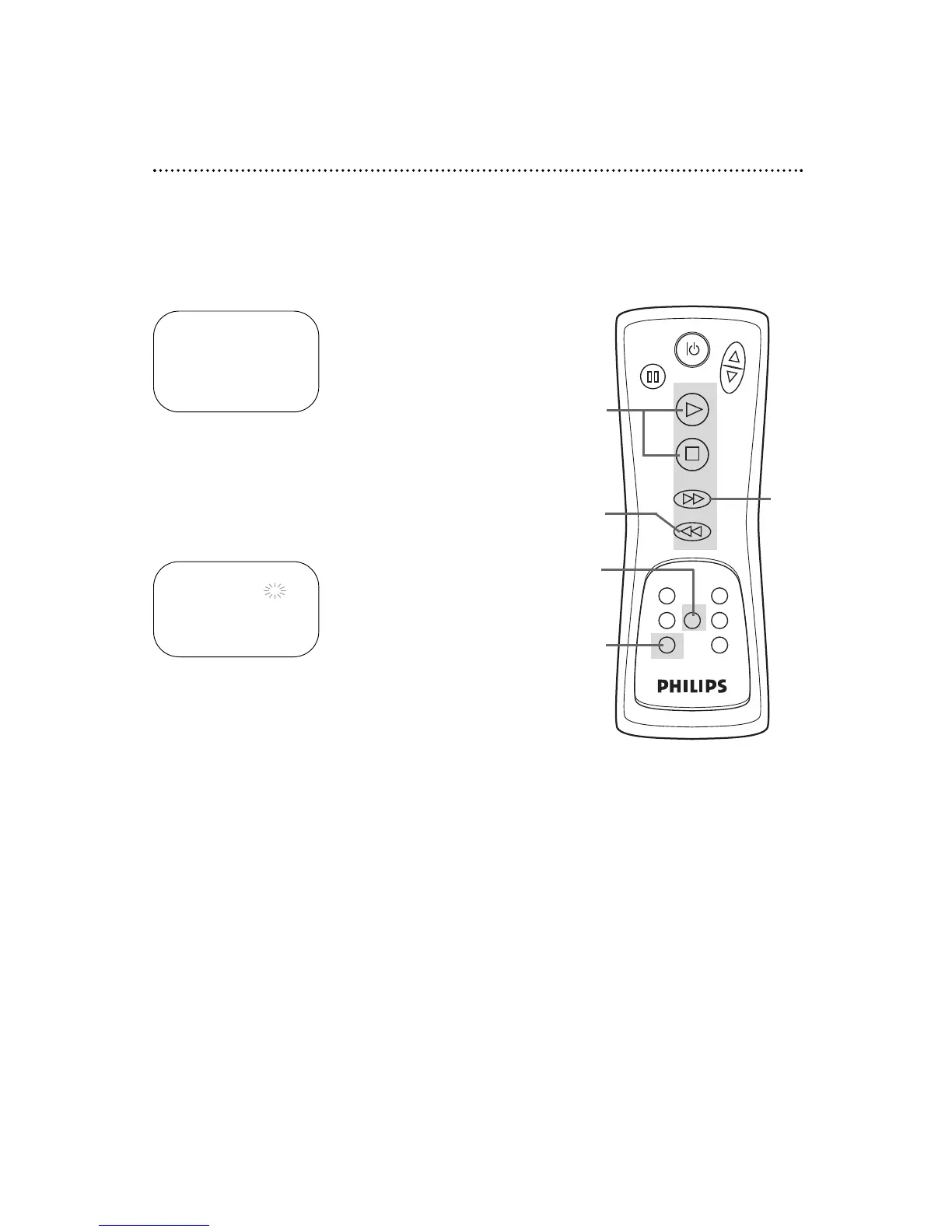
Cancelling a Timer Recording
1
Press the MENU button so that the details of your pro-
gram appear on the screen. If there are no recordings set, the
main menu will appear.
2
Press the PLAY button or the STOP button to select the
program number you want to cancel.
4
While the program number is flashing, press the
REW(ind) button to cancel the timer recording.
5
Press the EXIT/C.RESET button when you are finished.
Timer Recording (cont’d) 29

POWER
CHANNEL
PAUSE
PLAY
STOP
F. FWD
REW
RECORD
VCR/TV
SPEED MENU DISPLAY
EXIT/ C. RESET
COUNTER MEMORY
5
4
1
2
TIMER PROGRAMMING
DATE STA/END CH
B1 05/04 07:30 PM 16
FRI 08:30 PM SP
3 05/11 10:00 PM 125
W FRI 10:54 PM SLP
5 05/21 11:00 PM 40
DAILY 11:30 PM SLP
3
Press the F.FWD button.
ONE TIME PROGRAM
PROGRAM NUMBER 1
DATE 05/04 FRI
STARTTIME 07:30 PM
END TIME 08:30 PM
CHANNEL 16
REC SPEED SP
3

Related product manuals