GB7
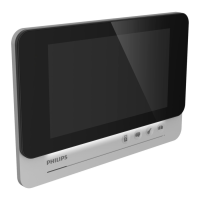
3. Installing the main and additional monitors
1m60
DES 9900 VDP
5 8 1 0 2 3
24V 550mA
+
-
1/3
2/4
WiĮ 2.4GHz
DES 9900 VDP
5 8 1 0 2 3
Made in P.R.C
CFI Extel
ZI de Fétan, 01600 Trévoux
FRANCE
1 2
4
7
5 6
3
1 - Place the wall bracket so that the monitor screen is at a height of around 1.60 m o the
ground.
2 - Locate where to drill the holes using the mounting bracket.
3 - Drill.
4 - Insert the plugs adapted to the bracket (the plugs provided are suitable for solid walls).
5 - Attach the wall bracket.
6 - Connect the 2 intercom panel wires and the 2 power supply wires, paying close attention
to the wiring diagram.
7. Position the monitor on the wall bracket.
8 - When the wiring has been installed, you may need to congure the interface depending
on the chosen conguration. For more information, refer to the complete instructions
downloadable at www.philips.com.
Warning:
during this step, do not connect the power supply to the 230V AC


 To Next Page
 Loading...