7
P H O E N I X G O L D I N T E R N A T I O N A L
P R E S E T
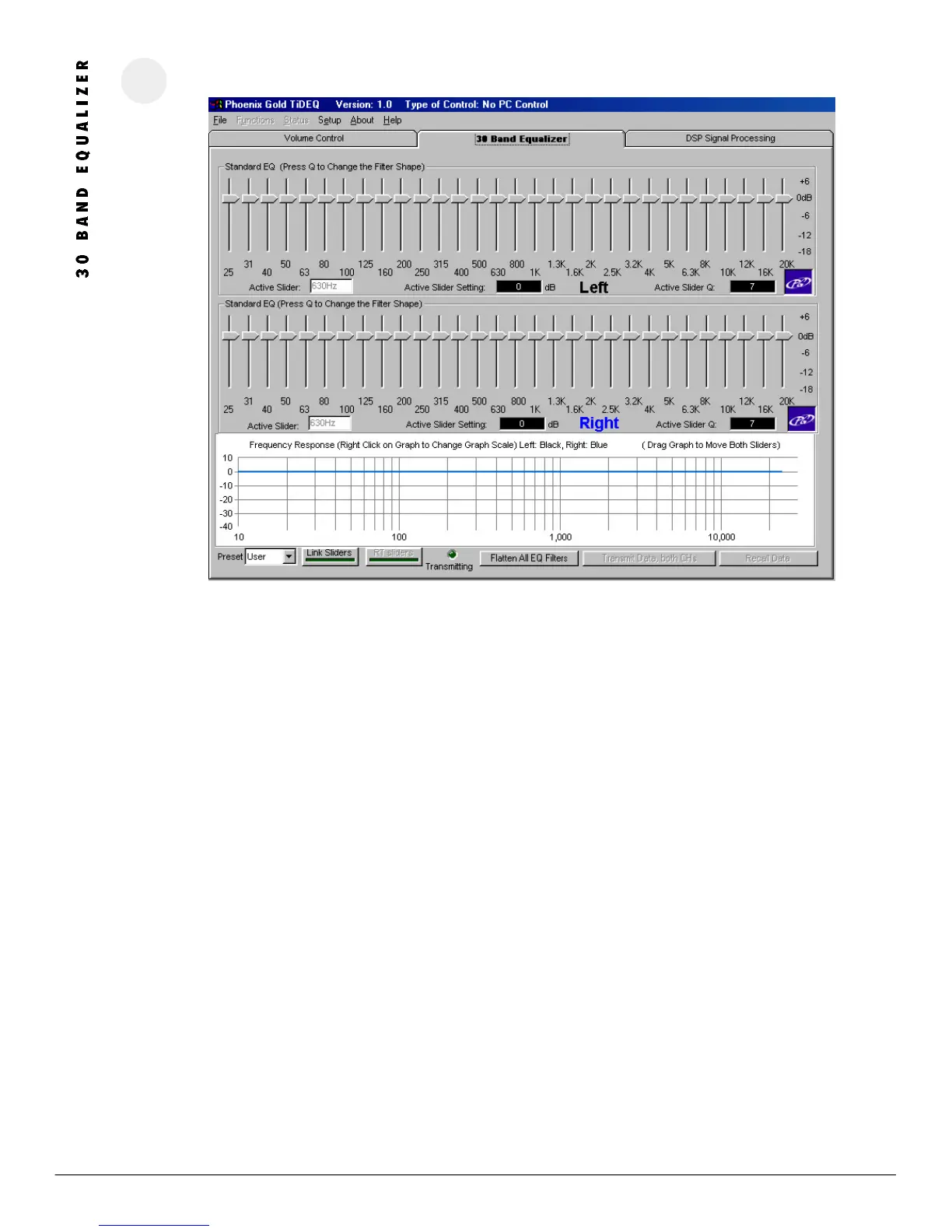
Allows a different preset to be selected: RTA, SPL, SQ, USER
LI NK SL IDERS
This will link the left and right channel sliders, allowing them to be simultaneously adjusted.
RT SLI DE RS
Clicking this button activates Real Time Sliders. This allows the changes made on the TiDEQ Comp software sliders to automatically be
sent to the TiDEQ Comp. When activated the TiDEQ Comp in the vehicle will automatically receive the changes made on the screen.
This eliminates the need to click on the “Transmit Data both CHs” button every time you make a small adjustment.
FL ATT EN AL L FILTERS
Clicking on this button will flatten all slider and parametric filters for the current preset back to 0dB.
TRAN SM IT BOTH CHAN NE LS
Clicking on this button will send all changes for the current preset to the TiDEQ Comp. It will not transmit changes for all 4 presets at
the same time. Changes for each preset must be transmitted individually.
REC ALL D ATA
Clicking on this button will recall the information from the current preset stored in the TiDEQ Comp.
ADJ US TIN G SLIDER S
K e y b o a r d : The left and right arrows will change sliders. The up and down arrow keys will also adjust the sliders’ boost/cut value
in 1 dB increments.
M o u s e : Sliders can also be adjusted by clicking and dragging the slider to a new boost/cut value.
R E M I N D E R : If the Real Time Sliders are turned OFF. Changes will not take affect inside the vehicle until you click on the
Transmit Both Channels Button.




 To Next Page