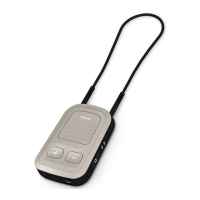
Phonak ComPilot and Nokia
Bluetooth pairing guide
V1.00/2011-09/rz © Phonak AG All rights reserved
1. Charge and turn on the mobile phone and ComPilot.
2. Place them next to each other.
3. Prepare ComPilot for pairing
■
Press and hold the Connect and Volume buttons simultaneously
for 2 seconds until the Audio indicator starts to rapidly blink blue.
■
Start the pairing process on the phone as described below.
■
Please consult your phone‘s user guide if you need more information.
5. End of pairing
■
After successful pairing, the ComPilot Audio indicator will stop rapid ashing blue.
■
Additionally a headset symbol may appear on the main screen of your phone.
■
After 2 minutes the ComPilot will automatically exit from pairing mode. If step 4 was not
completed before, simply start the pairing mode on ComPilot again as described in step 3.
4. Prepare the mobile phone for pairing
Find the connectivity settings of the phone. With most models, the following navigation applies.
The Bold terms might be dierent depending on the exact phone model.
■
Select Menu > Connectivity > Bluetooth
■
Ensure Bluetooth is turned On
■
Scroll right to highlight Paired Devices
■
Select Options > New paired device
■
Wait until Phonak ComPilot is found
■
Select the Phonak ComPilot
■
Enter the PIN code 0000 (4 zeros)
■
Select OK > Yes (Authorization) >
Yes (Connect)
■
Press the Menu key
■
Touch Settings > Connectivity > Bluetooth
■
Ensure Bluetooth is turned On
■
Touch Paired Devices > Options >
New paired device
■
Wait until Phonak ComPilot is found
■
Select the Phonak ComPilot > Yes
■
Enter the PIN code 0000 (4 zeros)
■
Touch OK > Yes (Authorization) >
Yes (Connect)
Pairing older models Pairing smartphone (touchscreen)