INTRODUCTION
Congratulations on your purchase of the Phonic
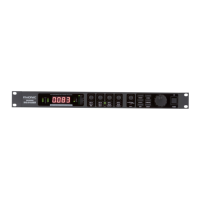
DFX256 digital reverberator. The DFX256 is a high
quality and easy-to-use stereo digital reverberator.
To take full ad-vantage of the DFX256’s functions,
and enjoy a longand trouble-free use, please read
thisuser’s manualcarefully and keep it for future ref-
erence.
FEATURES
●
256 effect programs available
●
Programs include reverb, delay, anger, chorus,
tap delay, tremolo, phaser, pan effects and com-
binations
●
32-40 bit digital signal processing plus 24 bit AD/
DA conversions
●
True stereo reverb
●
Easy-to-read 3-digit LED display
●
Compact “1U” rack mount dimensions
●
Foot SW Jacks allow the user of a footswitch to
mute the effect
●
Auto-bypass when power is off.
●
Signal and clip LEDs easy setup of the optimum
input level
●
A professional quality digital reverb designed for
musical instruments,recording, and sound rein-
forcement
GETTING STARTED
1. Check the AC voltage before connecting the
plug. Choose the main supply for the sound sys-
tem with care. Do not share sockets or earthing
with light dimmers.
2. Run audio cables separately from dimmer wir-
ing, using balanced lines wherever possible. If
necessary, cross audio and lighting cables at 90
o
right angles to minimize the possibility of inter-
ference. Keep unbalanced cabling as short as
possible.
3. Check your cables regularly and label each end
for easy identication.
4. Before switching on the main power, keep all
output rotary faders all the way down to prevent
damage or excessive noise caused by bad level
adjustment, wrong wiring, defective cables, or
bad connections.
5. Always turn on the DFX256 PRO before the
power amplier; turn off the DFX256 after turn-
ing off the amplier.
6. Always turn off the unit before connecting or dis-
connecting the unit to the power source.
7. Never use any solvents to clean the unit. Clean
it with a soft, dry cloth.



 To Next Page