12
11
10
13
REAR-PANEL DESCRIPTION
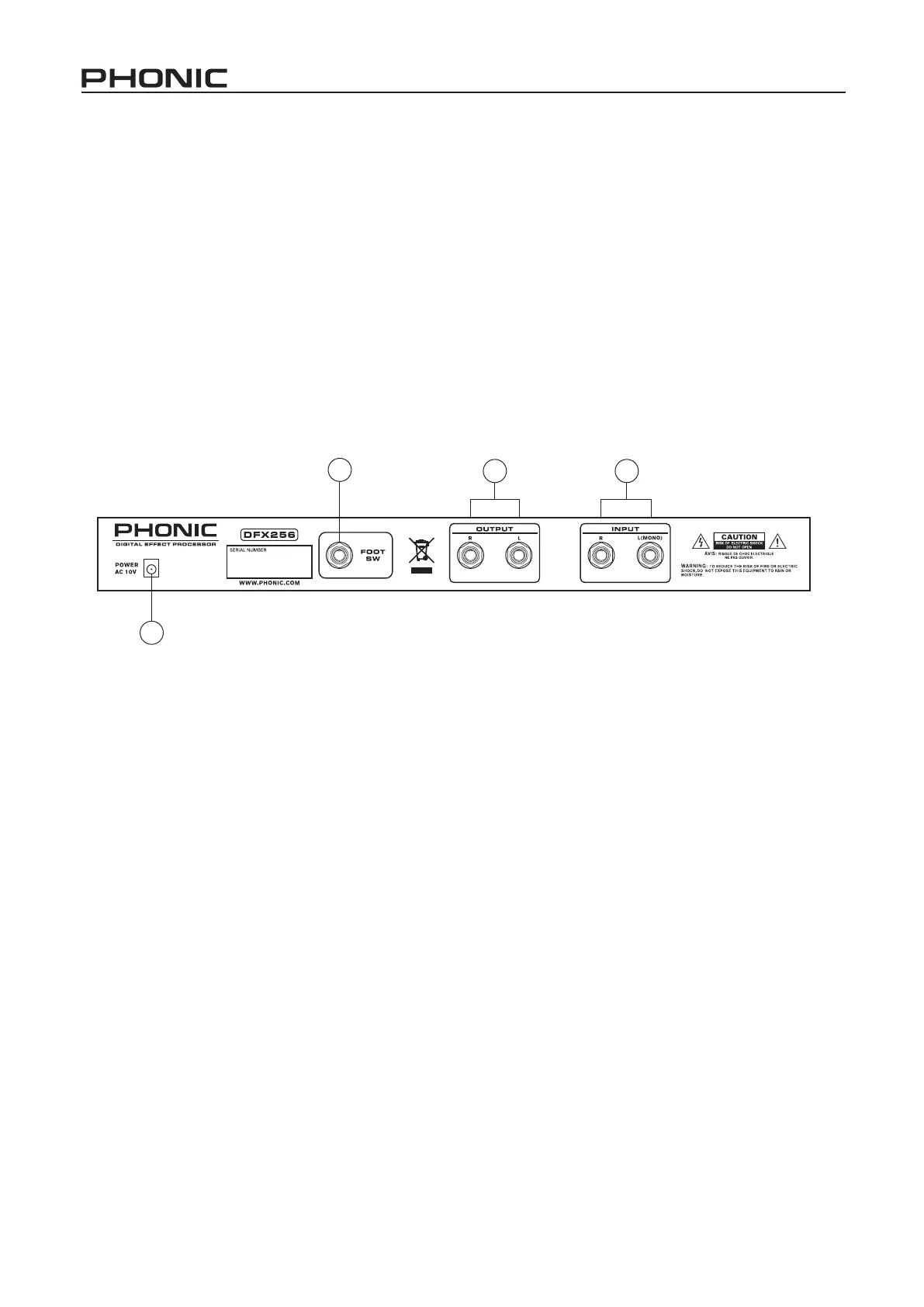
10. AC 10V IN INLET
The supplied AC Adapter is plugged into this con-
nector.
11. FOOTSWITCH
This is a 1/4” stereo phone jack. If a foot switch is
connected to this jack, you can use your foot to
switch the effect mute on/off (bypass).
12. OUTPUT (LEFT & RIGHT)
There are 1/4” phone jacks which connect to devic-
es such as the effects returns on a mixing console
or power amplier inputs.
13. INPUT (LEFT/MONO & RIGHT)
There are 1/4” phone jacks which connect to sourc-
es such as the effects sends of mixing consoles. For
mono application, use the “Left/Mono” input.



 To Next Page