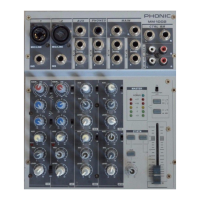
MU 502/802/1002 USER’S MANUALPHONIC CORPORATION Page 9
22. Peak Indicator
This LED indicator will illuminate when the device hits
high peaks, 6 dB before overload occurs. It is best to
adjust the gain of the channel so that the PEAK indicator
lights up on intervals. This will ensure a greater dynamic
range of audio. The Peak indicator is on channel 1 only
of the MU 502 mixer, however on both channels 1 and 2
of the MU 802 and 1002.
23. Level Control
This control will alter the signal level that is sent from the
corresponding channel to the main mixing bus.
Master Section
24. EFX Master Control (MU 1002)
This control adjusts the nal level of
the EFX mixing bus (as taken from
the EFX level controls on each chan-
nel strip), the audio of which is sent to
the EFX Send output (and sent to the
Control Room/Phones output when
EFX Cue button is engaged).
25. AUX Stereo Return Control
(MU 802)
This control adjusts the signal lev-
el of audio fed through to the AUX
Stereo Return inputs, which will
be added to the MAIN L-R mix.
26. 2T Return Controls
Pushing either one of the buttons in the 2T Return Control
Section selects the destination of the 2T Return signal.
The uppermost button (“to L/R”)
sends the signal to the Main L-R
mixing bus, whereas the lower
button (either “to Phones” or “to
Ctrl Rm”) sends the signal to the
Phones or Control Room/Phones
mixing buses, respectively. These
buttons can, of course, be used si-
multaneously, feeding the signal to
both the Control Room/Phones and Main L/R mixing bus.
If the "to Phones" or "to Ctrl Rm" button is not pushed
in, the Phones and Control Room outputs will receive the
Main L-R signal (the 2T Rtn signal has priority over this
signal, however, just as the EFX Cue - on the MU 802
and 1002 mixers - has priority over the 2T Rtn).
MU 802 and 1002 2T Return Control Additions: The 2T
Return Controls of both the MU 802 and MU 1002 feature
a level control, as well as the two 2T Return buttons. The
signal sent through the 2T Return Input arrives rst at the
level control, where the user can adjust the signal level to
their liking, before sending the signal elsewhere.
27. EFX Cue Button (MU 802 and 1002)
And now for one of the handiest buttons you will ever
come across in a mixer! This button, on the MU 802 and
1002 only, sends the stereo EFX signal (as adjusted by
the various EFX level controls on all channel strips) to
the Control Room/Phones mixing bus. The EFX signal
has priority over all over signals sent to
the Control Room/Phones mixing bus.
If not engaged, the 2T Return signal
then has priority to be sent to the Ctrl
Rm/Phones outputs, followed by the
Main L-R signal.
28. Phantom Power Switch
When this switch is in the on position it activates +48V
of phantom power for both microphone inputs, allowing
condenser microphones to be used on these channels.
NB. Phantom Power should be used in conjunction with condenser microphones
only. Do not engage Phantom Power if a condenser microphone is not being used,
to avoid causing damage to the mixer’s circuitry.
29.Phones (Ctrl Rm/Phones) Control
On the MU 502, this control is used to
adjust the audio level of the phones
feed, to be sent to the Phones output,
which can be used in conjunction with
headphones or, if required, as an
auxiliary output. On the MU 802 and
1002, however, this output controls not
only the phones level, but the signal
level sent to the Control Room output
also, for use in monitoring, as side ll,
or for the addition of other, external
devices.



 To Next Page